20
System and operation
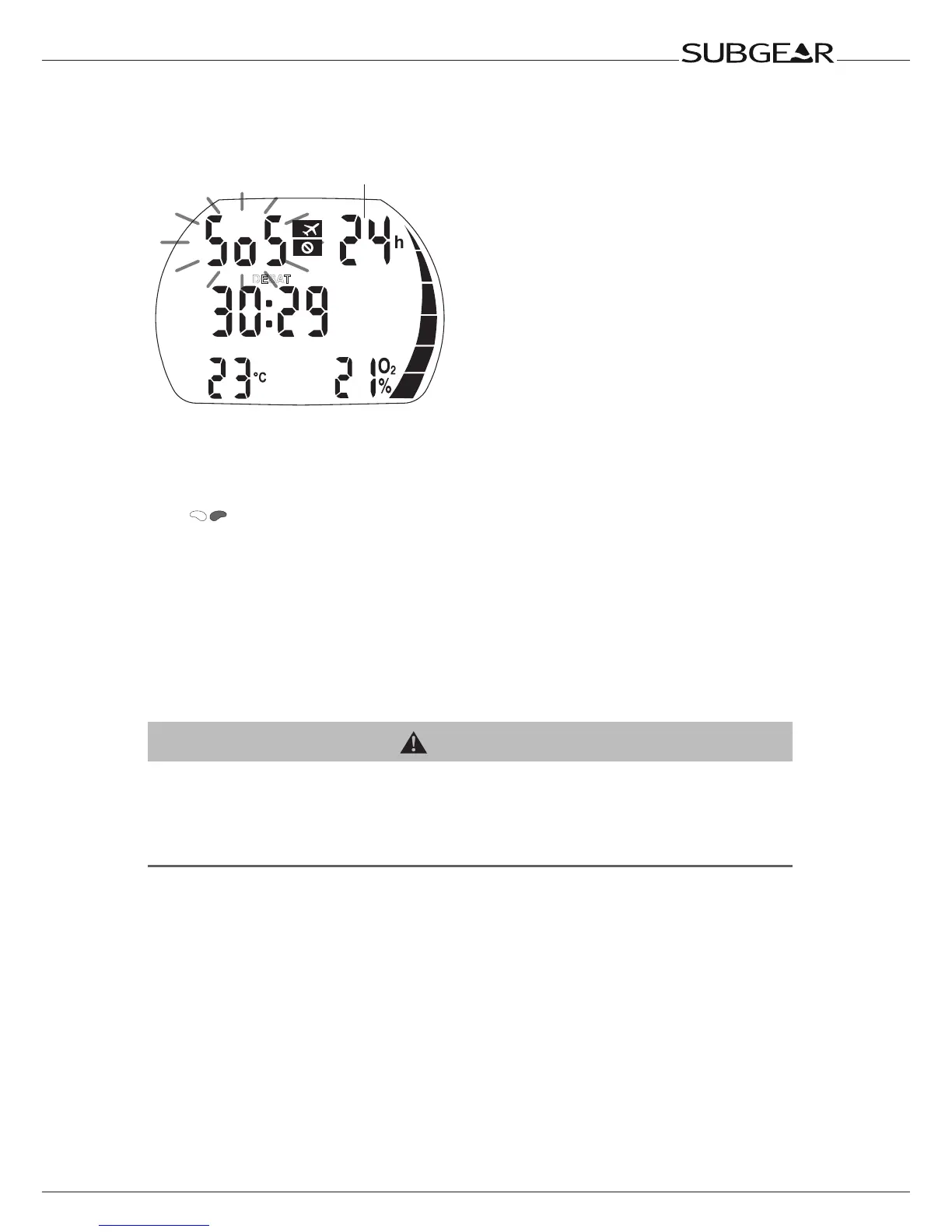
2.3 SOS mode
NO
DESAT
Time remaining until SOS mode
switches off automatically
Activation: automatic
If the diver remains above a depth of 0.8m (3ft) for more than three minutes without observing
a prescribed decompression stop, the computer will automatically switch into SOS mode
after the dive.
Push
to see the “SOS” sign and the remaining length of the SOS mode. The dive will
be entered in the logbook with “SOS”.
The SOS mode will be unlocked after 24 hours.
While in SOS mode, the computer cannot be used for diving. The computer can however be
used in gauge mode ->41. All segments in the nitrogen loading bar will flash throughout
the dive.
Diving within 48 hours after the end of an SOS mode will result in shorter no stop times or
longer decompression stops.
WARNING
•Seriousinjuryordeathmayresultifadiverdoesnotseekimmediatetreatmentshouldanysigns
or symptoms of decompression sickness occur after a dive.
•Donotdivetotreatsymptomsofdecompressionsickness!
•Diving in SOS mode is extremely dangerous and you must assume full responsibility for such
behavior.SUBGEARwillassumenoliability.
A diving accident can be analyzed at any time in the logbook and downloaded to a PC by
means of the infrared interface (IrDA) and Dive.Log software.



 To Next Page