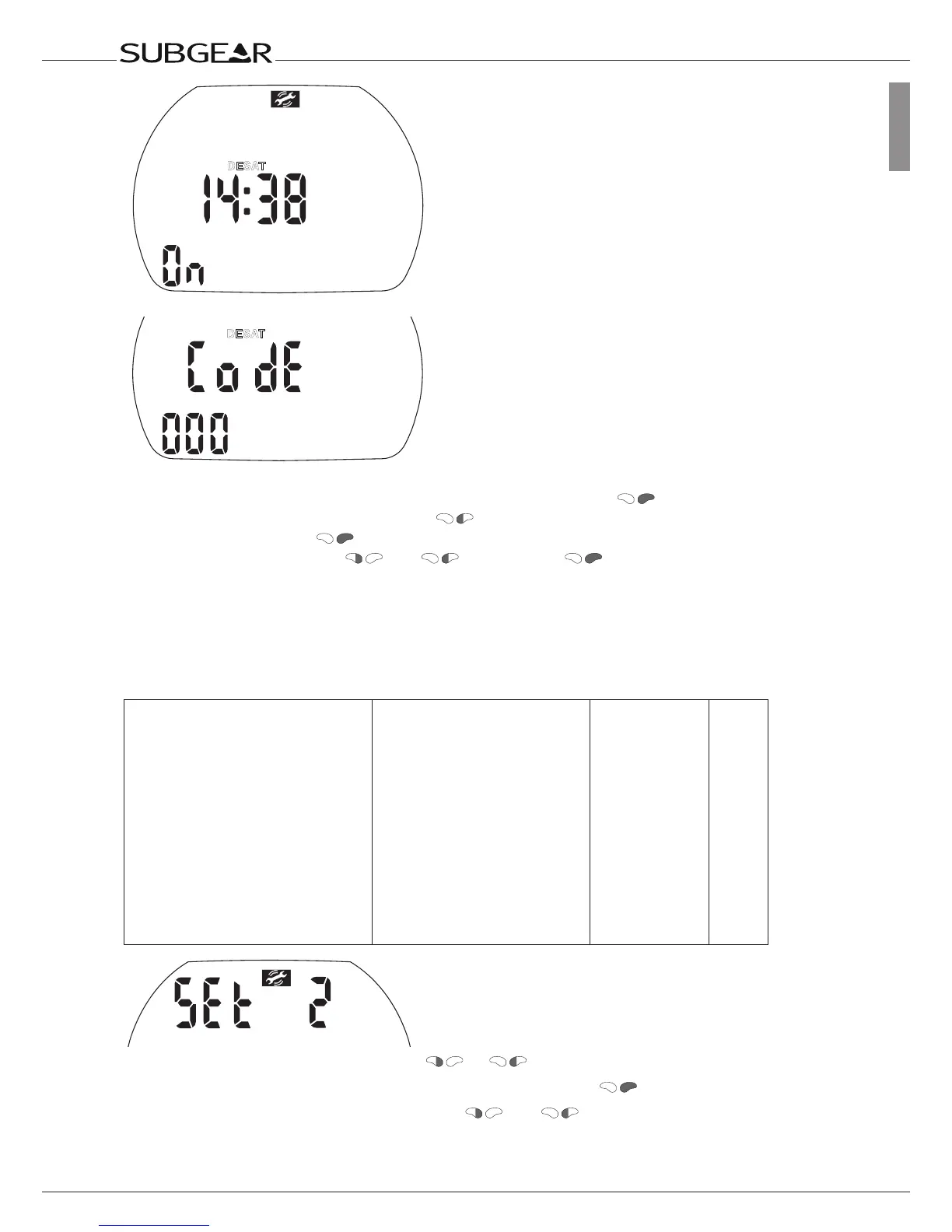
1. Confirm that you wish to reset the displayed saturation by pushing . “On” starts to flash.
2. Switch between “on” or “off” by pressing .
3. Confirm the setting with . If you have selected “off”, “Code” and “000” appear.
4. Set the first digit by pushing
and . Confirm with .
Repeat point 4 for the next 2 digits. If you entered the right code the desaturation will be reset to zero
(desat off). Code: 313
11.3 Menu “set 2”
With menu “set 2” or Dive.Log you can configure the following items:
Setting Range Default Page
•Alarmclock 0-23h59min,on/off 12:00,off 92
•UTC(UniversalTimeChange)
zone
±13hrs,increments:15min 92
•Timeofday hours:minutes 92
•24orAM/PMsetting 24(off)/AM/PM(on) 93
•Date 93
•Displaycontrast 1(low)-12(high) 4 94
•IrDAspeedsetting(only“set2”) low/high low
94
•Sound on/off on 94
•ShowSubgearXP-3G
electronicID
95
Starting from the time of day display push or until “set 2” appears.
Confirm that you wish to enter into the menu of “set 2” by pushing
.
Once entered into the menu you can scroll with
and through the menu.



 To Next Page