53
English
Diving with microbubble (MB) levels
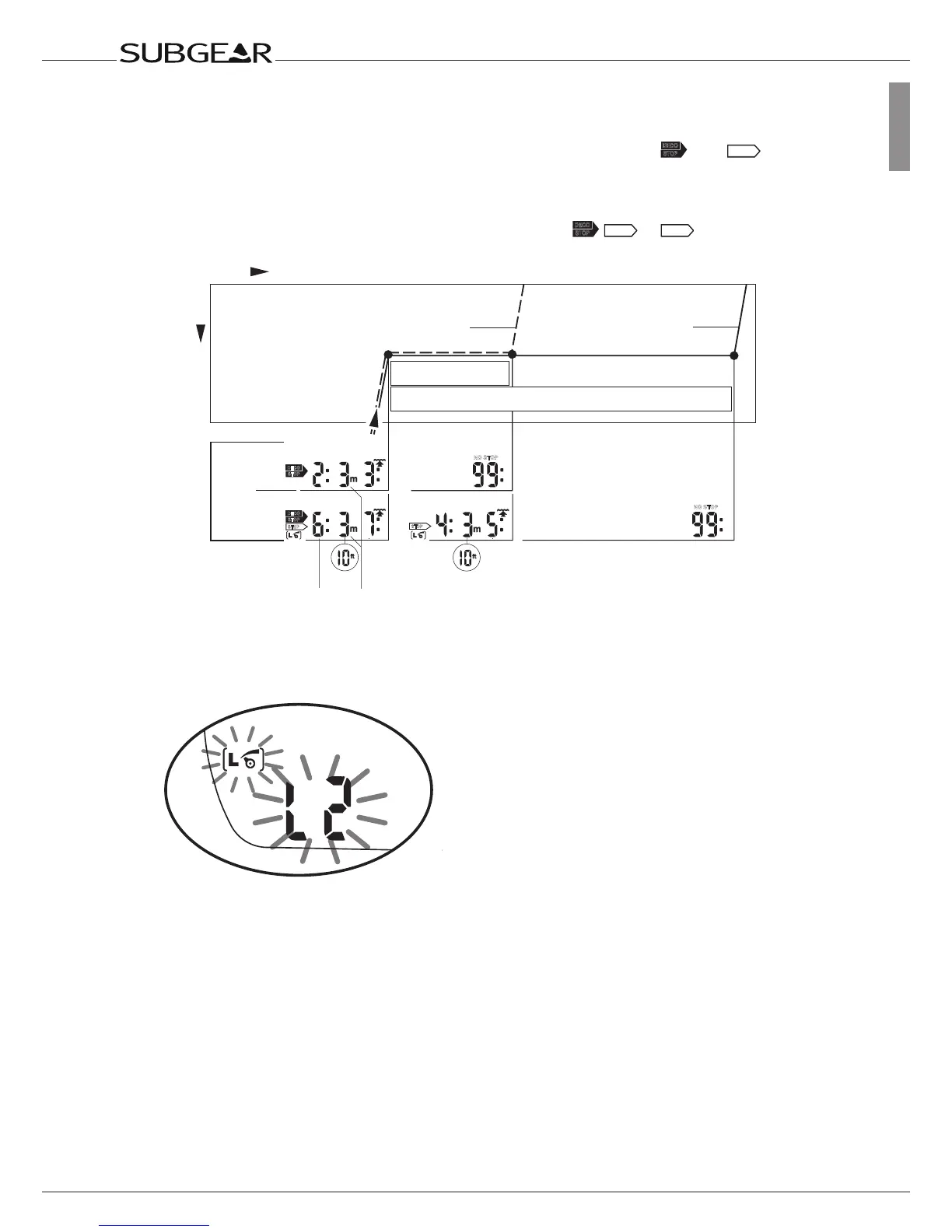
6.4.4 Level stop and deco stop
When the level stop depth equals the depth of the first obligatory decompression stop and if
you are within 1.5m /5ft of the stop depth itself, Subgear XP-3G shows
(level
stop). The indicated duration refers to level stop duration.
Since level stops are more restrictive than decompression stops, when all decompression
obligations have been observed the display changes from
A dive with MB levels is completed the same way as a dive without MB levels (L0) (->35),
save for the following exceptions:
If the MB level has been reduced during the dive, Subgear XP-3G will display a flashing MB
level symbol and the current MB level for five minutes after reaching the surface. The dive
is then completed and Subgear XP-3G changes to user mode with the MB level switching
back to the original MB setting.
Repetitive dives and MB levels: If during a dive a level stop is being ignored and the diver
starts another descent shortly afterwards, Subgear XP-3G might immediately request level
stops. To complete the dive with the initially set MB level all level stops must be observed.



 To Next Page