78
Dive planner
Confirm the displayed interval with (if applicable).
With and set the depth for which you want to know the no-stop time.
IfanMBlevelhasbeenselected(L1-L5),theMBno-stoptimeisshown.
Depths deeper than the MOD for the selected gas (O
2
mix) are not displayed.
Ifthedecogasoptionisturnedon,onlythedepthbetweentheMODofgas1andtheMODof
gasdaredisplayed.
Onpage36youwillfindfurtherinformationandsafetyconsiderationsregardingtheno-dive
warning.
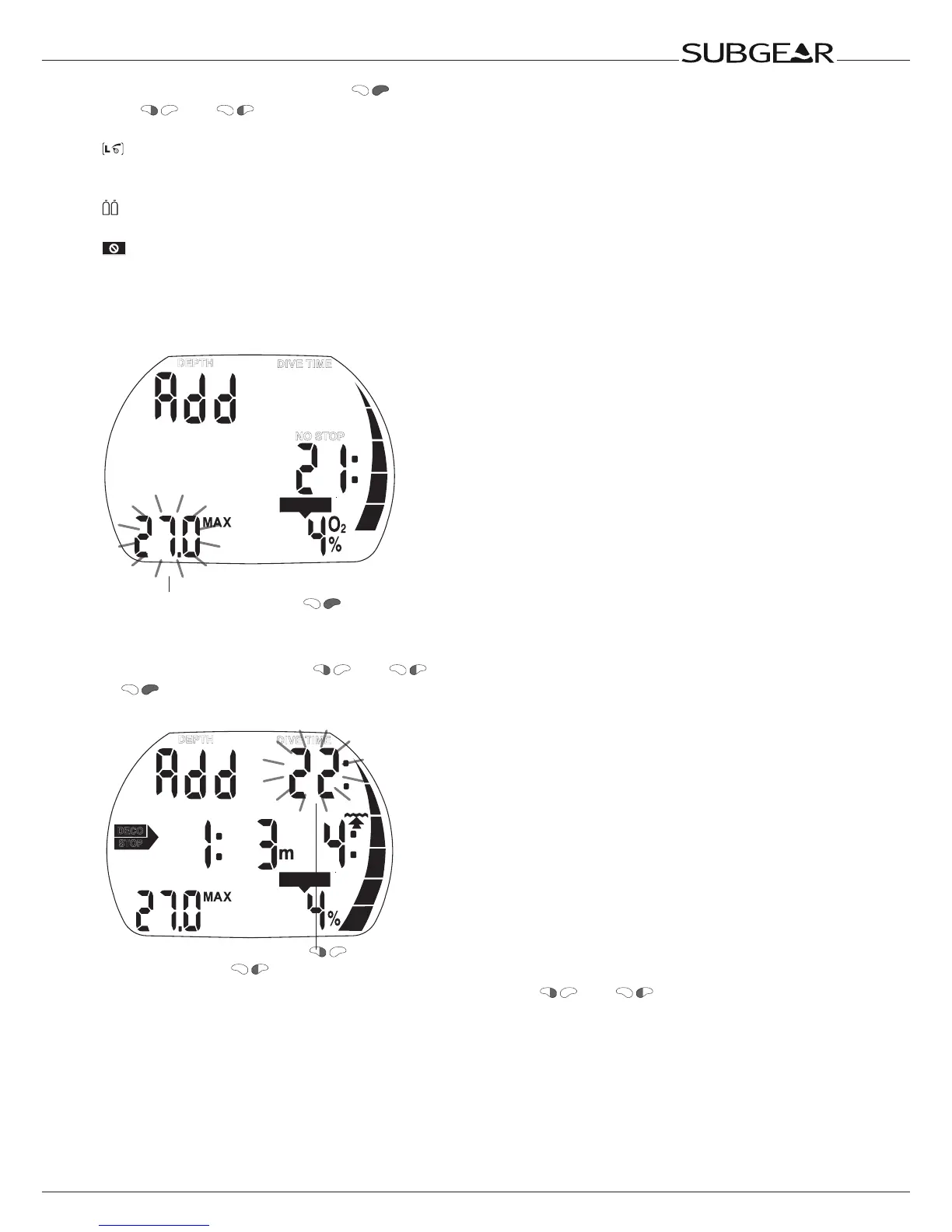
9.2 Planning a decompression dive
CNS O
2
%
DEPTH
NO STOP
DIVE TIME
Confirm the desired depth with
1. Activate the dive planner for a no-stop dive ->77.
2. Set the desired depth with
and , then switch into decompression planning by pushing
. Subgear XP-3G shows the bottom time (no-stop time + 1 minute) and the appropriate
decompression information or level stop data respectively.
STOP
NO
DECO
CNS O2%
DEPTH
DIVE TIME
Set desired bottom time with and
3. “Add” asks that you set the bottom time. This is done with and . Subgear XP-3G
calculates the decompression information for this set bottom time. If an MB level (L1-5) is selected,
Subgear XP-3G calculates the level stop data.
CNS O
2
% values higher than 199% will be displayed as 199 %.
Ascent time greater than 99 minutes is displayed as “ – – ”
Deco stop depth deeper than 27m (90ft) is displayed as “ – – : – – ”
CNS O
2
equal or greater than 75%: CNS O
2
% symbol starts flashing
CNS O
2
equal or greater than 100%: CNS O
2
% symbol and CNS O
2
% value are flashing.
MB level stop deeper than 27m (90ft): MB level will be reduced.



 To Next Page