99
English
Appendix
12. APPENDIX
12.1 Technical information
Operating altitude: with decompression information: sea level up to approx. 4000m (13 000ft); without
decompression (gauge mode): unlimited.
Max displayed depth: 120m (395ft), resolution between 0.8m and 99.9m: 0.1m, >99.9m: 1m. The
resolution in feet is always 1 foot.
Decompression calculation depth range: 0.8 to 120m (3 to 395ft)
Maximum environment pressure: 13bar (189psi)
Clock: Quartz clock, time, date, dive time display up to 199 minutes.
O
2
concentration: Adjustable between 21%O
2
(compressed air) and 100% O
2
Operating temperature: -10° to +50°C (14°F to 122°F).
Power supply: CR2450, recommended brands: PANASONIC, DURACELL, RENATA, ENERGIZER,
SONY, VARTA.
Life of the battery: 2-3 years or 200-300 dives. Actual life of the battery depends on the quantity of
dives per year, the use of the backlight and the length of the dives. In cold water the life of the battery
is reduced. Not all CR2450 batteries are the same, and low quality batteries can have very short life.
12.2 Maintenance
Subgear XP-3G is virtually maintenance free. All you need to do is to rinse it carefully with fresh water
after each use and to have the batteries changed when needed ->99. To avoid possible problems
with your Subgear XP-3G, the following recommendations will help assure that it will give you years of
trouble free service:
WARNING
•AvoiddroppingorjarringyourSubgearXP-3G.
•DonotallowyourSubgearXP-3Gtobeexposedtodirect,intensesunlight.
•RinseyourSubgearXP-3Gthoroughlywithfreshwateraftereachdive.
•DonotstoreyourSubgearXP-3Ginasealedcontainer;makesurethereisfreeventilation.
•Ifthereareproblemswiththewatercontacts,usesoapywatertocleanSubgearXP-3Ganddryitthoroughly.
The surface of your Subgear XP-3G housing can be treated with silicone grease. Do not apply grease to the
watercontacts!
•DonotcleanSubgearXP-3Gwithliquidscontainingsolvent(apartfromwater).
•Checkthebatterycapacitybeforeeachdive->17.
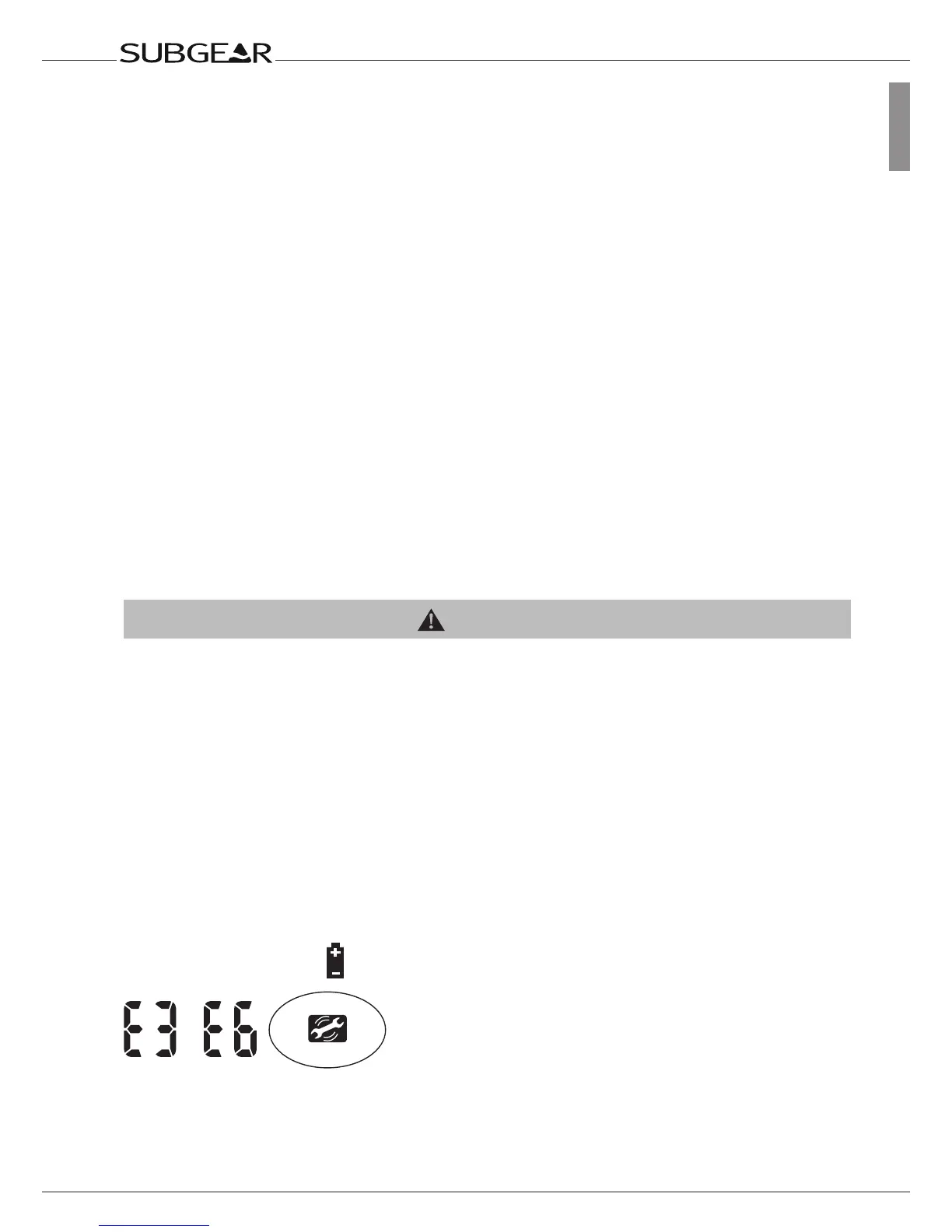
•Ifthebatteryiconappears,replacethebattery->99.
•Divingwithaweakbattery:SubgearXP-3Gmaystopworkingduringthedive,serviceiconanderrorcode“E3”
or“E6”appear.Closethediveandreplacethebattery->99.
•Onthesurface:ifserviceiconanderrorcode“E3”appear,replacethebattery->99.Allerrorcodesotherthan
E3:SubgearXP-3Gmustnotbeusedforanyfurtherdives.TakeyourdivecomputertoanauthorizedSUBGEAR
UWATEC dealer.
12.2.1 Replacing the battery
(Use only the original SUBGEAR battery kit with O-ring.)



 To Next Page