100
Appendix
WARNING
Removingthebatteryclearsallphysiologicaldataincludingsaturation.Thismeansthatforarepetitivedivethe
computer will not compute correctly. Diving after replacing the battery when there is desaturation time left on the
computer can lead to serious injury or death from decompression sickness.
Change the battery only under these conditions:
•Afteradiveifyouknowyouwillnotbediving,yingorgoingtohigheraltitudeforthenext48hours.
•Beforeadiveifthereisnodesaturationtimeleftonthecomputer.
The change must be made with particular care in order to prevent water from seeping in. Thewarranty does not
cover damages due to an improper replacement of the battery.
WARNING
Never touch the metal surface of the battery with bare ngers.
The two battery poles must never be short circuited.
Procedure:
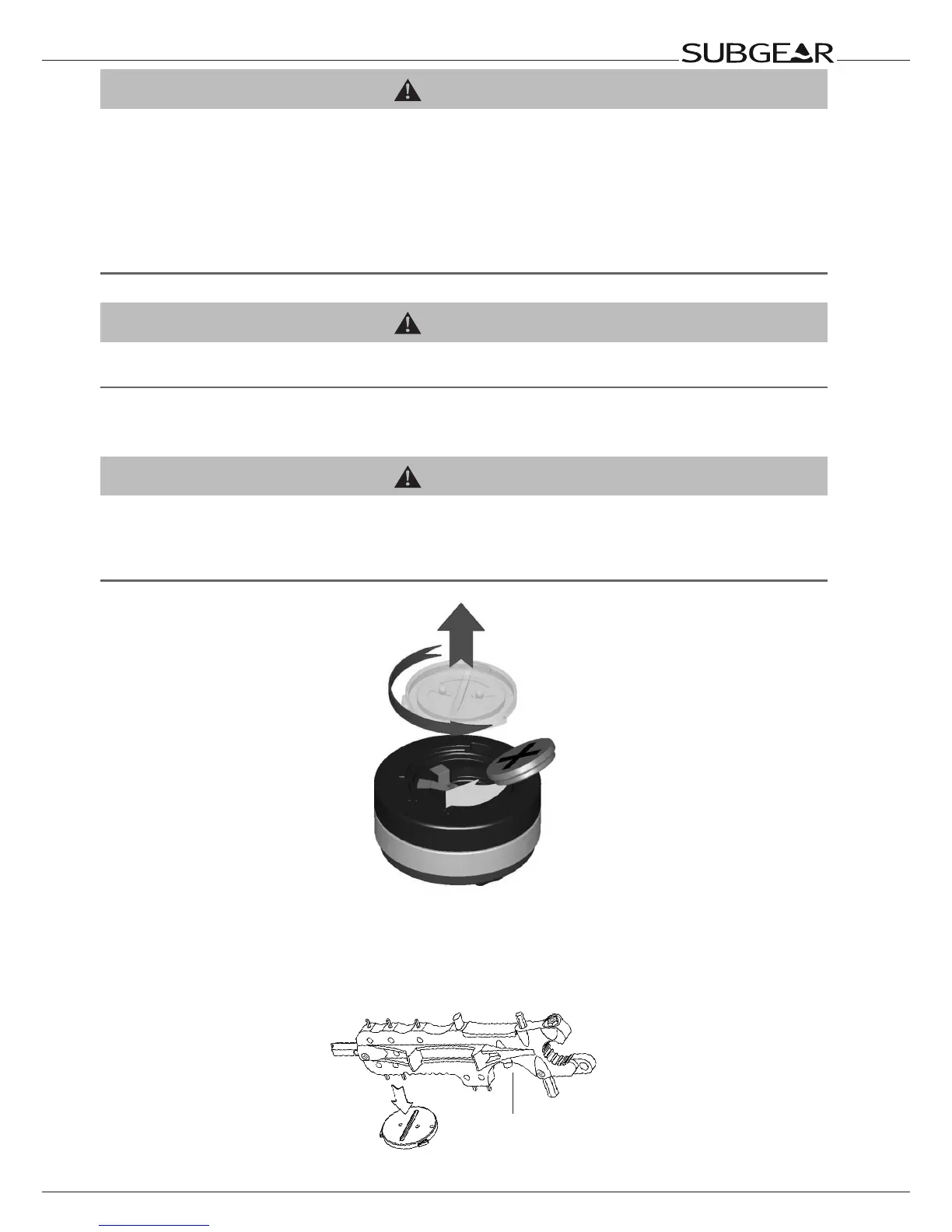
To replace the battery you need a coin or the SUBGEAR universal tool and a clean cloth.
WARNING
•AleakingbatterycapmayleadtothedestructionofSubgearXP-3GbywaterseepinginorcauseSubgearXP-3G
to switch off without prior notice.
•Alwaysopenthebatterycompartmentinadryandcleanenvironment.
•Onlyopenthebatterycompartmenttoreplacethebattery.
1. Dry Subgear XP-3G with a soft towel.
2. Turn the battery cap with a coin or with the SUBGEAR universal tool.
3. Remove the battery cap.
4. Remove the O-ring carefully. Do not damage the sealing surfaces.
5. Remove the battery. Do not touch the contacts.
SUBGEAR
universal tool



 To Next Page