14
System and operation
Downloading your dives
Subgear XP-3G’s memory allows you to store approximately
25 hours of SCUBA dive profile information in 4 second
sampling intervals. In Apnea mode the display is updated
faster (in 0.25s intervals and logbook in 1s intervals), therefore
in Apnea mode at least 6h of Apnea profiles will be stored.
With Dive.Log you can transfer this information to the PC in
order to visualize and analyze your dives on the monitor. To
download data from Subgear XP-3G, click on “NEW” under
the “LOGBOOK” menu to open and name a new logbook
or open an existing logbook. Then click on the “TRANSFER
DIVES” icon: a box will appear on the screen identifying the
computer being downloaded, and a progress bar will show
the status of the transfer.
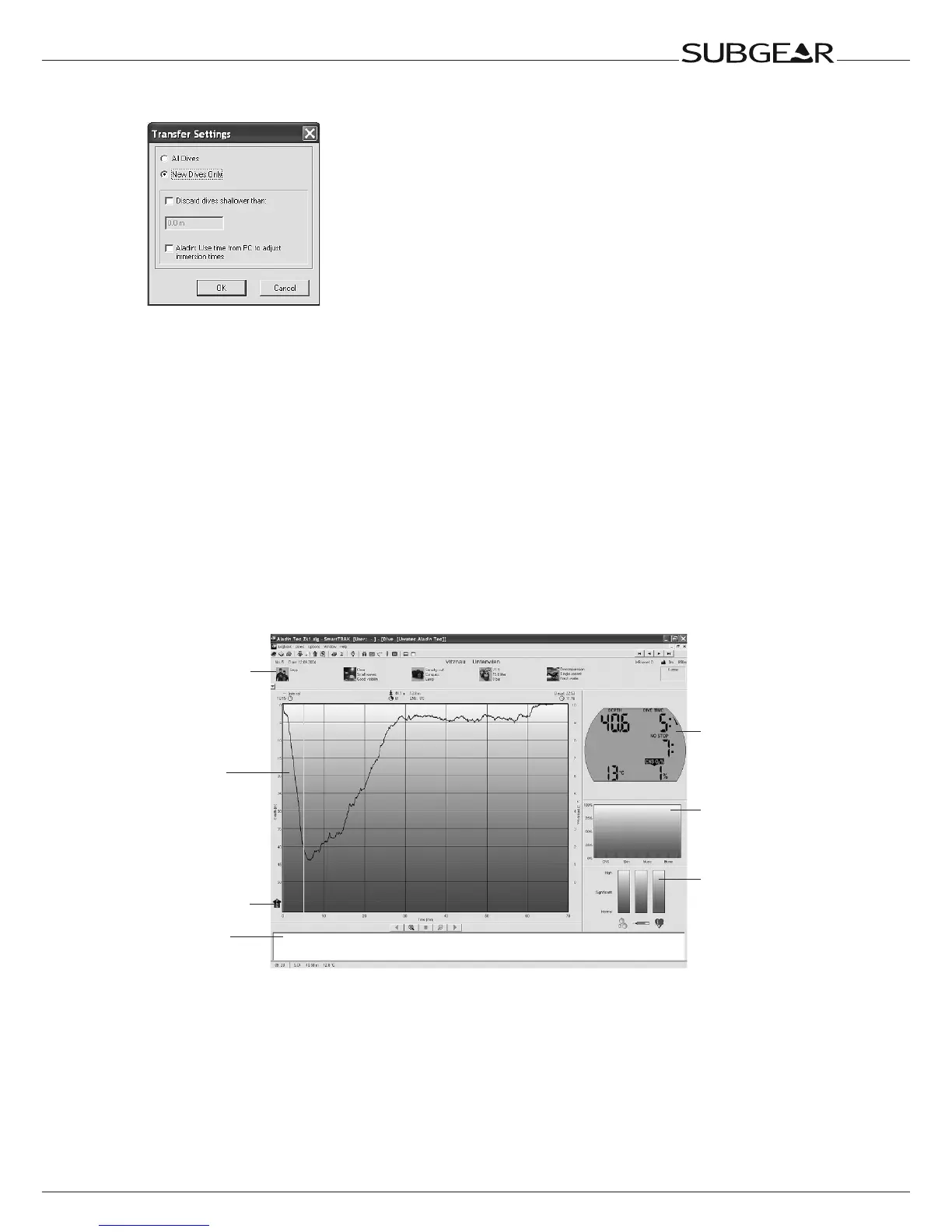
You can choose between transferring all dives or new dives
only (default setting) from Subgear XP-3G’s memory. If you
choose to transfer new dives only, Dive.Log will only transfer
dives that are more recent than the most recent dive already
saved in the PC logbook. To transfer all dives, you must change
the default setting by selecting “Transfer” under “Dives” in the
main menu bar.
Once the data is downloaded, a window will show you a
summary table of all dives; for the selected dive, another
window will show you its details. From these windows you can
add and edit your dive information.
Dive window
Dive profile
panel
Alarm symbols
Notes panel
Dive
computer
display
Tissue
panel
Physiology
panel
Dive information
panel



 To Next Page