25
Diving with Subgear XP-3G
English
To set the gas mixture, Subgear XP-3G must be in user mode (time of day display).
or until
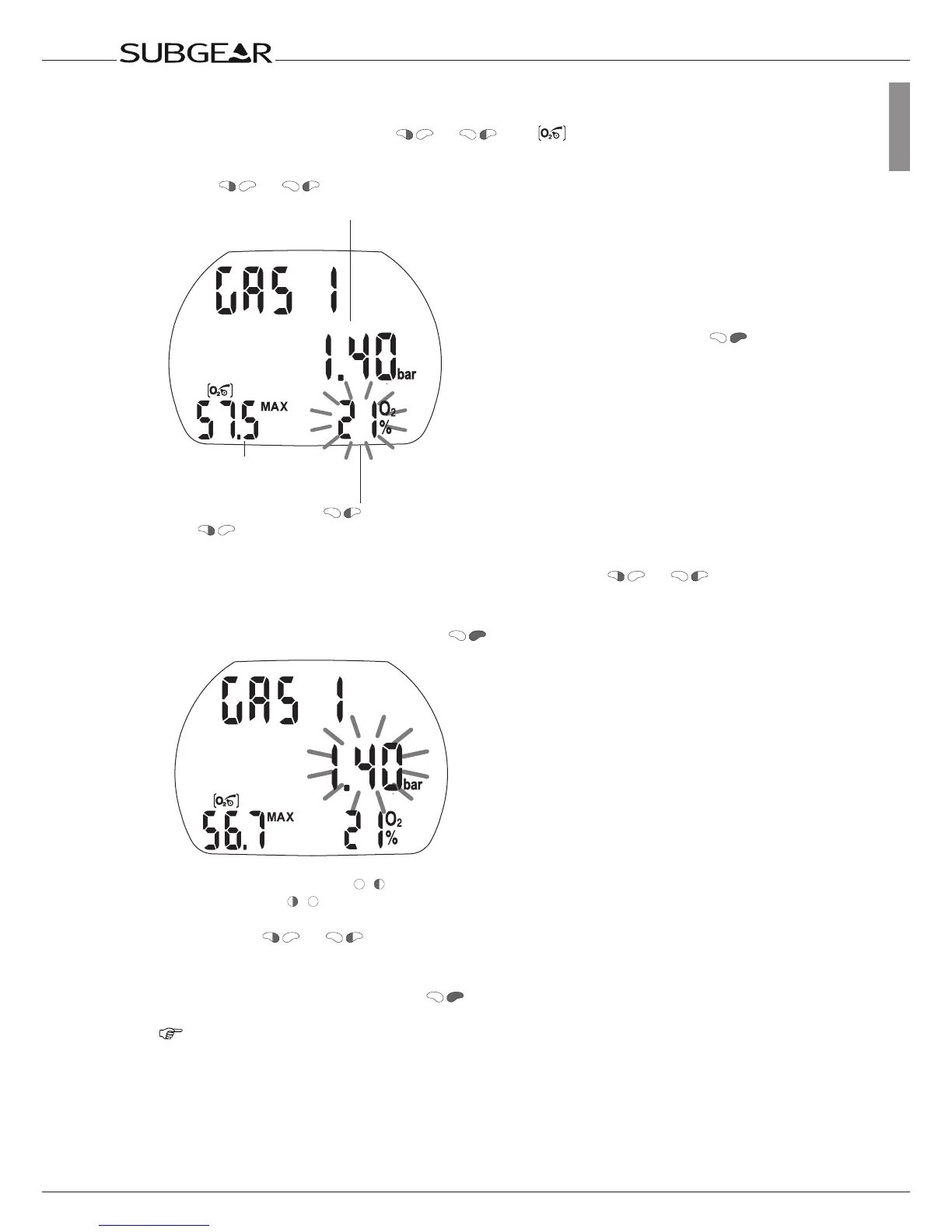
1. Push or until the GAS 1 O
2
menu appears.
Max Operating
Depth MOD
Change the O
2
% mix by (+)
and (–)
ppO
2
max
2.
Confirm that you wish to change the
oxygen fraction of gas 1 by pushing .
3. Change the oxygen fraction in increments of 1% by pushing or . Subgear
XP-3G will display the current fraction of oxygen, the maximum partial pressure limit
(ppO
2
max) and the MOD.
4. Confirm the selected percentage with .
Change the ppO
2
max by (+) and
(–)
5. By pushing or you can change the ppO
2
max for the chosen fraction of
oxygen down to 1.0bar. Subgear XP-3G will now display the corresponding MOD for the
new ppO
2
max.
6. Confirm your ppO
2
max settings with .
NOTE:
•Withoutconfirmationthedisplaywilldisappearafter3minutesandyourentrieswill
not be accepted.
•AutomaticresetoftheO
2
% mix to 21% can be set with “set 1” ->84 or Dive.Log
between 1 and 48 hours or to “no reset” (default).



 To Next Page