CheckPoint Pharma and CheckPoint
e
Operation and Maintenance Manual
SUEZ © 2018 109 of 112 DLM 97200-03 EN Rev. A
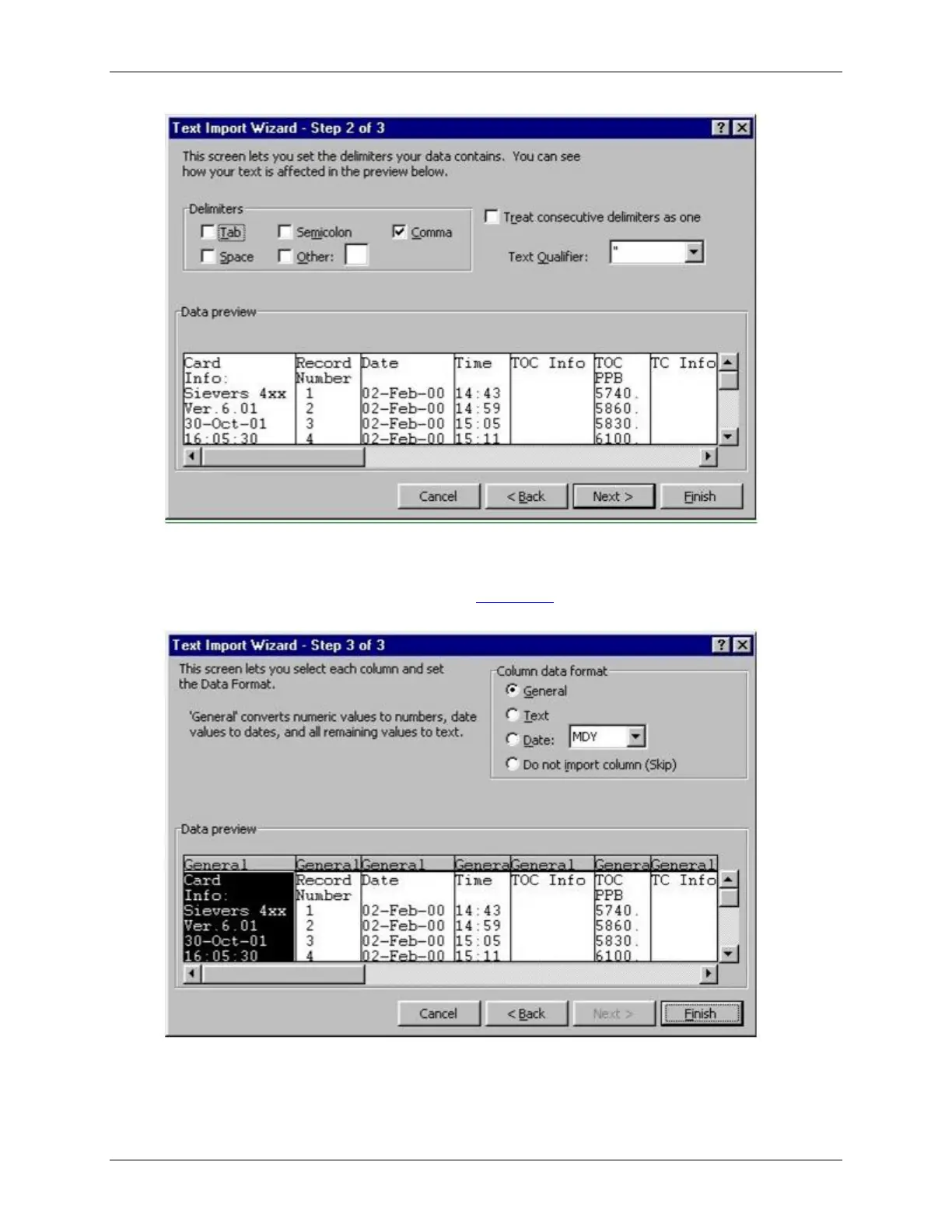
Figure 49: Text Import Wizard – Step 2 of 3
10. Microsoft Excel shows a preview of the data that will be imported. You can highlight a
column and assign a Column data format (Figure 50:
Text Import Wizard – Step 3 of 3
).
Click
Finish
to continue.
Figure 50: Text Import Wizard – Step 3 of 3
A new spreadsheet containing your exported data opens. You can now modify the
document as you would modify any other Microsoft Excel file.



 To Next Page