Initial screen
17
Refer to page 39~42.
Fiber type and protection sleeve settings
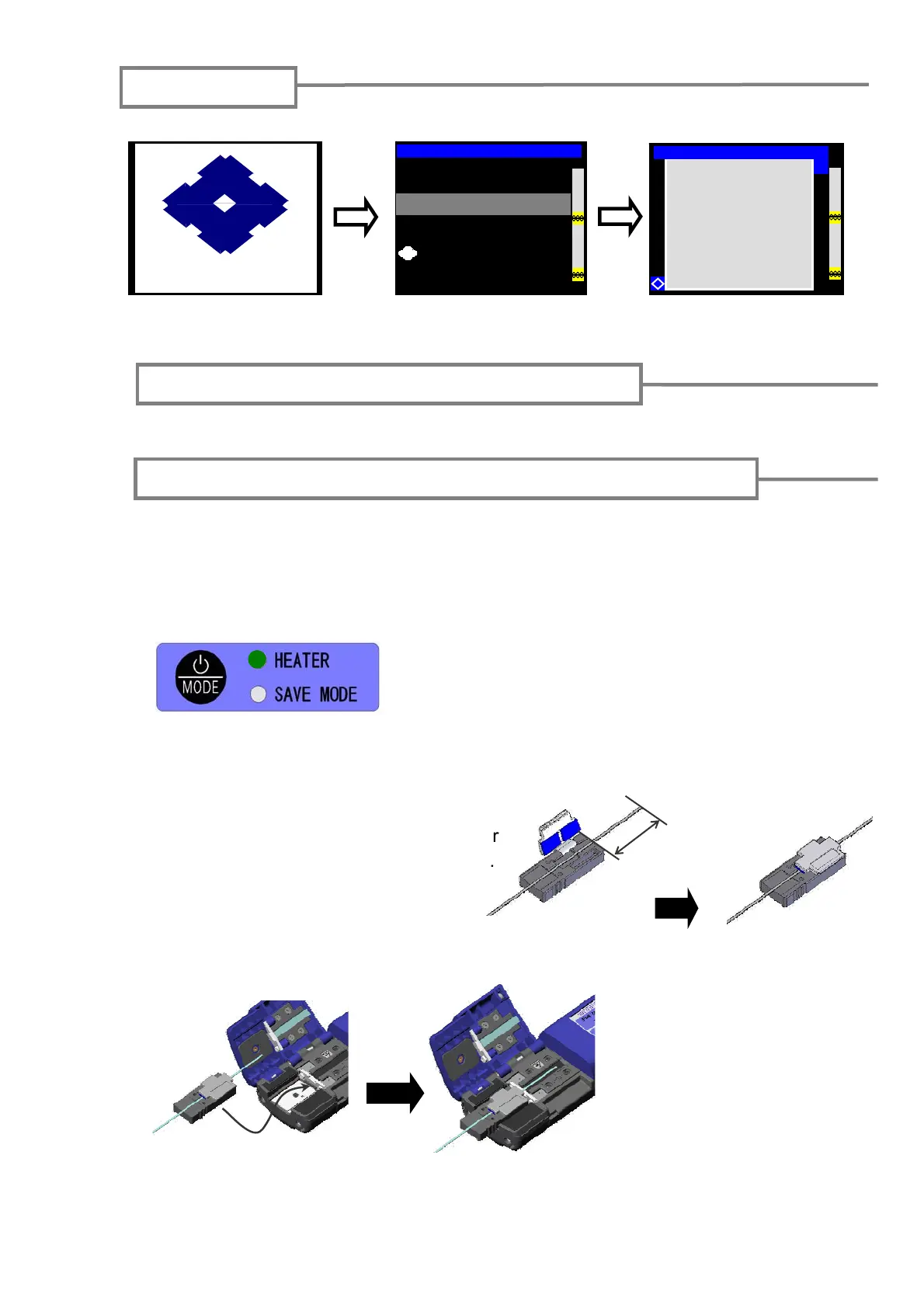
An example shows use of Sumitomo JR-6 hot jacket remover. Please read the JR-6
operation manual before use. If you use another jacket remover, please refer to its
operation manual.
1: Turn on the power of the JR-6.
Startup screen
SUMITOMO ELECTRIC
Initialize screen
TYPE-66 M12
Copyright® 2006
All Rights Reserved.
Version 1.x
SUMITOMO ELECTRIC INDUSTRIES.LTD
Initialize is complete
→Ready screen
Ready [SM:12c-40mm 12c]
Y
Press the POWER key for more than 1 second until the
TEMP./BATT. indicator LEDs illuminate.
2: Place an optical fiber in a fiber holder
with the ends protruding approx. 30mm.
Approx.
Stripping the fiber coating / Cleaning the bare fiber
30mm
3: Place the fiber holder in the holder receptacle.
*Touch the edge of the fiber holder against the JR-6.
The indicator LEDs illuminate to indicate a current battery remaining capacity.
Then the HEATER LED flashes in the red. The HEATER LED turns green when
the JR-6 reaches the set temperature.



 To Next Page