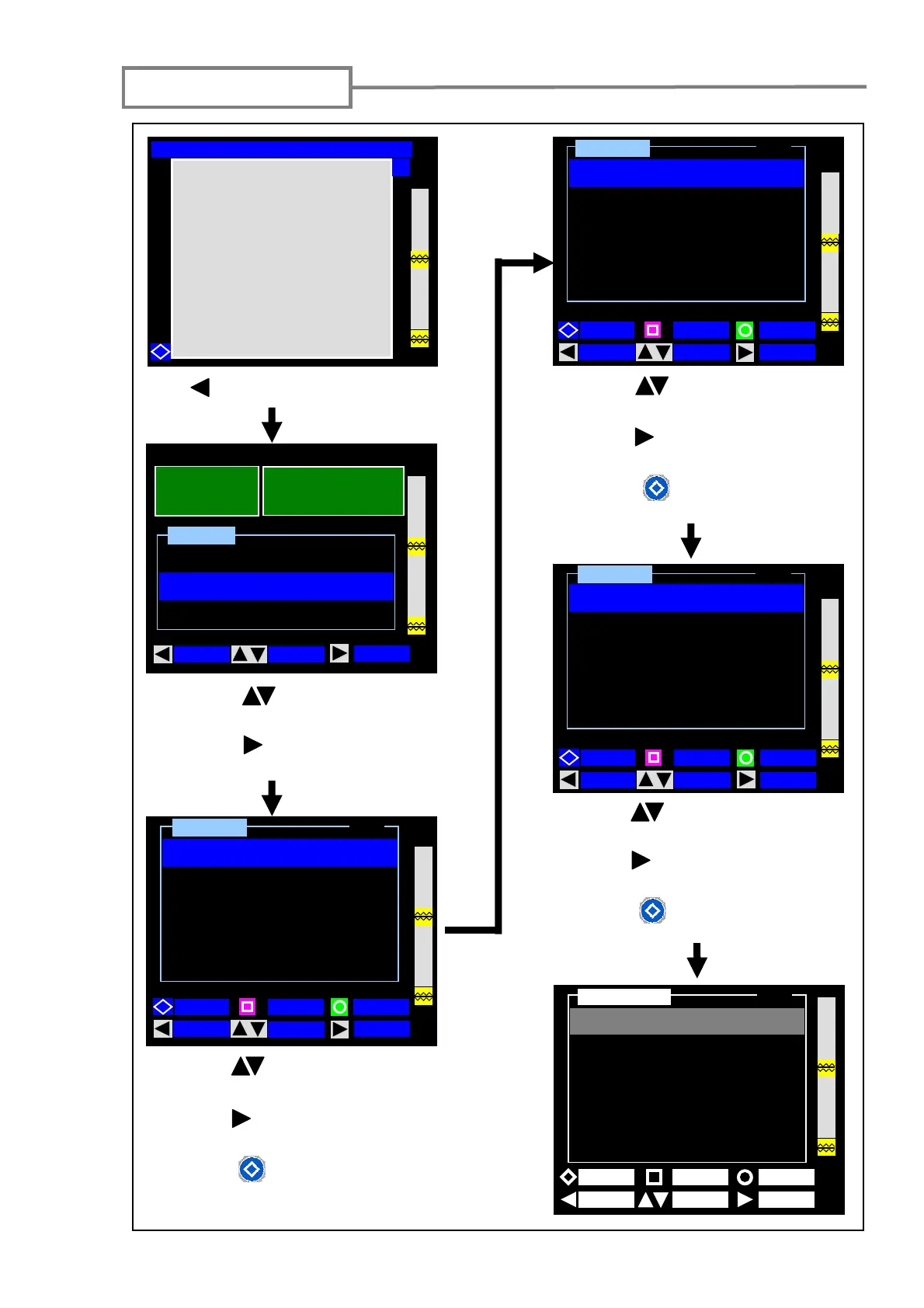
Function settings
43
Press (MENU) key to enter the Menu
screen.
1: Using the (MOVE) keys, select
“Function”.
2: Press the (SELECT) key to enter
the function settings (1/4) screen.
12 / 02 / 2007 12: 00
Condition Change
Function
Maintenance
Menu
MOVE SPLICE
SELECT
40mm 12 c
SLEEVE
FIBER
S M : 12 c
Function
BACK
MOVE SELECT
Arc Pause
[OFF]
Sleep
[OFF]
Auto Power Off
[OFF]
Display Monitor
[FRONT]
Auto Start
[OFF]
1 / 4
PAGE
BACK
MOVE SELECT
2 / 4
Language
Function
Ready [SM:12c-40mm 12c]
Y
[ English]
Temperature
[°C ]
Heater Auto Start
[OFF]
Light for v-groove
[ON]
Date(dd/mm/yy hh:mm)
[12 / 02 / 07 17:00]
PAGE
1: Use the (MOVE) keys to select
the function you would like to change.
2: Use the (SELECT) key to change
the settings.
3: Press the (PAGE) key to go to the
next (3/4) page.
3 / 4
Memory
[OFF]
Display
[0000]
Output
[0000]-[0000]
Clear
[Previous]
Histogram
[Loss]
MOVE
SELECT
PAGE
BACK
Function
1: Use the (MOVE) keys to select
the function you would like to change.
2: Use the (SELECT) key to change
the settings.
3: Press the (PAGE) key to go to the
next (4/4) page.
1: Use the (MOVE) keys to select
the function you would like to change.
2: Use the (SELECT) key to change
the settings.
3: Press the (PAGE) key to go to the
next (2/4) page.
BACK MOVE SELECT
PAGE
Buzzer ( Key )
Function
4 / 4
[ ON]



 To Next Page