Splice protection
29
The cooling fan still runs to cool down the
heat shrink oven even after the heating
process is completed.
3: Lower the fiber coating clamp onto the
right-hand fiber clamp.
While maintaining a slight tension on the
fiber end, lower the fiber coating onto
the left-hand fiber clamp and push
down.
•Do not twist the fiber.
•Do not flex the fiber.
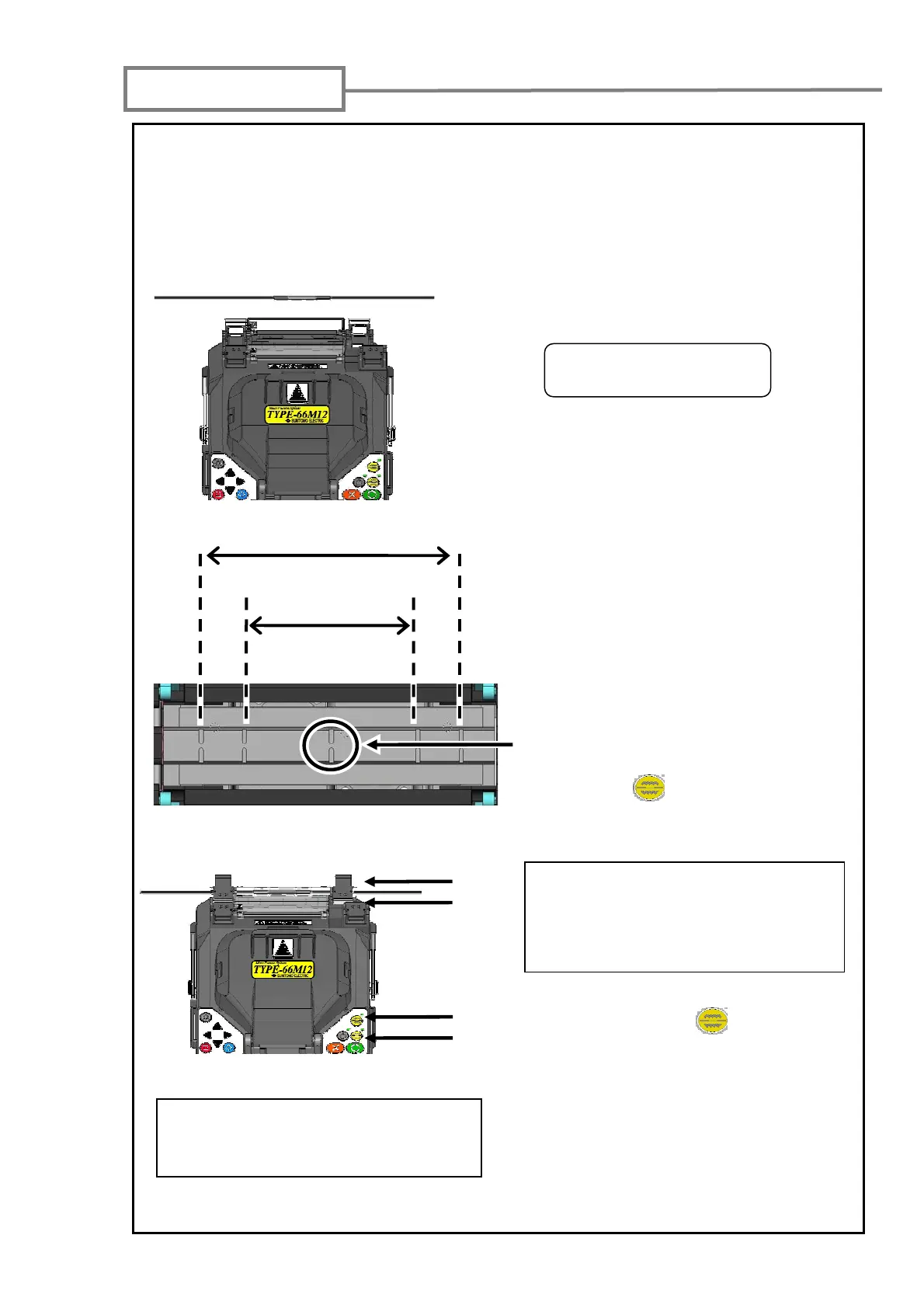
2: Open the lid of the other fiber holder.
Remove the fiber from the splicer.
0: Open the heat shrink oven lid and the heat shrink oven clamps. The left-hand
clamp is conneted with the heat shrink oven lid and both are open together.
1: Open the hood and the lid of the one fiber holder. Slide the protection sleeve to
the center of the splice.
Rear
Front
Rear
Front
4: Press the (HEAT) key to start
the shrinking process.
•The heat cycle is started.
5: A beep sounds when the heating
process is completed. Remove the
fiber protection sleeve.
6: Place the protection sleeve onto the
cooling tray.
When lowering the fiber onto the heat
shrink oven, use the markings on the
heat shrink oven as a reference.
Marking for the center of
the heat shrink oven
If Auto start heating is set to ON, the
heating operation is automatically
started when the fiber is placed into
the heat shrink oven.
If you would like to cancel the heating
process, press the (HEAT) key
again.
40mm protection sleeve
60mm protection sleeve



 To Next Page