4. Functions
Splice and heater condition settings
39
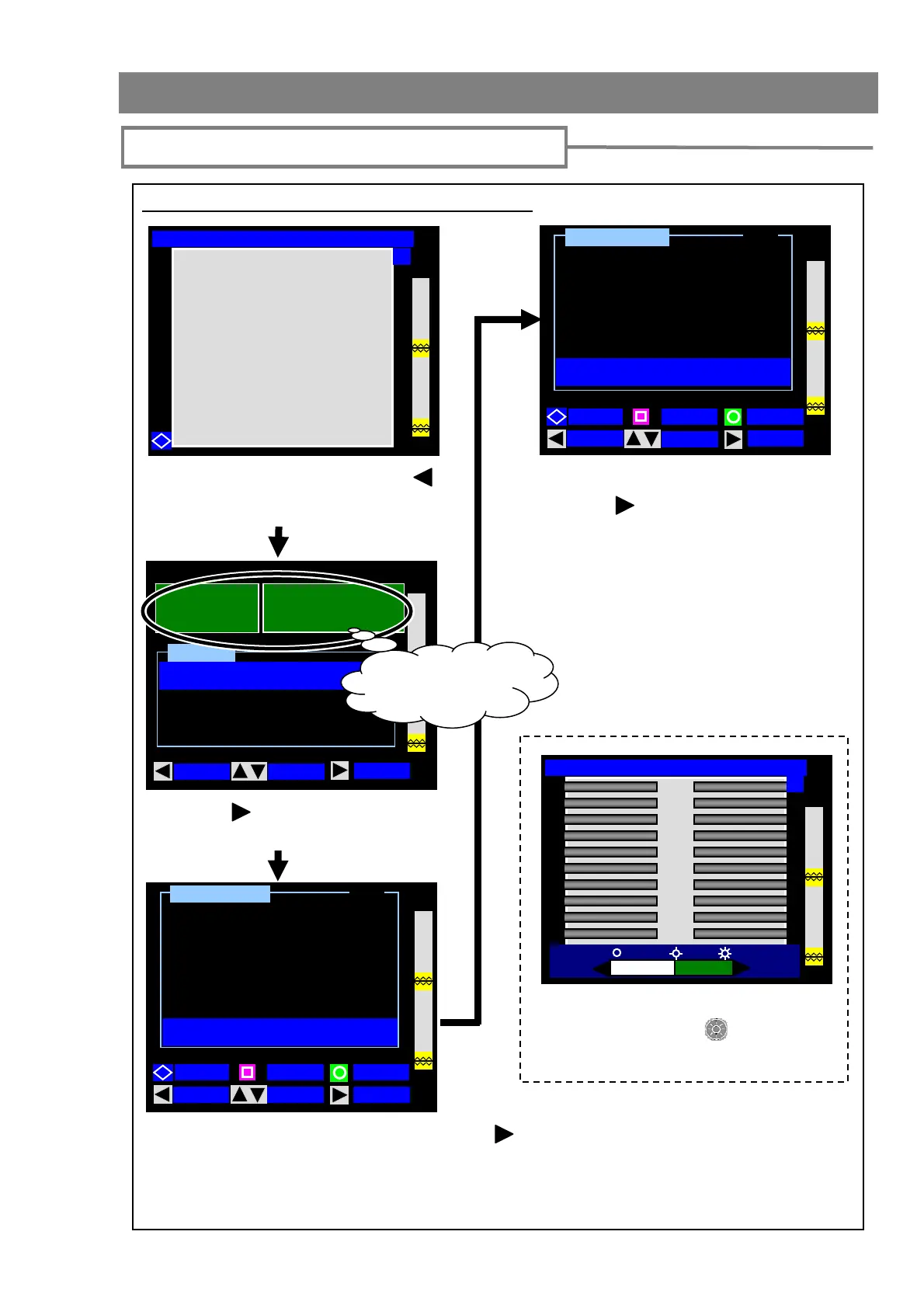
Fiber type and protection sleeve settings
Press the (SELECT) key to enter
the fiber selection screen.
Select the fiber type being spliced. Press the (SELECT) key to enter the
protection sleeve selection screen.
For the details of splice conditions, refer to page 40.
If you would like to change splice condition parameters, refer to page 42.
Select the protection sleeve being used.
Press the (SELECT) key to go to the
Ready screen.
For the details of heater conditions, refer
to page 40.
If you would like to change heater
condition parameters, refer to page 42.
In this screen, monitor brightness can
be adjusted if the (Brightness
control) key is pressed.
12 / 02 / 2007 12: : 00
Condition Change
Function
Maintenance
Menu
MOVE
SPLICE
SELECT
40mm 12 c
SLEEVE
FIBER
S M : 12 c
Selected fiber type
and protection sleeve
S
lice Condition
SM : 1c
1 / 5
SM : 2c
SM : 4c
SM : 6c
BACK
MOVE
SELECT
SM : 8cQck
PAGE
1 / 1
60 mm 0. 25
FPS-1
40 mm 1c
FPS-40
FPS-5
Heater Condition
BACK
MOVE
SELECT
40 mm 4c / 8c
40 mm 12c
FPS-6
Ready [SM:12c-40mm 12c]
Y
From the Ready screen, press the
(MENU) key to enter the MENU
screen.
Ready [SM:12c-40mm 12c]
Y
60 mm 0. 9
FPS-1



 To Next Page