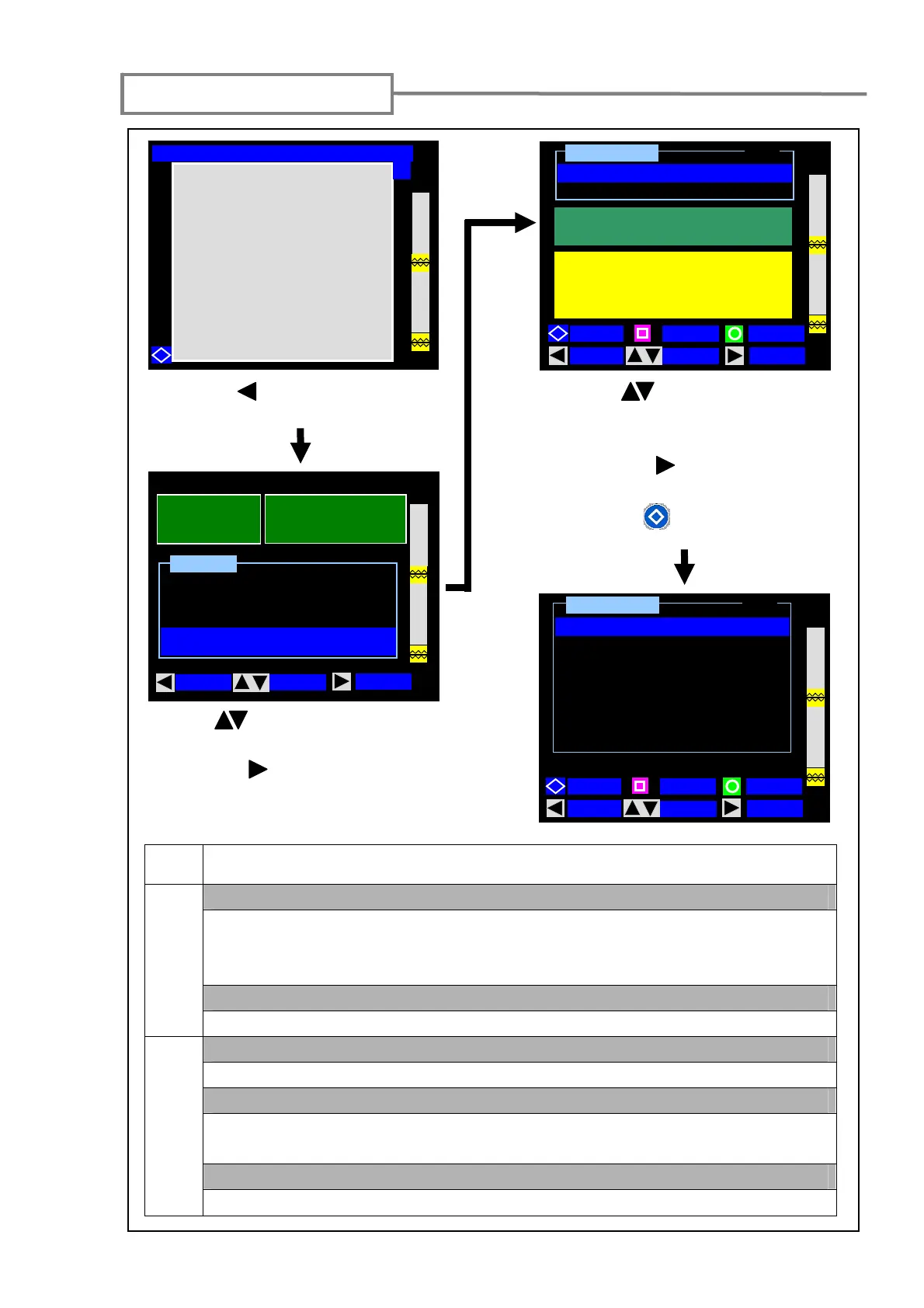
Maintenance settings
45
Press the (MENU) key to enter
the Menu screen.
1: Using (MOVE) keys, select
“Maintenance”.
2: Press the (SELECT) key to enter
the maintenance settings (1/2) screen.
1: Use the (MOVE) keys to select
the function you would like to
change.
2: Press the (SELECT) key to
change the settings.
3: Press the (PAGE) key to go to
the next (2/2) page.
12 / 02 / 2007 12: 00
Condition Change
Function
Maintenance
Menu
MOVE
SPLICE
SELECT
40mm 12 c
SLEEVE
FIBER
S M : 12 c
Arc Count 0323
All Count 000533
Warning
Turn power off and
Take power unit out of splicer
MOVE
SELECT
PAGE
BACK
1 / 2
Conditioning Arc
Reset Arc Count
Maintenance
when electrodes changed
Maintenance
2 / 2
Restore Data
Self Inspection
Battery Refresh
MOVE
SELECT
PAGE
BACK
Ready [SM:12c-40mm 12c]
Y
Maintenance
Page
<Conditioning Arc>
1/2
After the electrodes are replaced, this function is used to condition a new
electrode. The number of conditioning arc is preset. Arc Count is automatically
reset after conditioning arc is performed.
<Reset Arc Count>
Arc Count can be reset, while All Count cannot.
<Restore Data>
2/2
All parameters except Arc Count and All Count are returned to the factory setting.
<Self Inspection>
The circuit board, optical unit, motors and heat shrink ovens are automatically
inspected.
<Battery Refresh>
Used to refresh the battery module. (Refer to page 14.)



 To Next Page