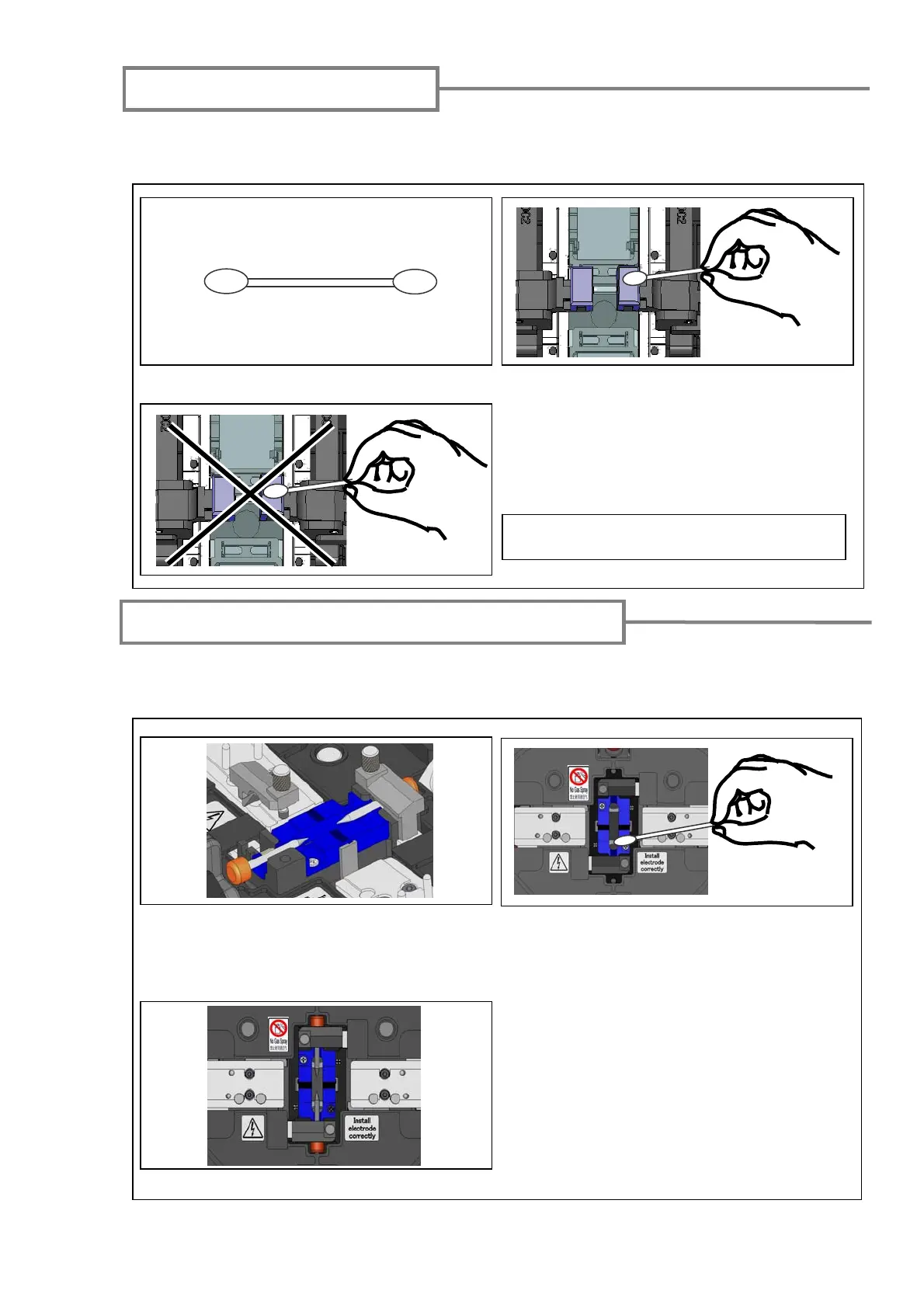
Cleaning bare fiber pads
Dirt on a bare fibre pad will also cause the fibrer to be offset. When fiber offset occurs,
clean the bare fiber pad.
1: Prepare a cotton swab moistened with alcohol. 2: Clean the surface of the bare fiber pads.
3: Use a dry cotton swab to wipe off any
excess alcohol.
Do not apply too much force when cleaning.
Cleaning microscopes (objective lenses)
If an unclear fiber image is still displayed or LED error occurs again after cleaning
LEDs or a mirror protection glass, clean the microscopes.
1: Remove the electrodes, referring to the
“Replacing electrodes” at page 35.
2: Prepare a cotton swab moistened with
alcohol. Gently wipe the lens of the
microscope in a circular motion.
3: Use a dry cotton swab to wipe off any
excess alcohol.
4: Re-fit the electrodes.
5: Perform an arc test.
33



 To Next Page