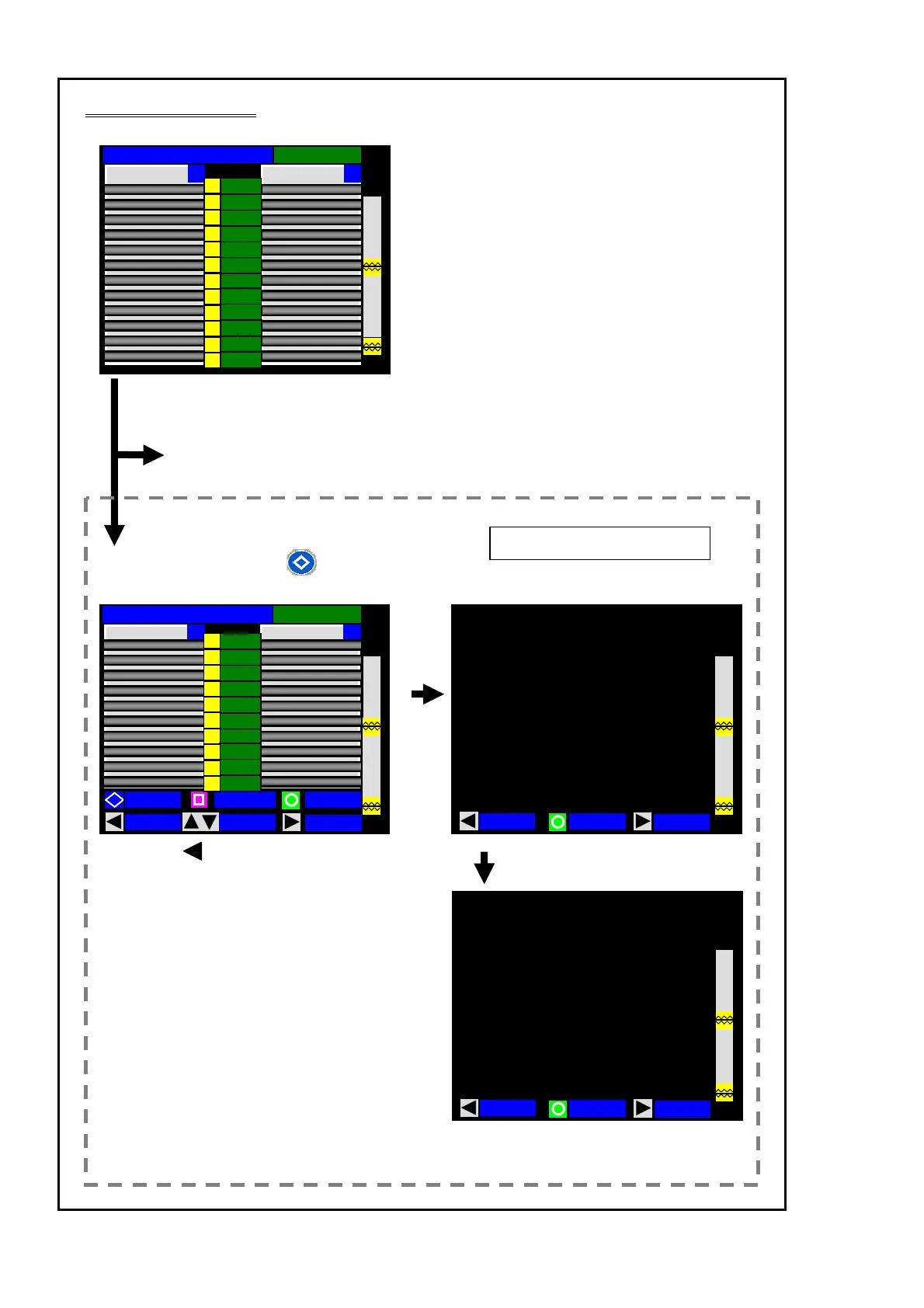
Checking splice data
26
• After a splice, press the (KEY) key.
The screen shown below is displayed.
Press the (DATA) key.
The screen shown below is displayed.
Y X
Estimation Loss
Ave:0.01dB
3
5
1
2
4
6
7
0.01
0.01
0.01
0.01
0.01
0.01
0.01
0.01
0.01
0.01
0.01
0.01
9
8
11
10
12
Y
X
Ave:0.01dB
Estimation Loss
MOVE
PROOF
ADD.ARC
DATA
KEY
X / Y
3
5
1
2
4
6
7
0.01
0.01
0.01
0.01
0.01
0.01
0.01
0.01
0.01
0.01
9
8
10
放電弱
MEMO
BACK
Offset CutL CutR Gap ( 1 / 2 )
2 0.1 0.5 0.2 35.1
Irregular
R:010
L:013
3 0.7 0.6 0.5 35.6
4 0.3 0.8 0.7 39.6
9 0.9 0.7 0.5 35.1
10 0.1 0.5 0.3 35.1
11 0.6 0.7 0.2 36.9
12 0.8 0.3 0.4 37.1
1 0.6 0.6 0.2 36.6
7 0.3 0.5 0.3 35.5
8 0.2 0.4 0.8 35.8
6 0.6 0.7 0.2 36.9
5 0.1 0.5 0.3 35.1
放電弱
PAGE
MEMO
BACK
( 2 / 2 )
12 0.01
2 0.01
3 0.01
4 0.01
9 0.01
10 0.01
11 0.01
1 0.01
7 0.01
8 0.01
6 0.01
5 0.01
Fiber
M:12c
Number 0016
Date 09/02/02
12:00
Memo
Estimated losses are displayed.
Splice data (2/2)
See also page 44 & 48.
If splice data check is not necessary, go to the next page.
Splice data (1/2)



 To Next Page