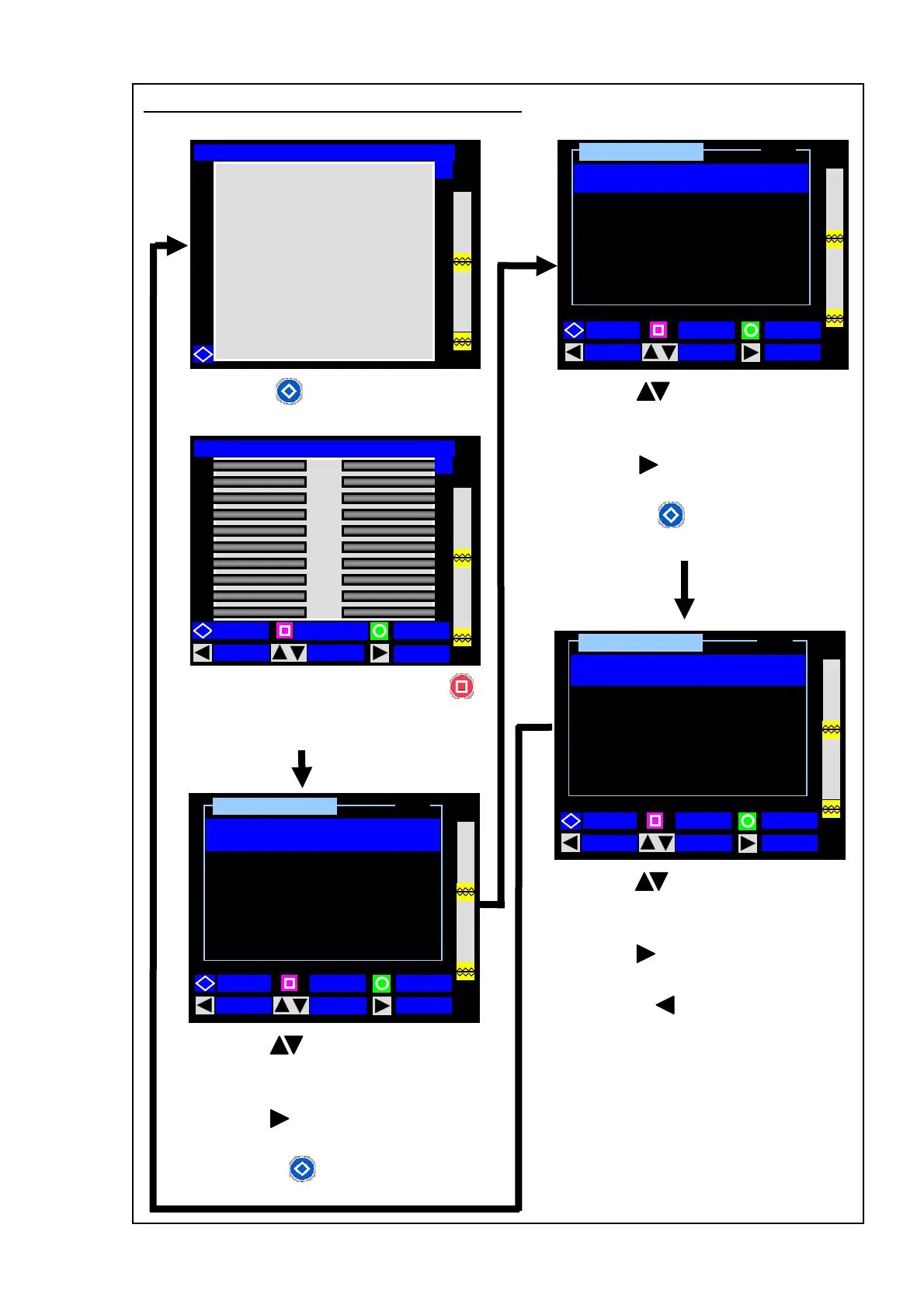
Changing splice and heating conditions
41
From the Ready screen, press the
(CONDITION) key to enter the
Condition Setting (1/3) screen.
1: Use the (MOVE) keys to select
the parameter you would like to
change.
2: Use the (SELECT) key to change
the settings.
3: Press the (PAGE) key to go to
the next (2/3) page.
2 / 3
Ready [SM:12c-40mm 12c] Condition Setting
Y
Heat up Temp. A
Ready [SM:12c-40mm 12c]
START
CONDITION
MENU
KE
Y
Condition Setting
Arc Test
1 / 3
Arc Center
[240] dot
BACK
MOVE
SELECT
PAGE
[OFF]
Heating Duration A
[22] sec
[230] °C
Heat up Temp. B
[200] °C
Heating Duration B
[05] sec
Finish Temp.
[150] °C
BACK
MOVE
SELECT
PAGE
Press the key to display key
Fusion Time
3 / 3
Prefusion Time
[0.4] sec
BACK MOVE
PAGE
[09] sec
Arc Gap
Over Lap
Arc Power
[20] um
[40] um
[105] step
Condition Setting
SELECT
guidance.
1: Use the (MOVE) keys to select
the parameter you would like to
change.
2: Use the (SELECT) key to change
the settings.
3: Press the (PAGE) key to go to
the next (3/3) page.
1: Use the (MOVE) keys to select
the parameter you would like to
change.
2: Use the (SELECT) key to change
the settings.
3. Press the (BACK) key to go to
the Ready screen.



 To Next Page