Chapter 4 Installing the Server Into a 31.5-Inch Cabinet 75
Adjust the Rear Brackets
1. Measure the depth of the cabinet.
Measure the depth of the cabinet from the outside face of the front rail to the outside
face of the rear rail.
2. Measure the length of each slide.
Measure the distance from the inside face of the front bracket to the inside face of
the rear bracket. If this measurement is longer or shorter than the cabinet’s depth,
which you measured in Step 1, you must adjust the rear bracket on each slide to
accommodate the depth of the cabinet.
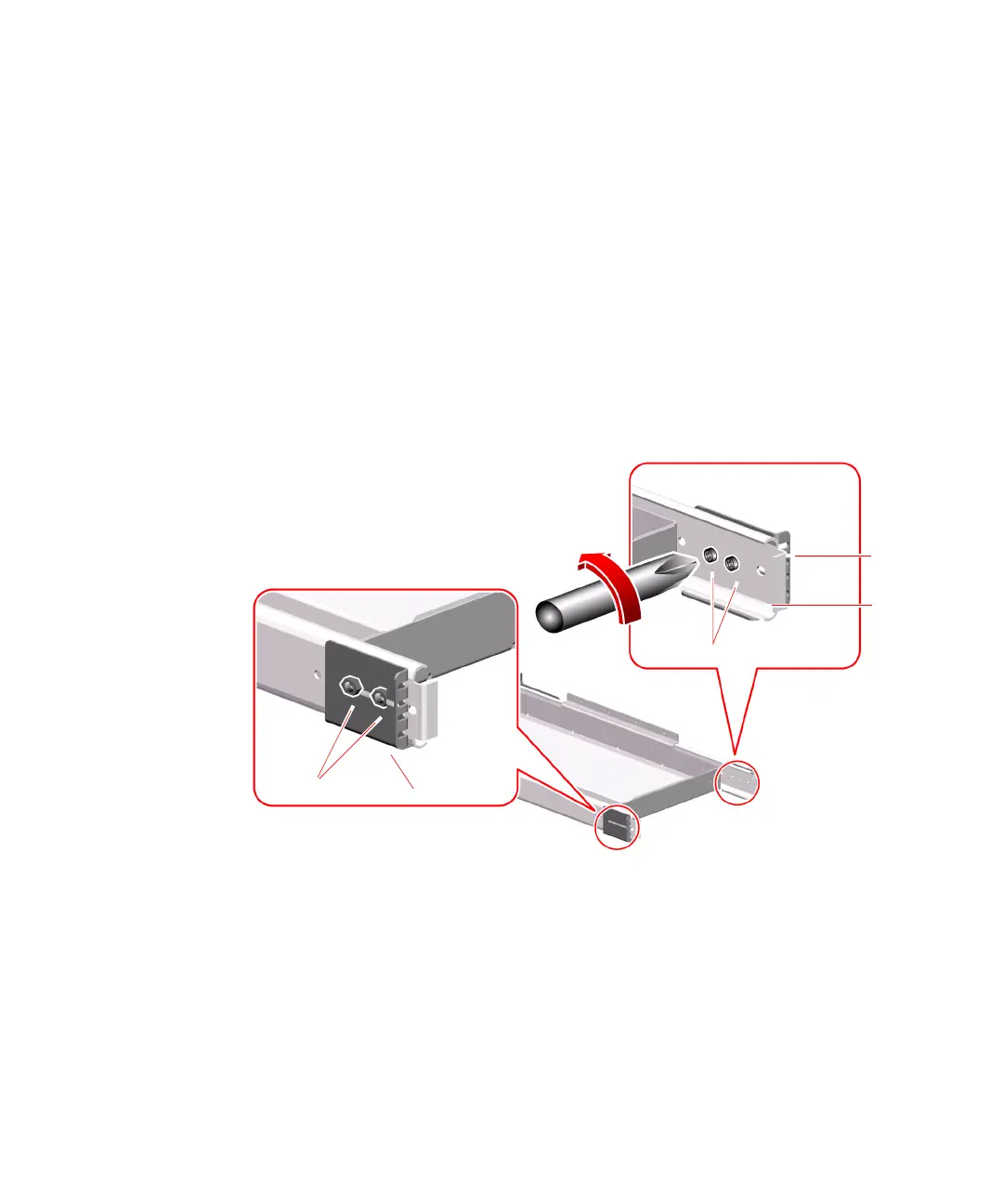
3. Remove the long rear brackets attached to the rack tray assembly outer slides.
Remove the two 10-32 screws and lock nuts using a Phillips screwdriver.
Lock nuts
Rear bracket
Rear
bracket
10-32 screws
Outer
slide











 To Next Page