User Manual 8 Web Interface
47
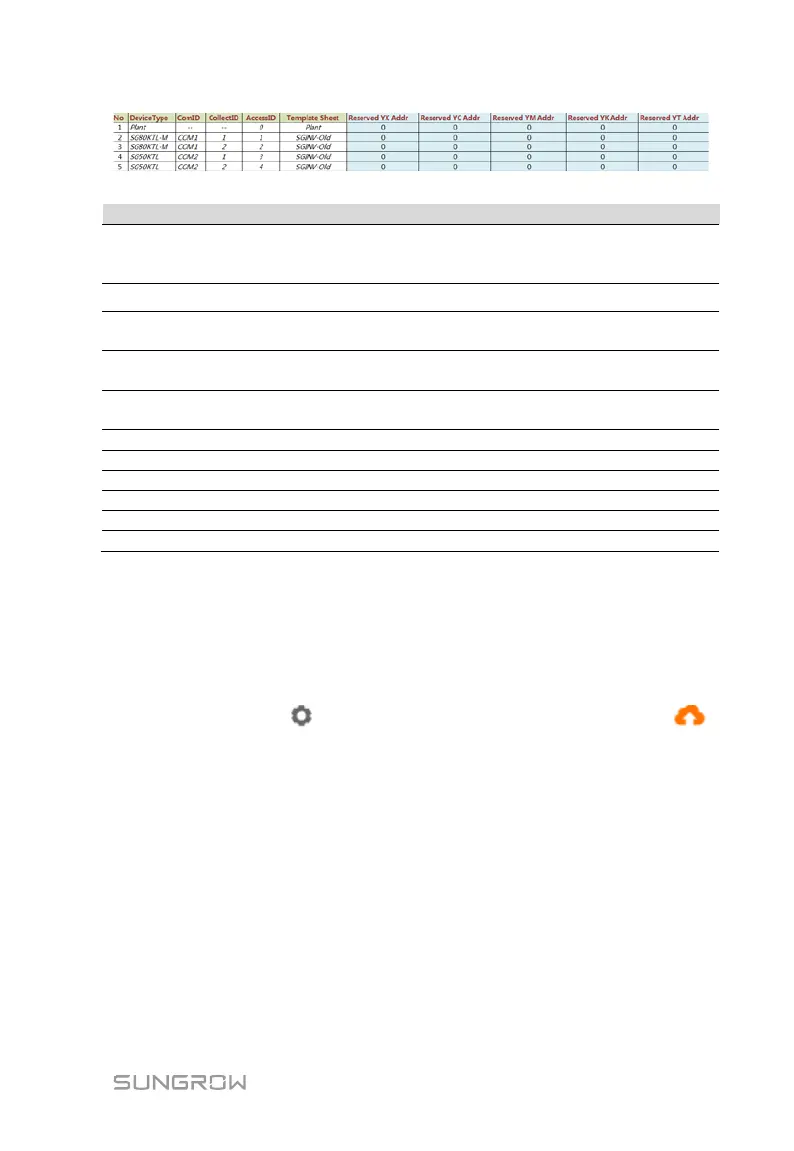
No.
Sort devices, and only support moving the whole line for the
device type corresponds one-to-one to its parameters in the same
Device Type
Com ID*
Number of COM port to which device connected, corresponding
to the port data of the "Device list" on the Web interface
Collect ID*
Collect device Modbus address, corresponding to communication
address of the "Device list" on the Web interface
Access ID*
Background access address, corresponding to the forwarding
address of the "Device list" on the Web interface
Keep consistent with the that in the device sheet
Reserved telesignalling address
Reserved telemetry address
Reserved remote pulse address
Reserved remote control address
Reserved remote regulating address
Note: Export the excel from the "Device list" interface and copy the data in the
exported excel.
Import IEC104 forwarding point table
Step 1 After editing the IEC104 forwarding point table, click "Export" -> "IEC104
CFG", so that a prompt window pops up, and then convert the excel file into
xml file. The xml file and the excel file are at the same path.
Step 2 Click the button on the operation bar, and then click the button
on the pop-up window, to import the xml file.
MODBUS
Configure the MODBU forwarding service for the Logger1000 on this interface.
Step 1 Click "System" -> "Transfer configuration" -> "MODBUS" to enter the
corresponding interface.
Step 2 For the white list setting, refer to the description in "IEC104".
Third-party portal
Configure the third-party cloud forwarding service for the Logger1000 on this
interface.



 To Next Page