38
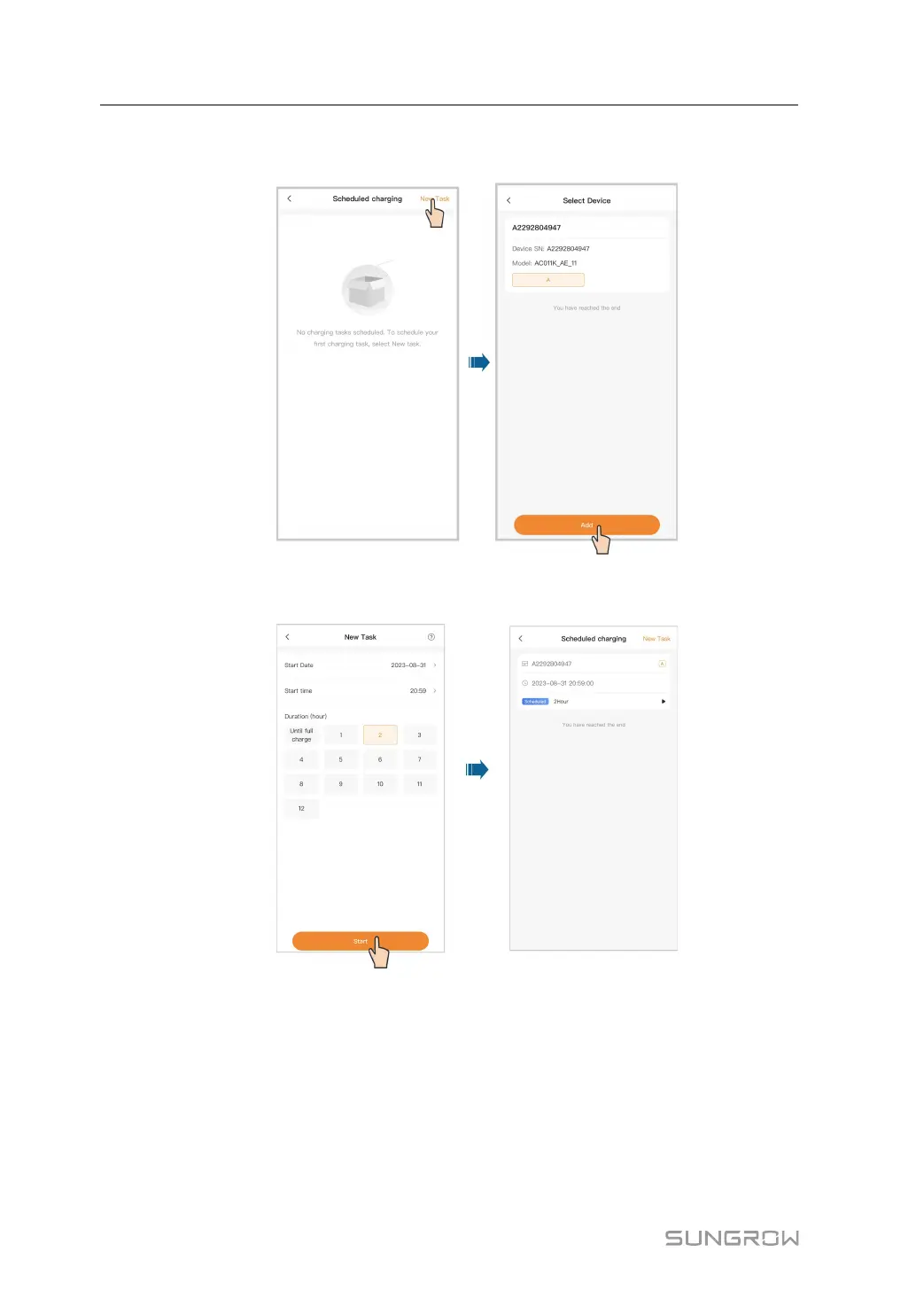
Step 2 Tap New task in the upper right corner to create a scheduled charging task. Select the de-
vice and tap Add.
Step 3 Set the start date, start time, and duration, and tap Start. A scheduled charging task is now
created.
- - End
5.5.3 Customer Service
Tap Customer service. You can find the contact information for SUNGROW in some re-
gions on this screen.
5 iEnergyCharge App User Manual


 To Next Page