26
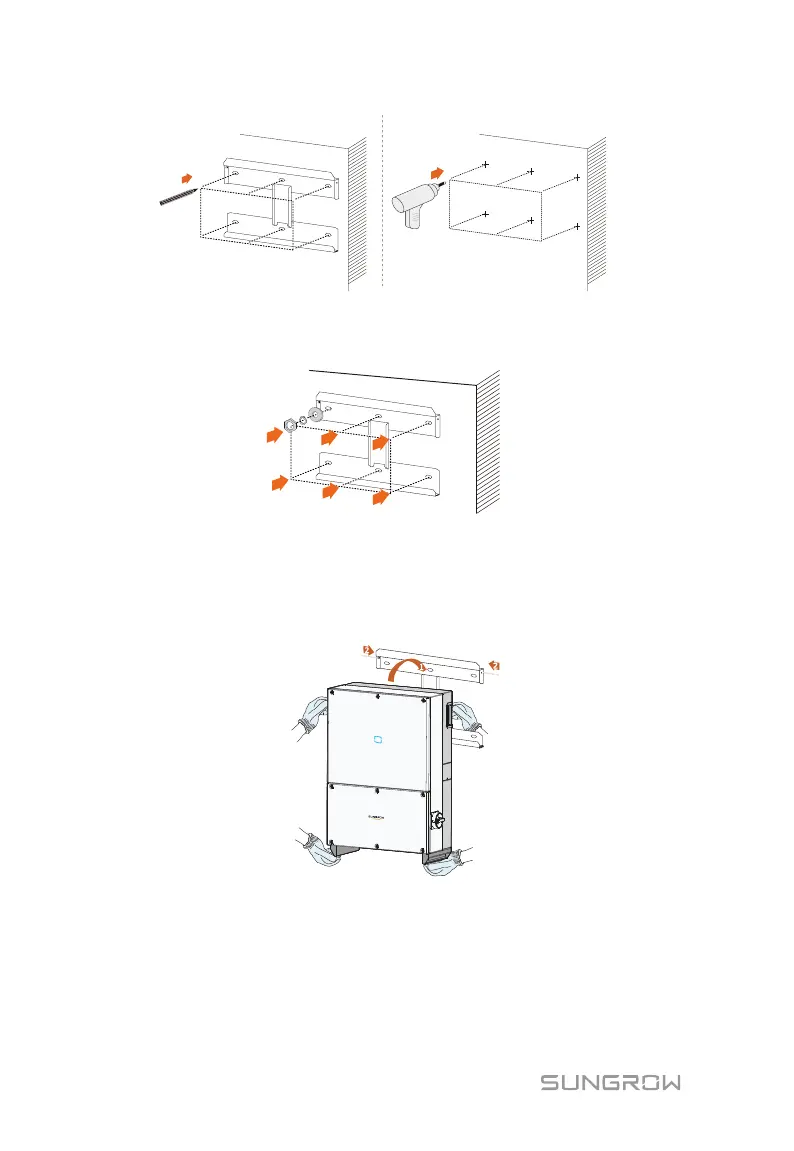
Mark positions Drill holes
Step 5 Attach the bracket to the wall firmly with the supplied expansion bolt set.
The torque for fastening the nut is 35 Nm.
Step 6 Lift up PCS above the bracket and then slide down to make sure that the
recesses on the back of the PCS fit perfectly together with the bracket.
Step 7 After you fit the PCS to the bracket, fasten the PCS to the bracket with
two M4×10 screws.


 To Next Page