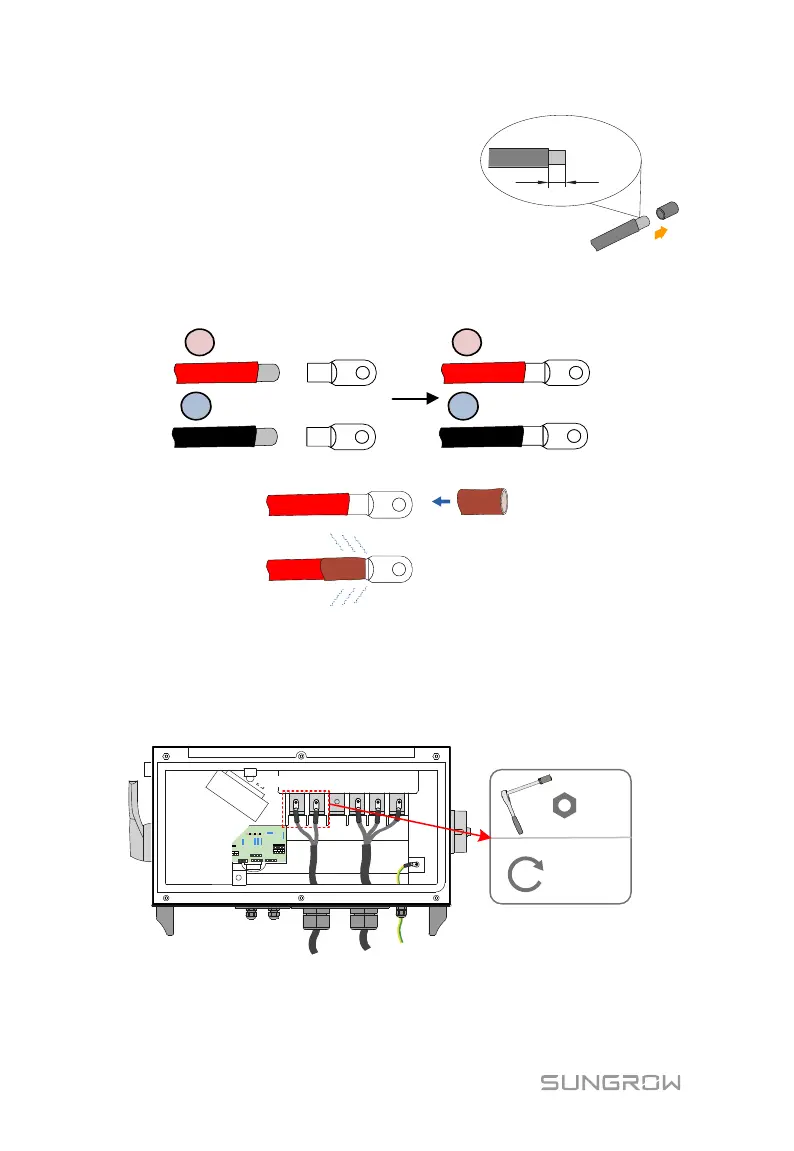
Step 3 Insert the end of the DC cable to the cable socket that matches with the
M10 bolt and tighten it with the proper tool.
Step 4 Install the heat-shrinkable tubing, shrink the tubing with hot air blower.
.
Step 5 Loosen the swivel nut of the gland terminal (Marked as “BAT. Input”) and
select an appropriate seal according to cable outer diameter. Lead the
cable through the swivel nut and seal successively.
Step 6 Connect the positive and negative polarity of the DC cable to the
corresponding positive and negative cable connection terminals.


 To Next Page