106
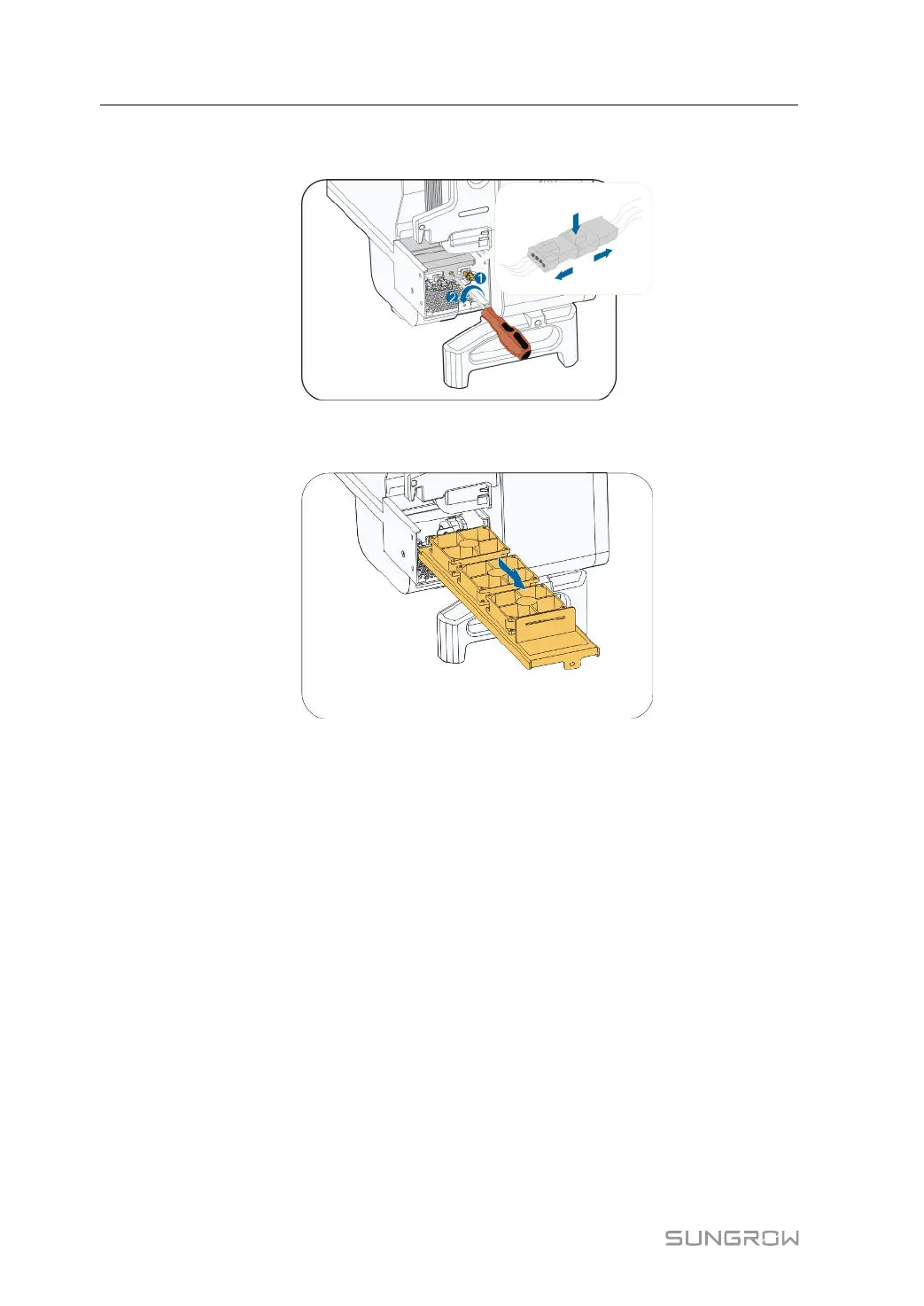
Step 3 Press the tab of the latch hook, unplug the cable connection joint outwards, and loosen the
screw on the fan holder.
Step 4 Pull out the fan module, clean the fans with soft brush or vacuum cleaner, and replace them
when necessary.
Step 5 Reinstall the fan back to the inverter in reverse order and restart the inverter.
- - End
9 Troubleshooting and Maintenance User Manual



 To Next Page