30
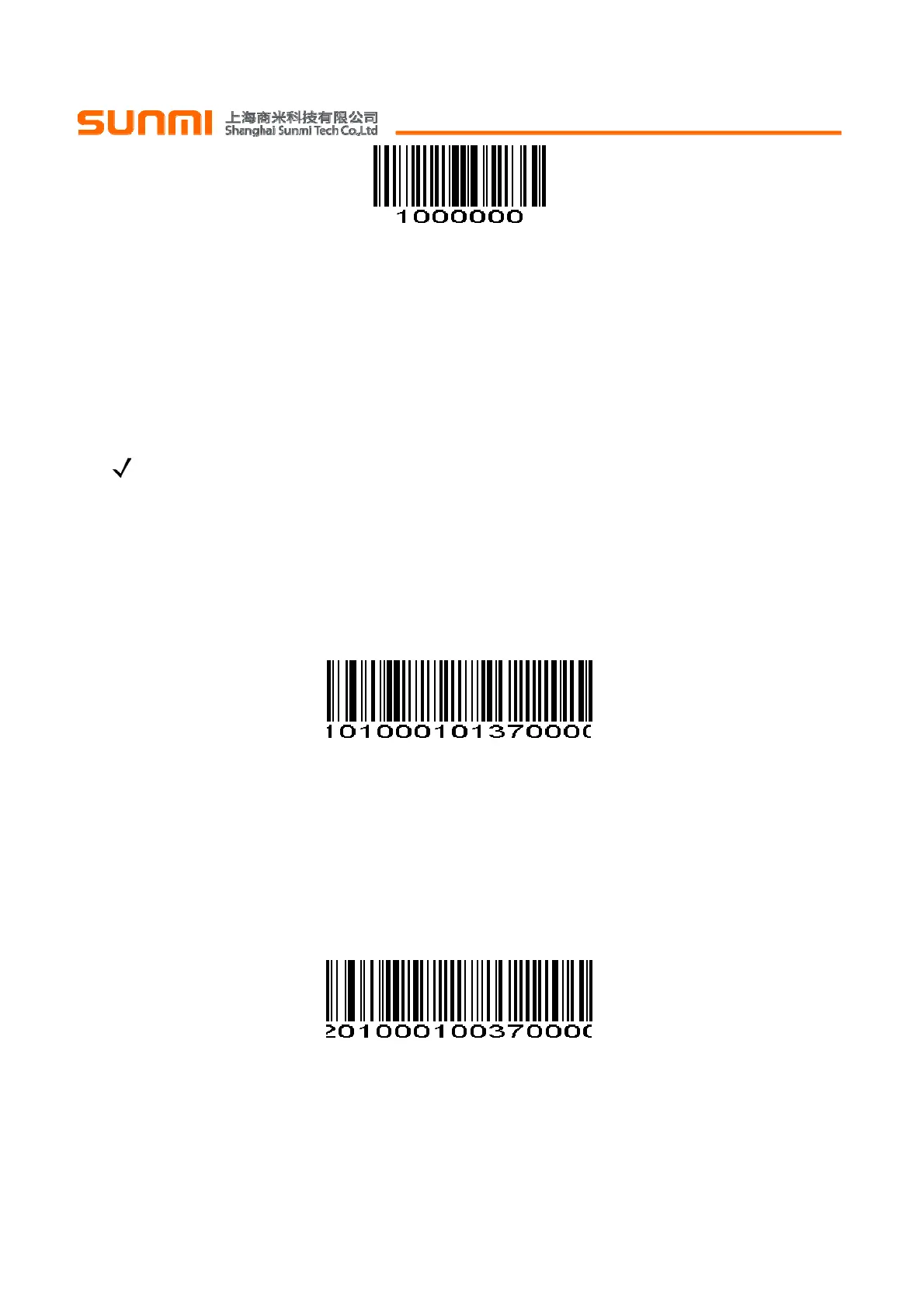
Disable Code 39禁止Code 39
(0x00)
Set Lengths for Code 39 Code 39 长度设置
The length of a code refers to the number of characters (i.e., human readable characters), including
check digit(s) the code contains. Lengths for Code 39 may be set for any length, one or two discrete lengths,
or lengths within a specific range. If Code 39 Full ASCII is enabled, Length Within a Range or Any Length
are the preferred options. To set lengths via serial commands, see Setting Code Lengths Via Serial
Commands.
一个代码的长度指的是此代码所包含的字符数(如:人类可读的字符),包括校验码。Code 39 可设置成
任意的长度,一个或两个单独的长度,或者在特定范围内的长度。若使能 Code 39 Full ASCII,特定范围内的
长度或者任意长度的选择优先考虑。通过串行命令设置长度,见附录中的
通过串行命令设置代码长度
。
NOTE When setting lengths, single digit numbers must always be preceded by a leading zero.
注:当设置长度时,不足3位的数前面必须要用0补齐。
One Discrete Length - This option limits decodes to only those Code 39 symbols containing a selected
length. Lengths are selected from the Numeric Bar Codes in appendix. For example, to decode only Code 39
symbols with 14 characters, scan Code 39 - One Discrete Length, then scan 1 followed by 4. To change the
selection or cancel an incorrect entry, scan Cancel in appendix.
一个单独长度-选择此长度只可用来解码包含既定长度的 Code 39。附录中的
数字设置码
可设置长度,例如,
扫描 Code 39 - One Discrete Length,然后扫描 1,4,来解码包含 14 个字符的 Code 39 码制。改变选择或者
取消一个不正确的输入设置,扫描附录中的
取消条形码
。
Code 39 - One Discrete Length Code 39-一个单独长度
Two Discrete Lengths - This option limits decodes to only those Code 39 symbols containing either of
two selected lengths. Lengths are selected from the Numeric Bar Codes in appendix. For example, to
decode only those Code 39 symbols containing either 2 or 14 characters, select Code 39 - Two Discrete
Lengths, then scan 0, 2, 1, and then 4. To change the selection or cancel an incorrect entry, scan Cancel in
appendix.
两个单独的长度-选择此长度可用来解码包含两个既定长度的Code 39。附录中的
数字设置码
可设置长度,
例如,选择Code 39 - Two Discrete Lengths,然后扫描0,2,1,4,只可用来解码包含2个或者14个字符的
Code 39码制。改变选择或者取消一个不正确的输入设置,扫描附录中的
取消条形码
。
Code 39 - Two Discrete Lengths Code 39-两个单独长度
Length Within Range - This option limits decodes to only those Code 39 symbols within a specified
range. For example, to decode Code 39 symbols containing between 4 and 12 characters, first scan Code 39
- Length Within Range. Then scan 0, 4, 1, and 2 according to Numeric Bar Codes in appendix. To change
the selection or cancel an incorrect entry, scan Cancel in appendix.


 To Next Page