4
Set Default Parameter 设置默认参数
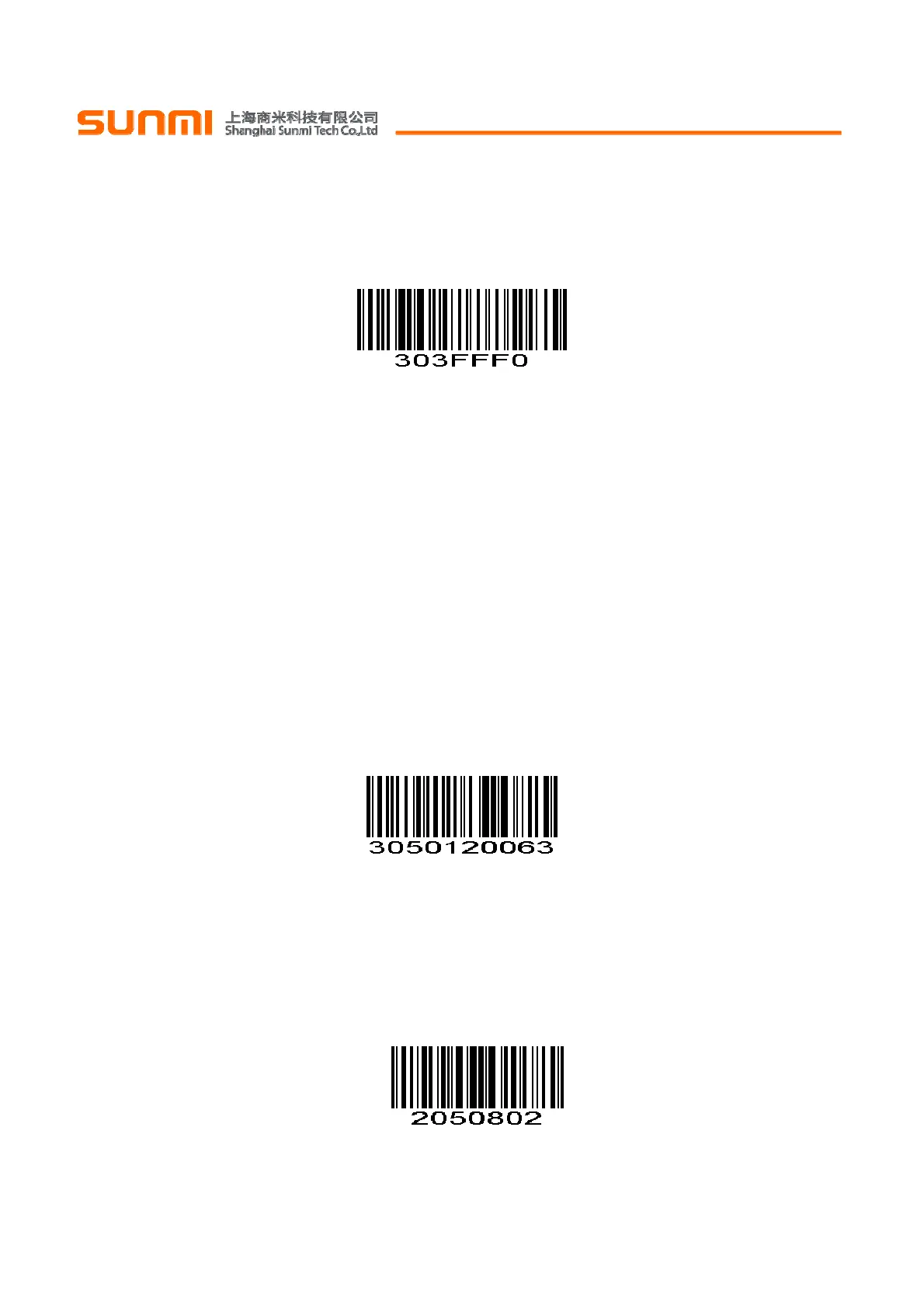
To restore Factory Default Configuration, scan the appropriate bar code below.
可以通过扫描以下设置码恢复为出厂默认配置
Factory Default Configuration 出厂默认配置
(0x00)
Note:
Default configurations of the scan engine depend on factory default configuration.
注:识读引擎的默认配置由实际出厂的配置信息决定。
Interval Time 识读间隔时间
The interval time between two readings in continuous mode. Regardless of the last success or failure to
read, more than the specified time will automatically trigger the next reading.
Default: 500ms,unit: 100ms,range: 0-9900ms
To set a Interval Time, scan the bar code below. Next scan two Numeric Bar Codes in appendix that
correspond to the desired time-out. Single digit values must have a leading zero. For example, to set a
time-out of 0.5 seconds, scan the bar code below, then scan the “0” and “5” bar codes. To change the
selection or cancel an incorrect entry, scan Cancel in appendix..
连续模式下两次识读间的间隔时间。不论上次识读成功或失败,超过该时间自动进入下次识读。
默认:500ms,单位:100ms,范围:0-9900ms
为了设置识读间隔时间,扫描下面的条码。接下来扫描附录中的两个
数字设置码
来对应所需的超时。不足位
用0补齐。例如,设定0.5秒的超时,扫描下面的条码,然后扫描“0”和“5”的条形码。改变选择或者取消不正确的
输入设置,扫描附录中的
取消条形码
。
Interval Time
(Default: 500ms.)
识读间隔时间
(默认: 500ms.)
Beeper Volume 蜂鸣器音量
To select a decode beep volume, scan the appropriate bar code.
扫描以下相应的条码,设置蜂鸣器音量。
Low 低
(0x02)


 To Next Page