42
一个单独长度-选择此长度可用来解码那些包含既定长度的代码。例如,选择D 2 of 5 One Discrete Length,
然后扫描1,4,来解码包含14个字符的D 2 of 5码制。
数字设置码
见附录,改变选择或者取消一个不正确的输入
设置,扫描附录中的
取消条形码
。
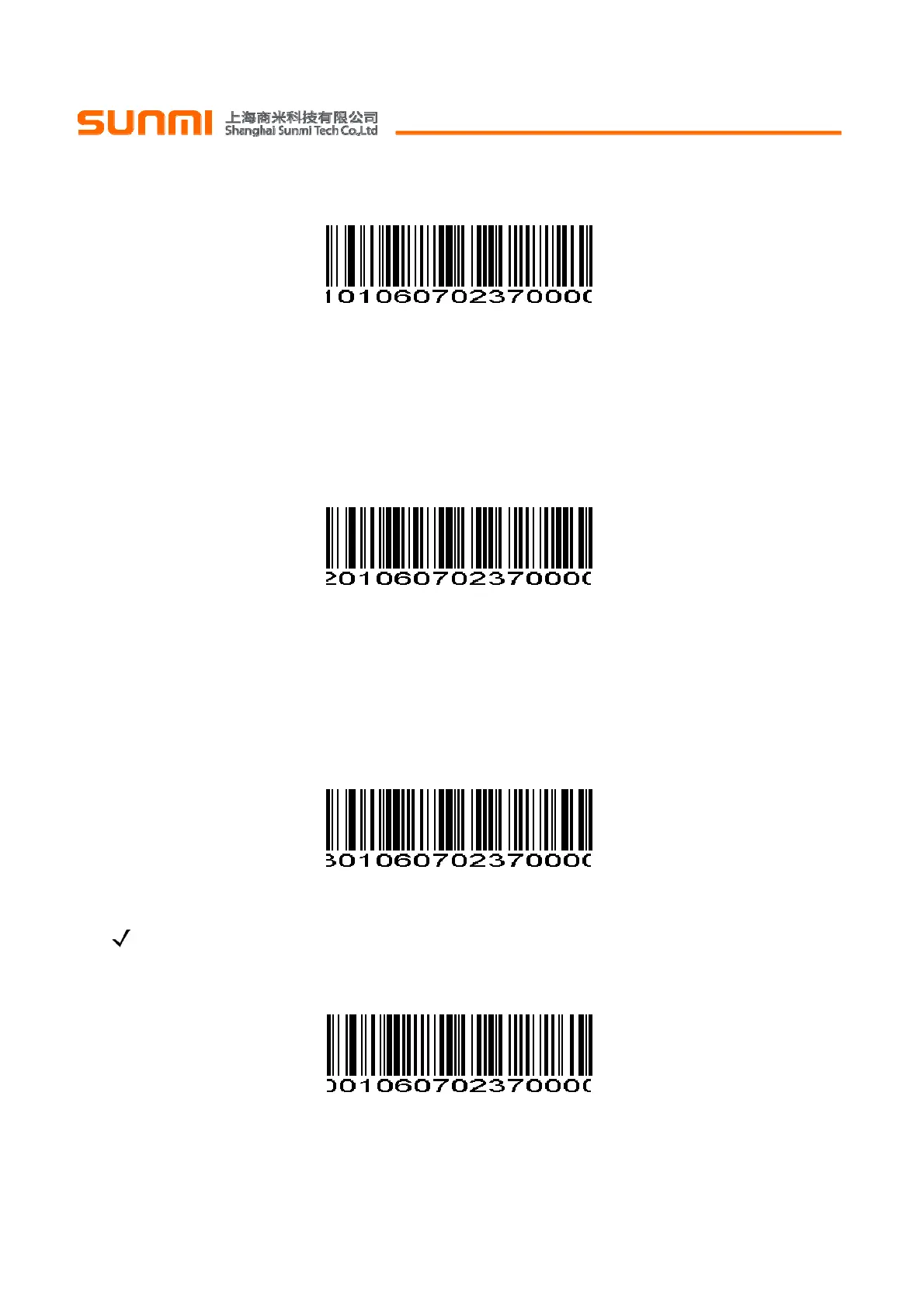
D 2 of 5 - One Discrete Length D 2 of 5 -一个单独长度
Two Discrete Lengths - Select this option to decode only those codes containing two selected lengths.
For example, select D 2 of 5 Two Discrete Lengths, then scan 0, 2, 1, 4, to decode only D 2 of 5 symbols
containing 2 or 14 characters. Numeric Bar Codes is in appendix. To change the selection or cancel an
incorrect entry, scan Cancel in appendix.
两个单独的长度-选择此长度可用来解码那些包含两个既定长度的代码。例如,选择D 2 of 5 Two Discrete
Lengths,然后扫描0,2,1,4,只可用来解码包含2个或者14个字符的D 2 of 5码制。
数字设置码
见附录,改
变选择或者取消一个不正确的输入设置,扫描附录中的
取消条形码
。
D 2 of 5 - Two Discrete Lengths D 2 of 5 -两个单独的长度
Length Within Range - Select this option to decode codes within a specified range. For example, to
decode D 2 of 5 symbols containing between 4 and 12 characters, first scan D 2 of 5 Length Within Range,
then scan 0, 4, 1 and 2 (single digit numbers must be preceded by a leading zero). Numeric Bar Codes is in
appendix. To change the selection or cancel an incorrect entry, scan Cancel in appendix.
特定范围内的长度-选择此项解码指定范围的代码。例如,解码包含4个到12个字符的D 2 of 5,首先扫描D
2 of 5 Length Within Range,然后扫描0,4,1,和2(不足3位用0补齐)。
数字设置码
见附录,改变选择或
者取消一个不正确的输入设置,扫描附录中的
取消条形码
。
D 2 of 5 - Length Within Range D 2 of 5 -特定范围内的长度
Any Length - Scan this option to decode D 2 of 5 symbols containing any number of characters.
NOTE Selecting this option may lead to misdecodes for D 2 of 5 codes.
任意长度-扫描此项可解码包含任意字符的D 2 of 5码制
注:选择此项可能导致D 2 of 5错误解码。
D 2 of 5 - Any Length D 2 of 5 -任意长度


 To Next Page