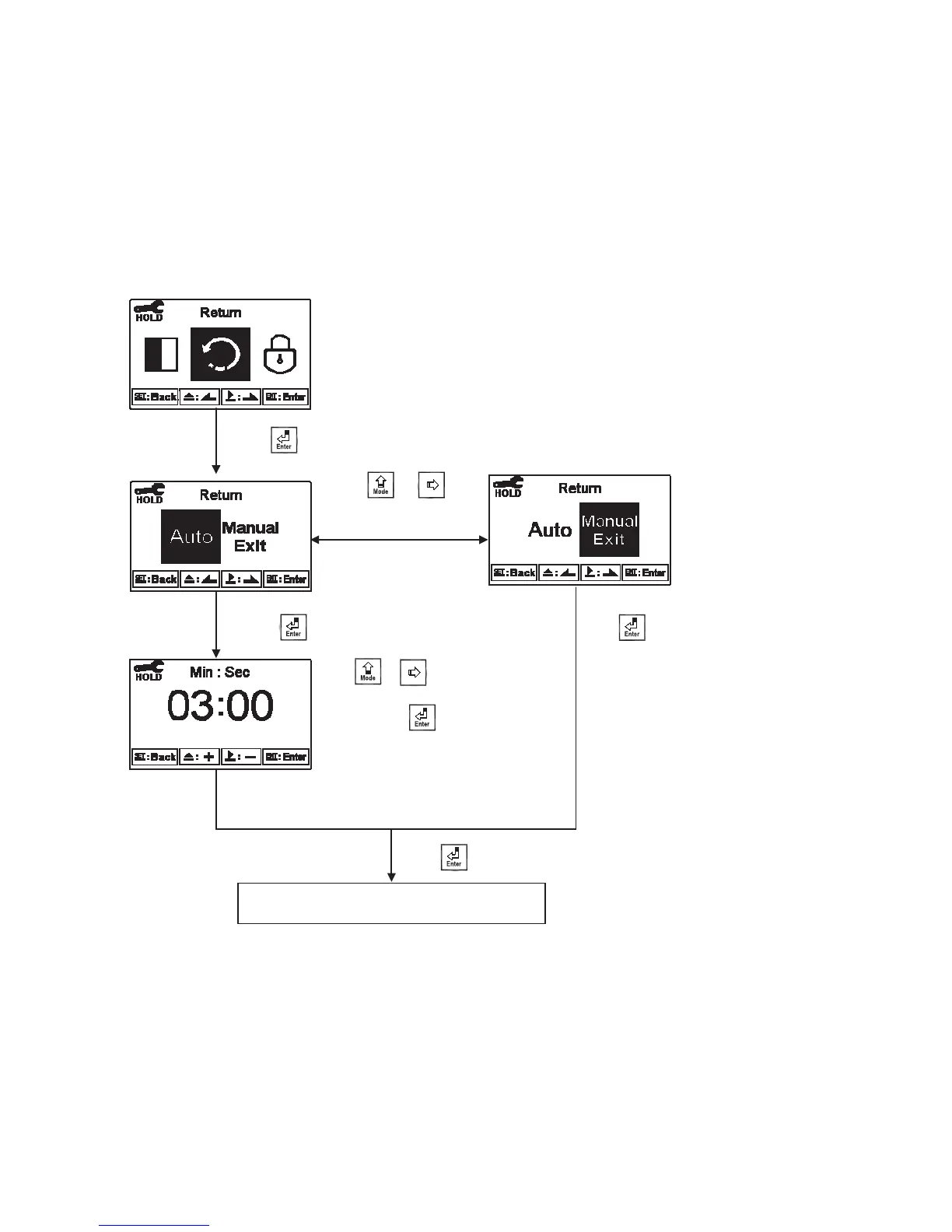
6.16 Return
Enter setup of auto return mode (Return) to set the function that the instrument automatically exit
the setup menu after a period of time without pressing any key. The “Manual Exit” means that it
needs to exit setup menu manually, while “Auto” means that the display automatically exit the
setup menu and back to measurement mode after a period of time without pressing any key.
Pressġ or ġġ
to adjust “minute”
part, and press
to confirm it and
move to” second” part.
Pressġ or ġġ
to select Auto return
or manual exit.
Enter “Password (Code)”Setup
Press to confirm it.
Press to confirm it.
Press to confirm it.
Press to confirm it.
мс


 To Next Page