5. Operation
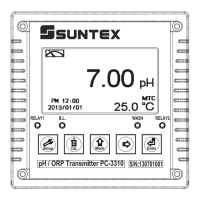
5.1 Measurement mode:
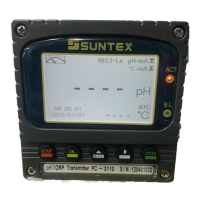
ġġġAfter all electrical connections are finished and tested, connect the instrument to the power
supply and turn it on. The transmitter will automatically entering measurement mode with the
factory default settings or the last settings from user.
5.2 Set-up menu:
ġġġPlease refer to the set-up instructions in Chapter 6. Press and simultaneously
to enter into set-up menu, and press toġgo press to back to measurementġmode. (Please
see the settings in chapter 6)
5.3 Calibration menu:
ġġġPlease refer to the calibration instructions in Chapter 7. Press and
simultaneously to enter into calibration menu, and press to go back to measurementġ
mode. (Please see the calibration in chapter 7)
5.4 Shortcuts:
In the measurement mode, if selecting MTC for temperature compensation mode, you may
press and to adjust MTC temperature value.
5.5 Default value:
5.5.1 Setting default value:
Measurement mode: pH
Multi-Cal烉2 points pre-setting
Temperature compensation: MTC 25°C
Relay 1: High point alarm: AUTO, SP1= 10.00 pH, Hys= 0.10 pH
Relay 2: Low point alarm: AUTO, SP2 =04.00 pH, Hys= 0.10 pH
Wash time: OFF
Analog 1 current output (pH/ORP): 4~20 mA, 0.00~14.00pH
Analog 2 current output (Temp): 4~20 mA, aÛ&
Date & Time: 2013/1/1 00:00:00
Digital filter: 5
Backlight setting: Off
Contrast: 0
Auto back: Auto, 3 minutes
Code set-up: OFF
кт


 To Next Page