7.4 ORP Calibration
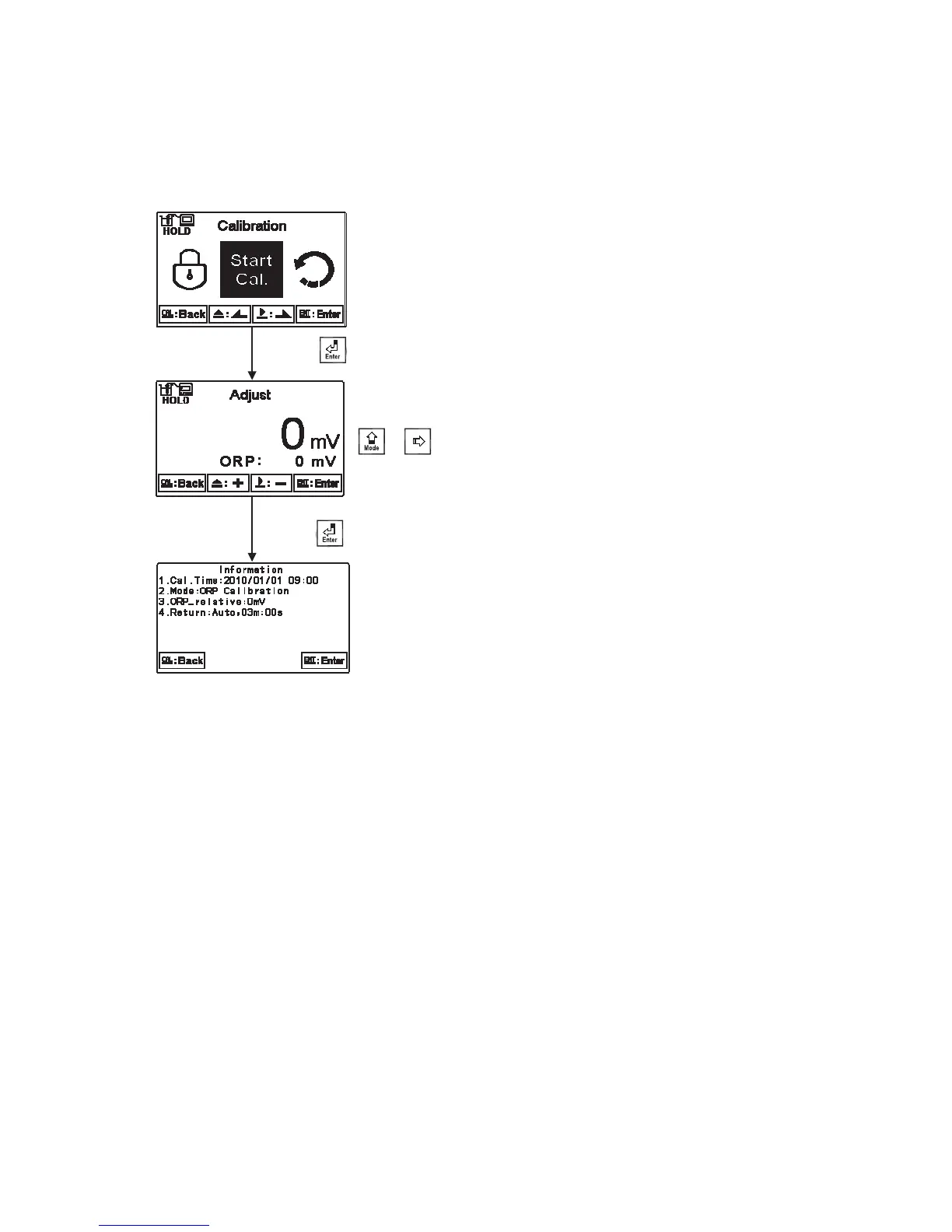
Under ORP measurement mode, enter calibration setup menu. Select Calibration icon, and
adjust mV value. The adjustable range is from -300mV to 300mV.
Put the ORP electrode into
ORP standard solution. Press
or to adjust the
main display value until it is
equal to the desired mV
value.
Press to confirm it.
Press to confirm it.
нп


 To Next Page