Istruction Manual for Operation and Maintenance SPX-960:
WARNING
DO NOT DISCLOSE: THE INFORMATION
BELOW IS FOR TECHNICIANS ONLY. IT IS
THEREFORE BANNED THE SPREAD, FOR
THIS REASON WERE PROVIDED PASSWORDS.
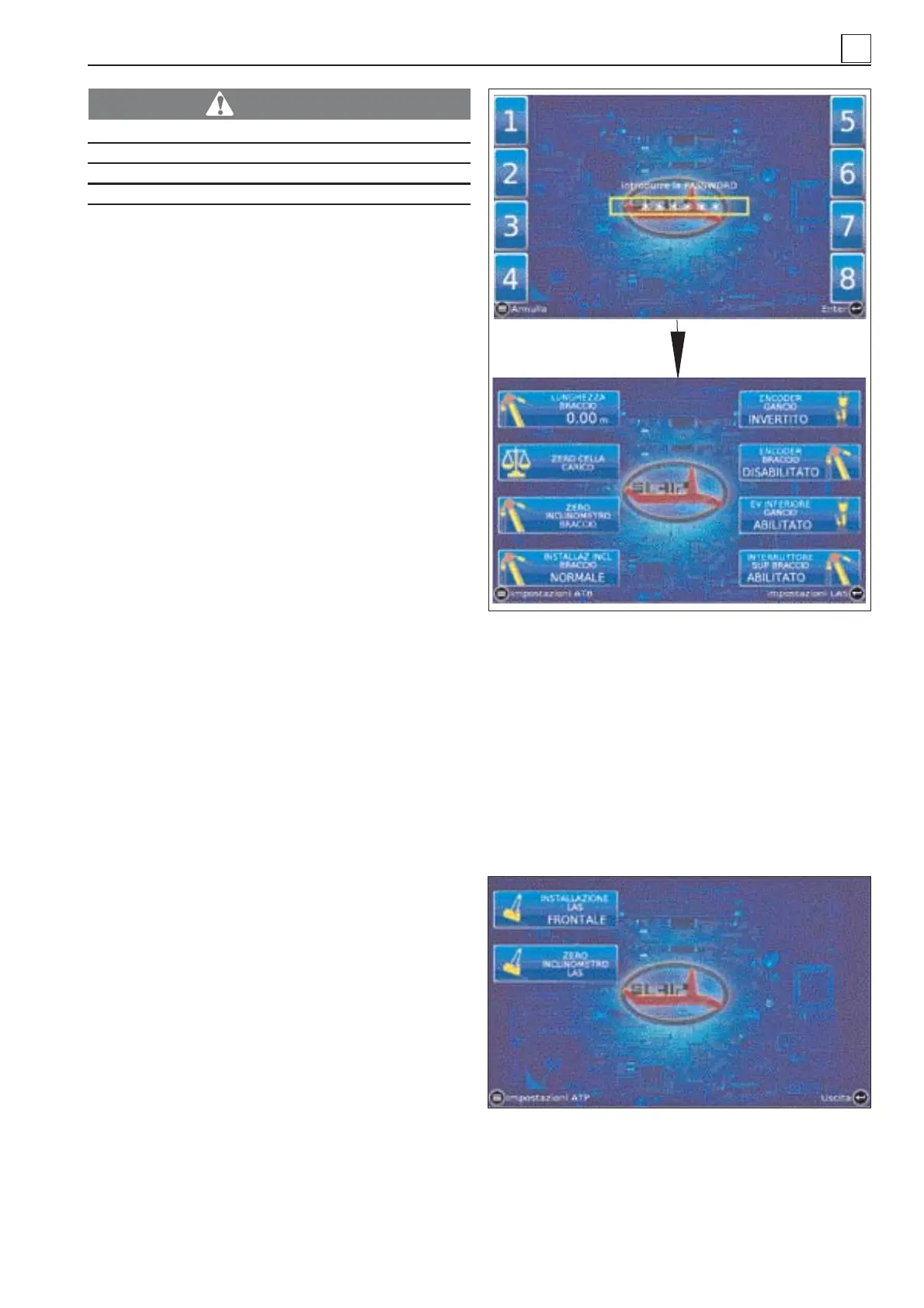
Screen-shot 9. Advanced ATP setup menu.
This page is accessed from Screen-shot
8. ATB setup menu after entering a dedi-
cated password (123).
It is used for the following purposes:
- to set the boom length;
- to reset the load cell;
- to reset the clinometer on the boom;
- to determine the installation position of
the boom clinometer;
- to set the direction of the hook encoder;
- to enable/set the direction of the boom
encoder;
- to enable the solenoid valve controlling
the lower hook limit;
- to enable the trigger of the electric limit
switch controlling the boom upper limit.
As for ATB setup parameters, detailed instructions
are provided to assist the operator step by
step
Screen-shot 10. LAS setup menu.
This page is accessed from “Screen-shot
9. Advanced ATP setup menu”.
It is used for the following purposes:
- to enable/determine the installation posi-
tion of the LAS clinometer;
- to reset the LAS clinometer.
In this case too, instructions are provi-
ded to assist the operator.
Each setup page features the key Exit
◄┘ which brings back to page 1 “ATP Di-
splay”.
4
4-19
Screen 9: advanced ATP setup parameters
Screen 10: LAS setup parameters
MACHINE OPERATION


 To Next Page