Sutron Corporation Satlink Operations & Maintenance Manual, Rev 8.04.2 11/3/2016 pg. 113
This feature only shows for Environmental Satellite Radio Type.
10.6.6. Antenna Aim
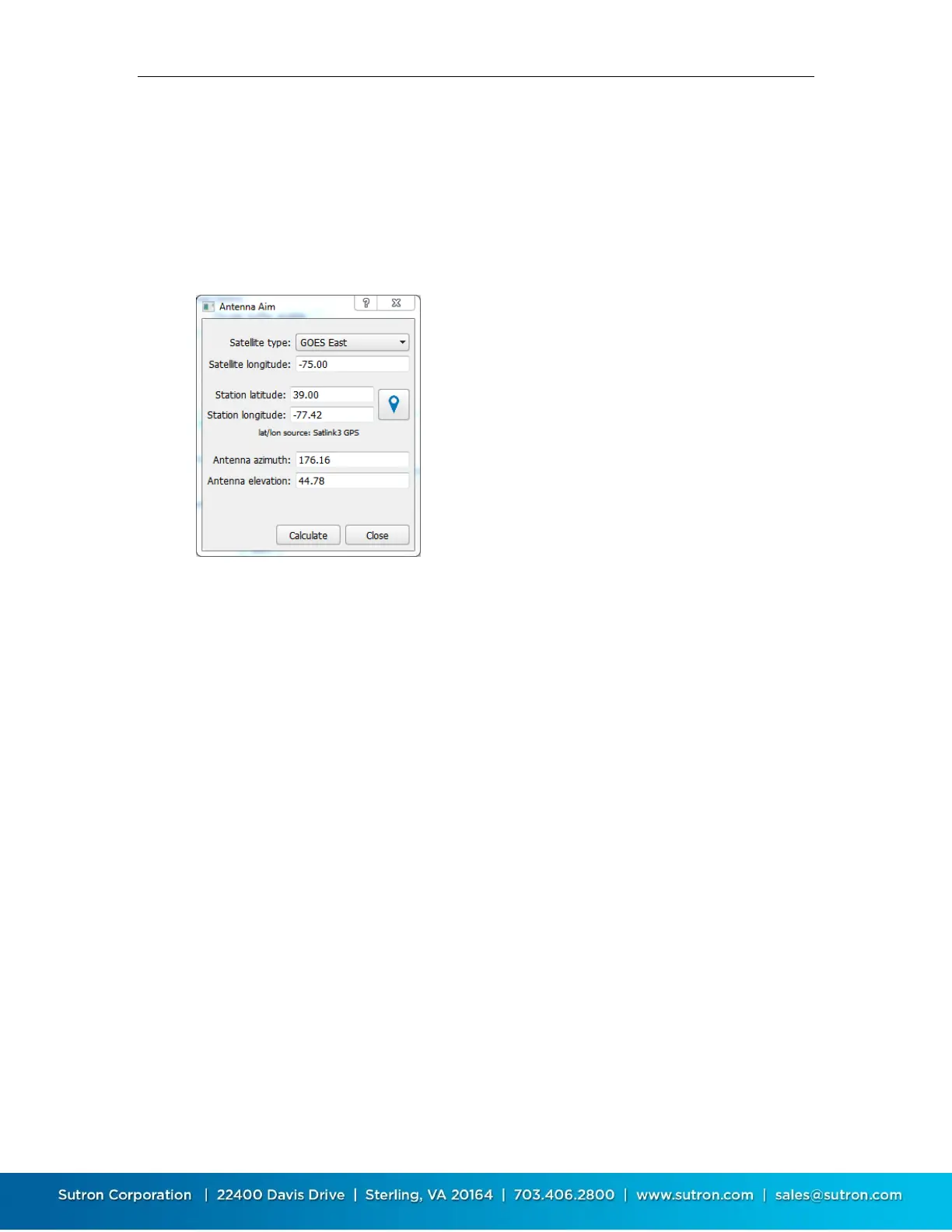
This is another feature of Environmental Satellite telemetry. It helps the installer correctly point
the satellite antenna. The system will compute the antenna azimuth and elevation based up the
current location of Satlink (provided by Satlink’s GPS) and the Satellite type (chosen by the
customer).
Satellite type: Select the satellite type in use
Satellite longitude: Enter the satellite longitude
Station latitude and longitude: These values may be
calculated automatically by pressing the button with the
blue map icon. The values may also be entered manually
Antenna azimuth and elevation: These values are
calculated when you press the Calculate button
Press the Calculate button to calculate azimuth and
elevation
In the example above, the azimuth is 176.75 and the elevation is 45.92.
This means the antenna will be pointed up to the satellite with the angle of the antenna boom
WITH RESPECT TO THE GROUND forming a 45.92 degree angle. (0 degrees means the antenna
will point horizontally to the ground and 90 degrees means the antenna will be pointing straight
up in the air.)
The azimuth is the reading in degrees from true north. Note that the GPS system is not impacted
by the magnetic variations that usually impact compasses so the reading may be used directly. In
this example, the antenna boom will mostly point due south or 176.75 degrees. A value of 0
means the antenna points due north and a value of 180 means it is pointed due south. Similarly a
reading of 270 degrees would point the antenna due west.



 To Next Page