6.6 Adjusting display contrast
You can increase or decrease the display contrast of your Suunto Ambit2.
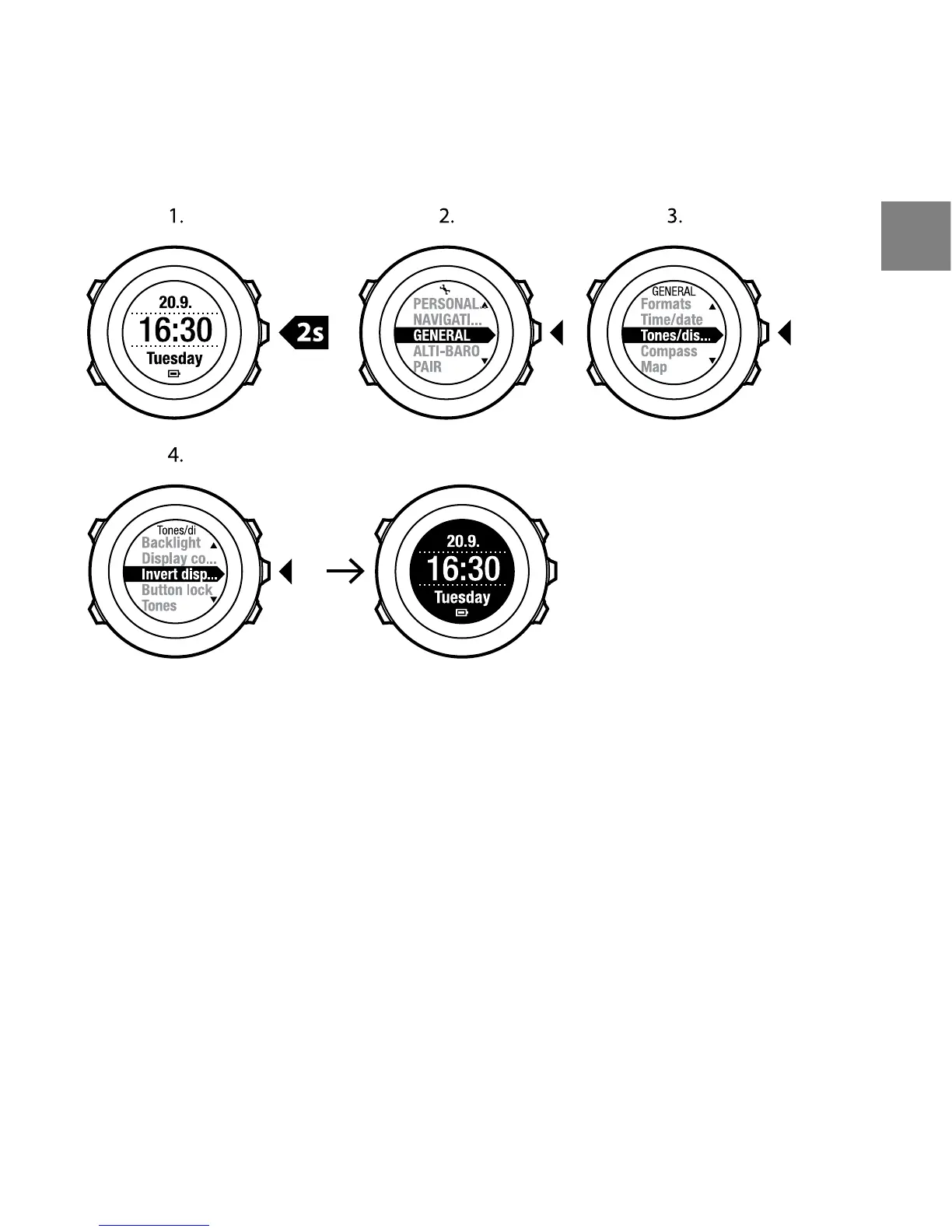
To adjust the display contrast in the settings:
1. Keep [Next] pressed to enter the options menu.
2. Press [Next] to enter the GENERAL settings.
3. Press [Next] to enter Tones/display.
4. Scroll to Display contrast with [Light Lock] and enter with [Next].
5. Increase the contrast with [Start Stop], or decrease it with [Light Lock].
6. Go back to the settings with [Back Lap], or keep [Next] pressed to exit the
options menu.
19
en















 To Next Page