12.9.4 Swimming drills
You can do swimming drills any time during your swimming workout. If you
do a drill with a non-standard swimming style (for example, using only your
legs), you can adjust the drill distance by adding pool lengths manually after
the drill, if necessary.
NOTE: Do not add the drill distance until you have finished your drill.
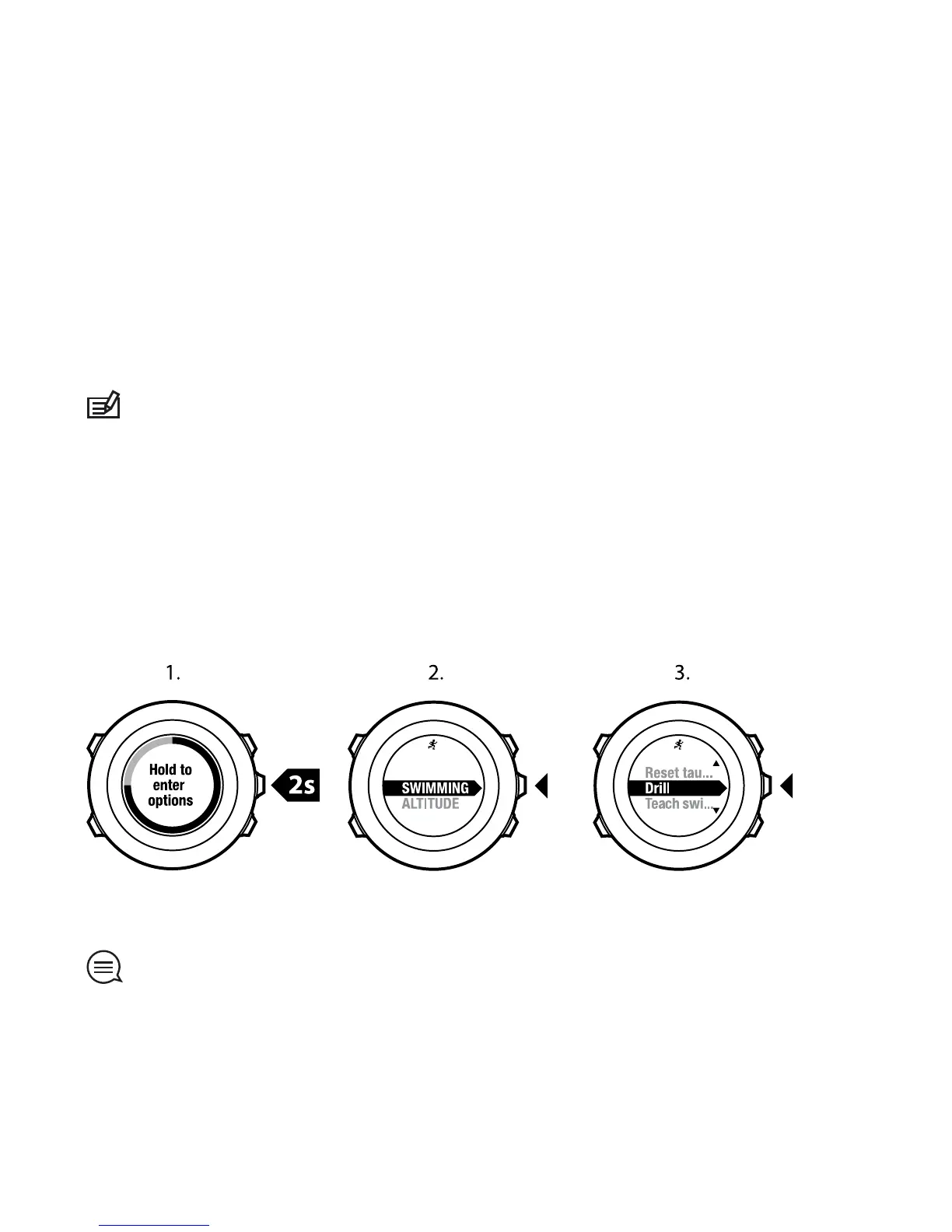
To do a drill:
1. While you are recording your indoor swimming log, keep [Next] pressed
to access the options menu.
2. Press [Next] to enter SWIMMING.
3. Press [Next] to select Drill and start swimming your drill.
4. After you have finished your drill, press [View] to adjust the total distance,
if necessary.
To end the drill, go back to SWIMMING in the options menu and select End drill.
TIP: You can pause the drill by pressing [Start Stop].
98















 To Next Page