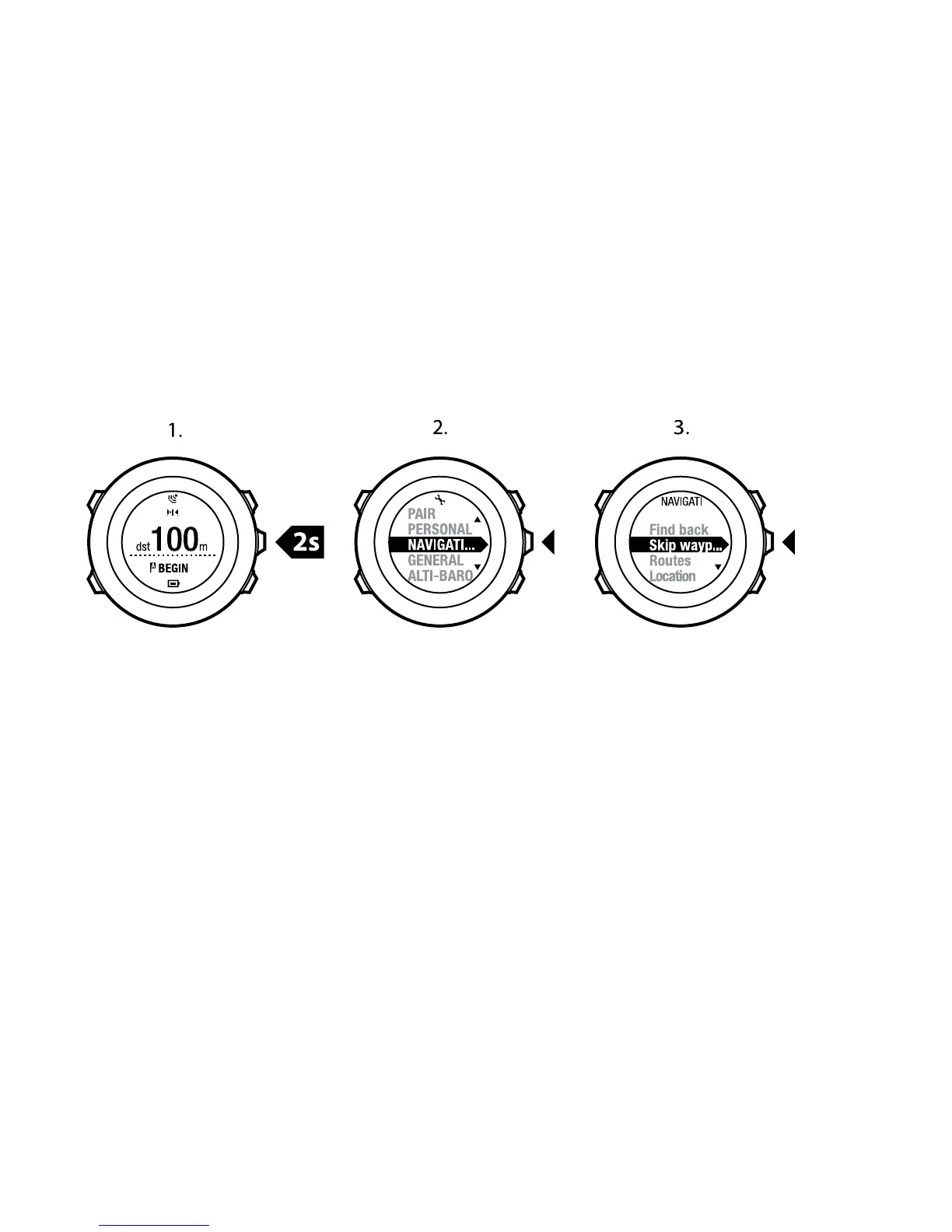
To skip a waypoint on a route:
1. While you are navigating a route, keep [Next] pressed to access the options
menu.
2. Press [Next] to select NAVIGATION.
3. Scroll to Skip waypoint with [Start Stop] and select with [Next]. The device
skips the waypoint and starts navigating directly to the next waypoint on
the route.
8.4.3 During navigation
During navigation, press [View] to scroll the following views:
1. the full track view showing the whole route
2. zoomed-in view of the route. By default, the zoomed-in view is scaled to a
500 m/0.25 mi scale, or larger if you are far away from the route. You can
change the map orientation in the settings, see Chapter 14 Adjusting
settings on page 102.
3. waypoint navigation view
46















 To Next Page