NOTE: GPS timekeeping corrects the time accurately, if it is less than 7.5 minutes
wrong. If the time is wrong more than that, GPS timekeeping corrects it to the
closest 15 minutes.
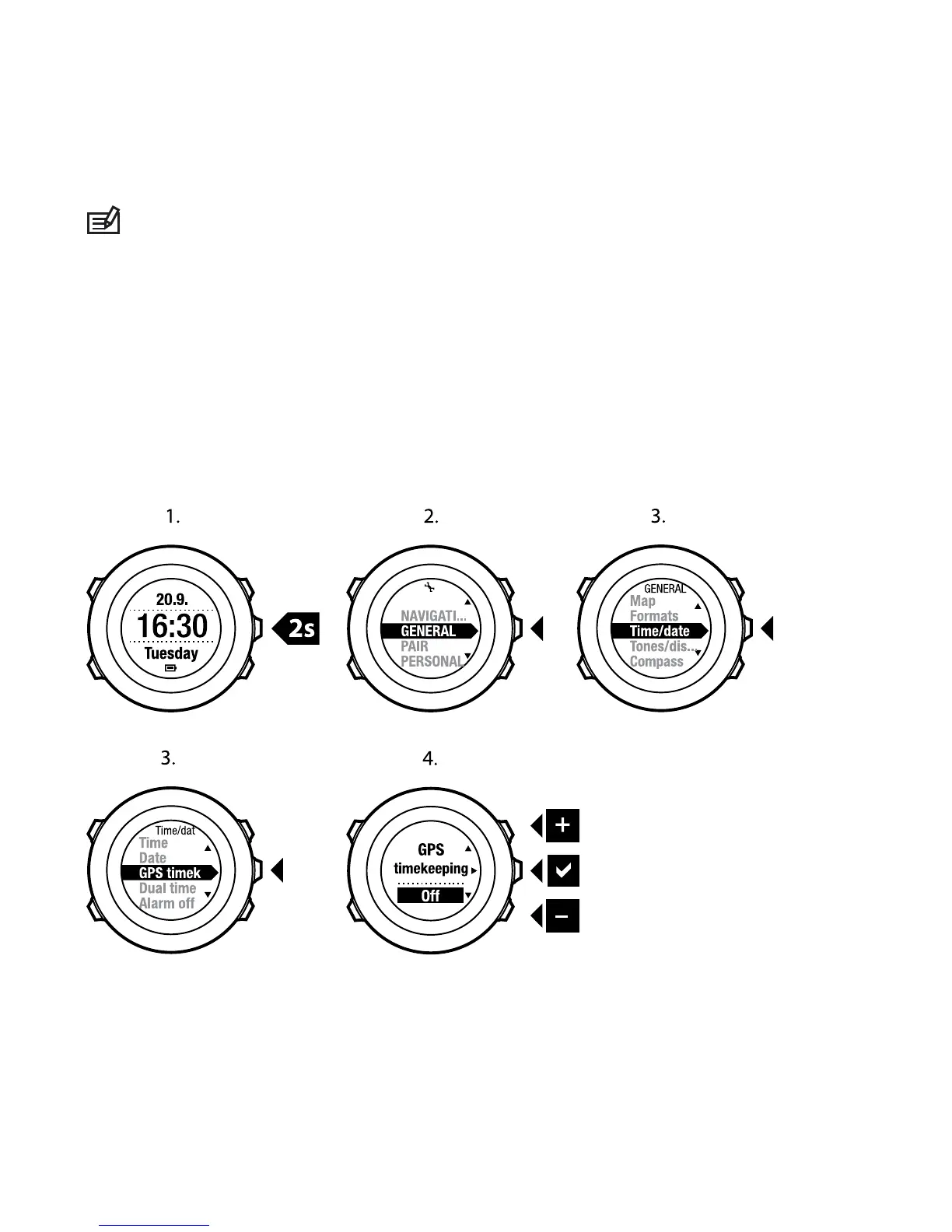
GPS timekeeping is activated by default. To deactivate it:
1. Keep [Next] pressed to enter the options menu.
2. Press [Next] to enter GENERAL.
3. Scroll to Time/date and then to GPS timekeeping using [Start Stop]. Enter
with [Next].
4. Set GPS timekeeping Off with [Start Stop] or [Light Lock]. Accept with [Next].
26















 To Next Page