SV 104A USER'S MANUAL_______________________________________________________
49
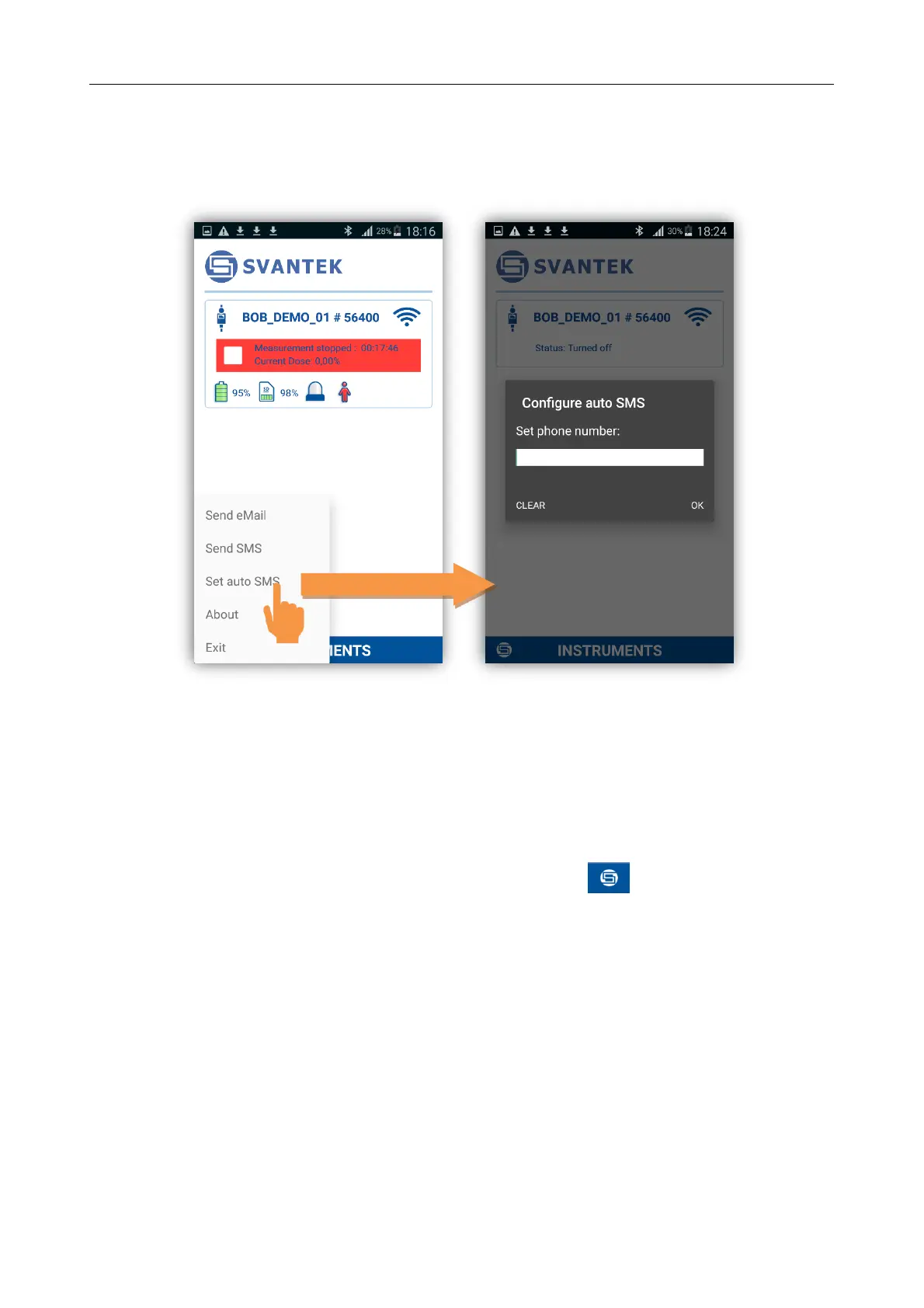
Furthermore, you can set auto SMS recipient phone number selecting Set auto SMS command, entering
phone number and pressing OK button.
Consecutive notification is send when the certain alarm limits are exceeded.
Figure 5-8 Auto SMS configuration screen
5.4 Leaving the application and software version information
You can exit application by pressing in the lower left corner the button, and then select Exit
command. To see the software version, choose the About command.


 To Next Page