SV 104A USER'S MANUAL_______________________________________________________
64
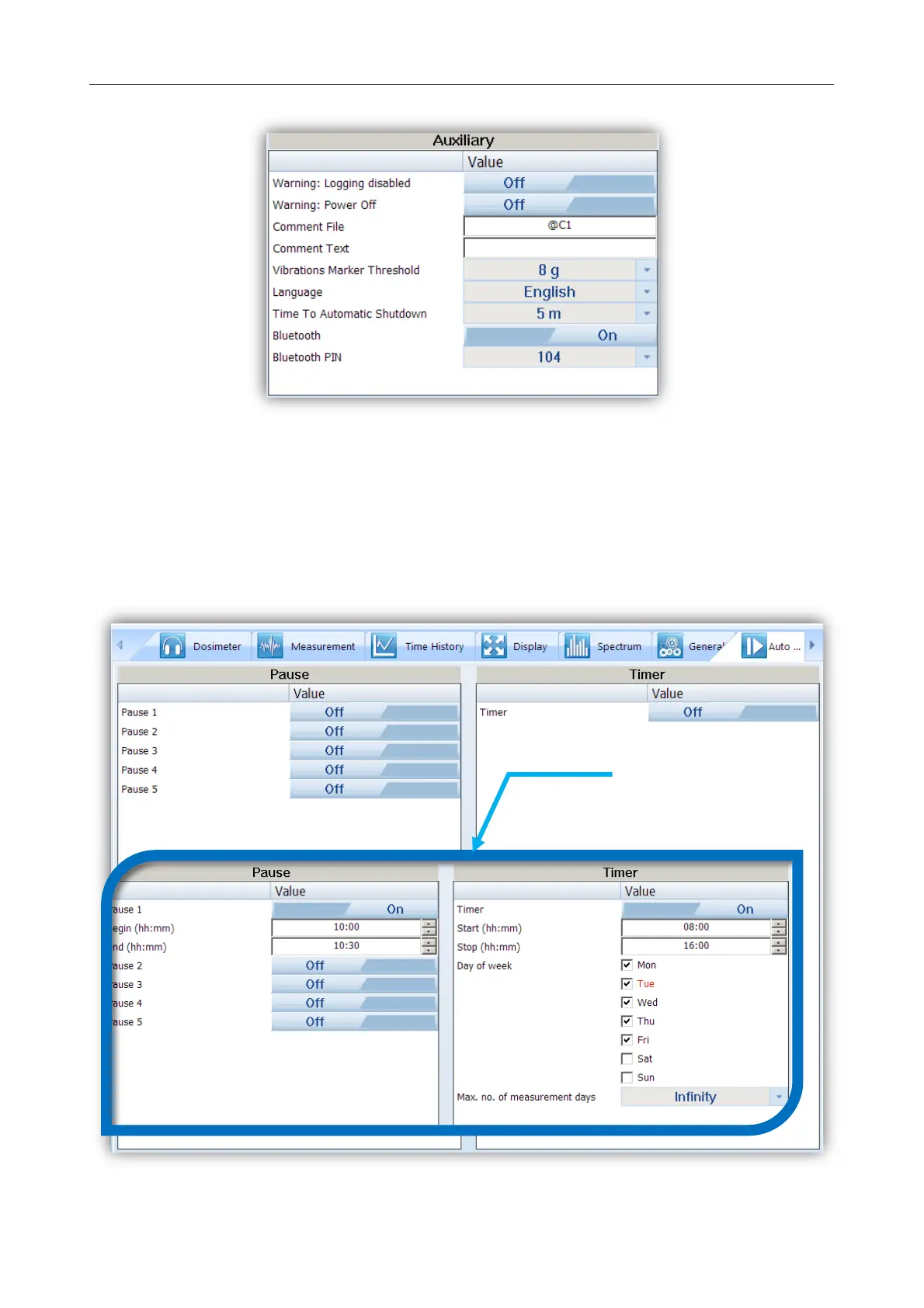
Figure 6-17 Auxiliary settings panel
6.5.8 Auto-Run settings (timer, pauses) tab
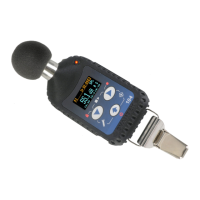
In the Pause panel the user may program five independent PAUSES in real time – Begin and End of
the pause.
The Timer panel enables the user to program the internal real time clock to act as a delayed start and
stop timer. The instrument can be switched on by itself at the pre-selected programmed time and it can then
perform the measurement run, which was used before it was last switched off. Auto-run feature is useful if you
wish to pre-set the instruments to run and stop for a specific period, such as a week-long study.
Figure 6-18 Auto-run configuration tab


 To Next Page