SV 104IS USER’S MANUAL ______________________________________________________
22
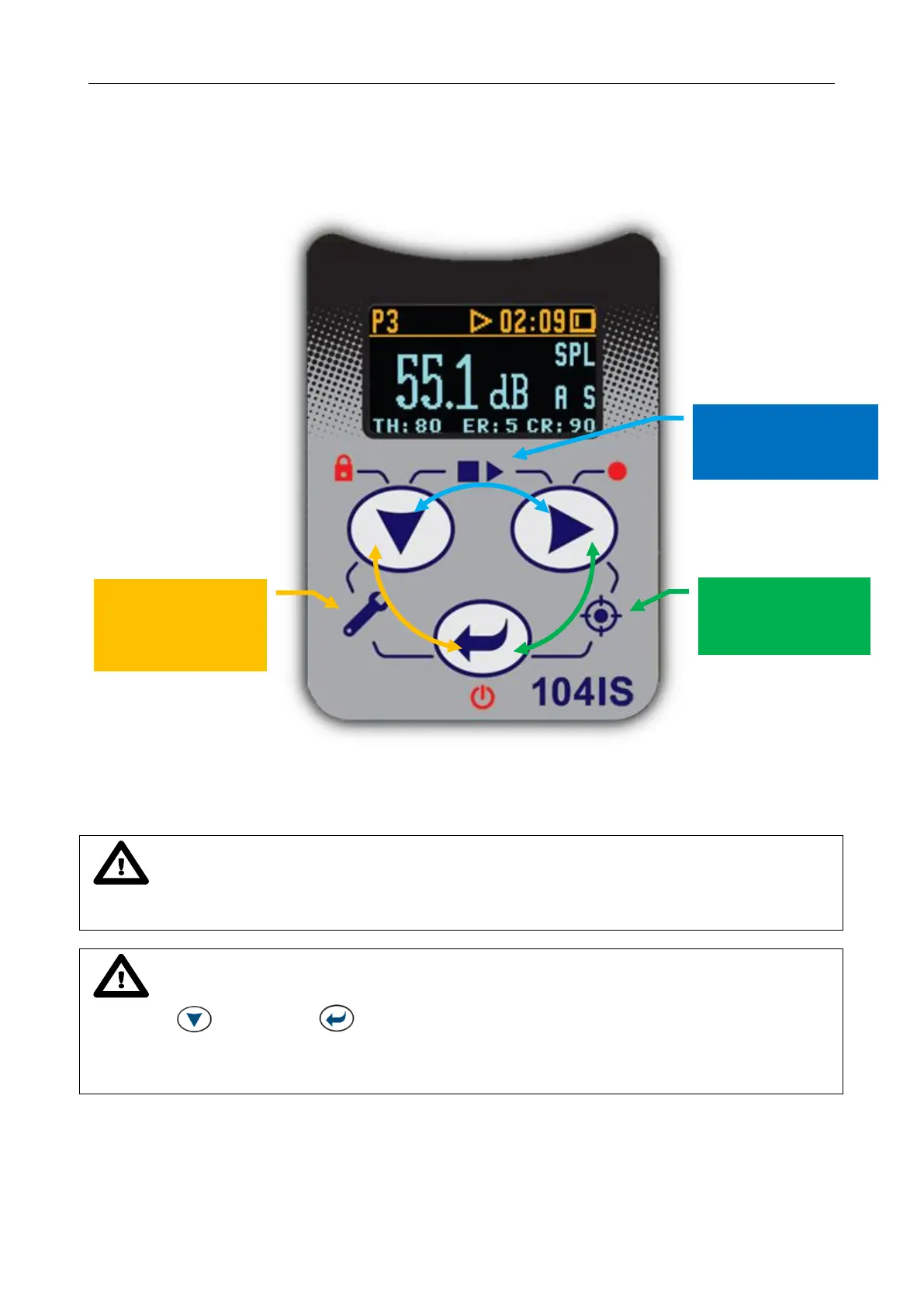
3.7.3 Alternate combined keys functions
Additionally, combined short press of two keys simultaneously (keypad icons marked with white
colour) allow quick access to even more functionalities.
Figure 3-9 Control keypad on the front panel – alternate combined keys function
Notice: Extra additional keypad functionality is also available to display the instrument’s
Unit Label screen showing the current firmware revision number. It is accessible by a short press of all
three keys at once.
Notice: Microphone compensation filter setting is accessible by holding down
<SCROLL> and <ENTER> keys simultaneously for three seconds.
Warning: Changing microphone compensation filter setting is not recommended for
purposes other than laboratory calibration!
<PROFILE>&<ENTER>
Enter/Exit
CALIBRATION
<SCROLL>&<ENTER>
Enter/Exit predefined
SETUP LOADER
<SCROLL>&<PROFILE>
START/STOP
MEASUREMENT RUN



 To Next Page