SV 104IS USER’S MANUAL ______________________________________________________
24
3.9.2 Primary “ONE-RESULT” view mode
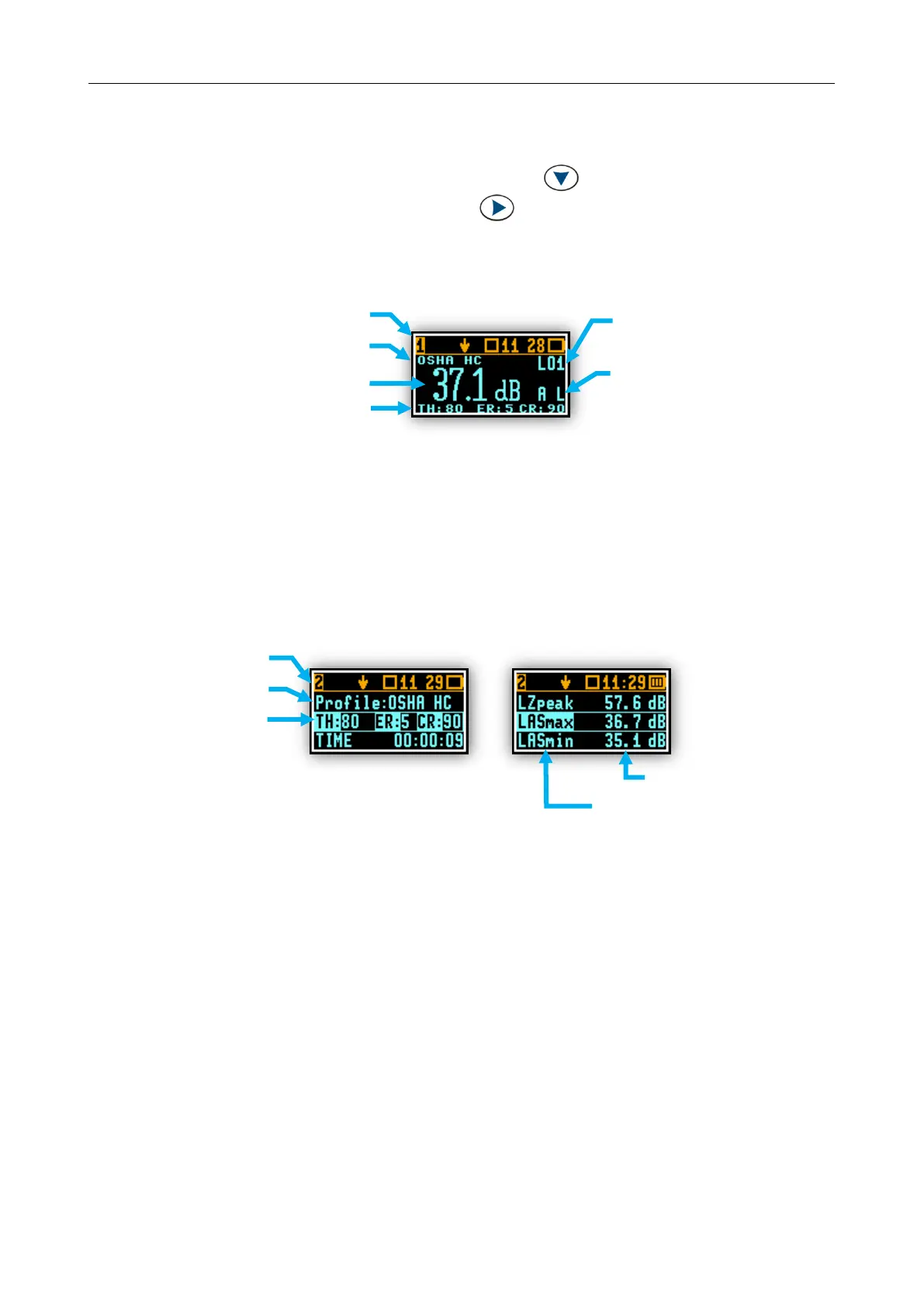
The one result mode is always available in all measurement modes, and cannot be disabled. In one
result mode any measurement result, selected via <SCROLL> , may be presented. The user may
change the actual profile view by pressing <PROFILE> key. This view mode is useful if in low vision
conditions or is suitable for operators with some visual impairment.
Figure 3-11 Primary ONE RESULT view mode screen
3.9.3 RESULTS LIST view mode
To get information about a number of results at one time it is handy to switch to the “results list” view
mode. Up to three parameters at a time are accessible for the operator.
Figure 3-12 RESULTS LIST view mode screens
acronym for:
weighting filter: A,C,Z
detector type: Fast, Slow, Impulse
current criteria status bar:
THreshold, Exchange Rate, CRiterion level
configuration line
THreshold,
Exchange Rate,
CRiterion level



 To Next Page