SV 104IS USER’S MANUAL______________________________________________________
59
5.6 Working with data files
5.6.1 Instrument files
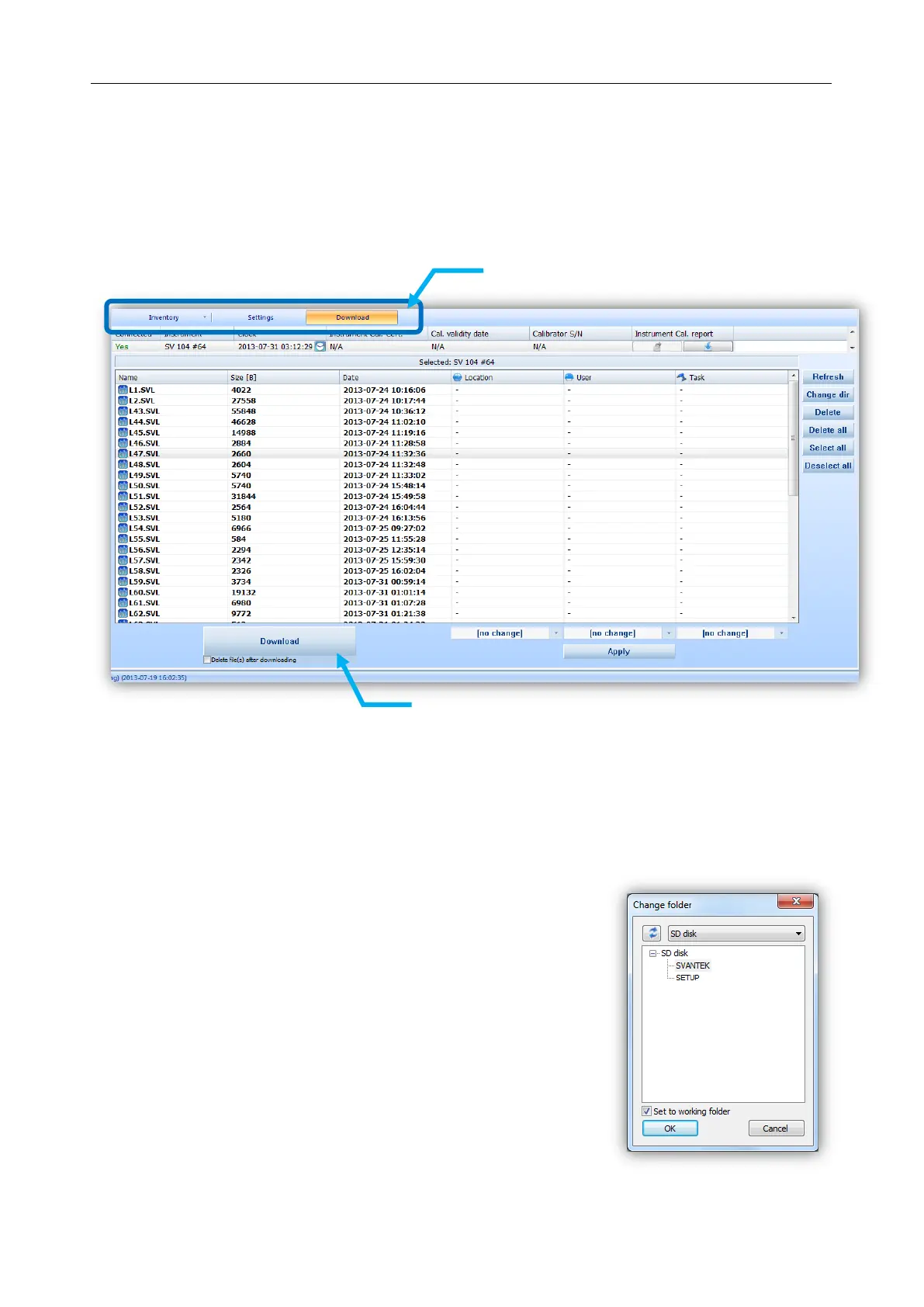
If you want to download any recorded files, regardless the type: logger, voice comment, or audio
events files, you should click the “Download” button on the control area.
Figure 5-20 SV 104IS Download window
Press the “Download” button, located in bottom area, and the previously selected run data files will
be downloaded to local computer and the SUPERVISOR will enter “Data Browser” (see chapter 5.6.2)
to further manage downloaded files. Run data files in the instrument can be optionally deleted after download
by checking the box under the Download button.
To change the working directory or scan other folders, press the
“Change dir” button, and appropriate window will appear, see figure
below.
Figure 5-21 Change instrument working directory window
Press here to download
selected files.
inventory control buttons



 To Next Page