Security System Operation (cont'd)
16
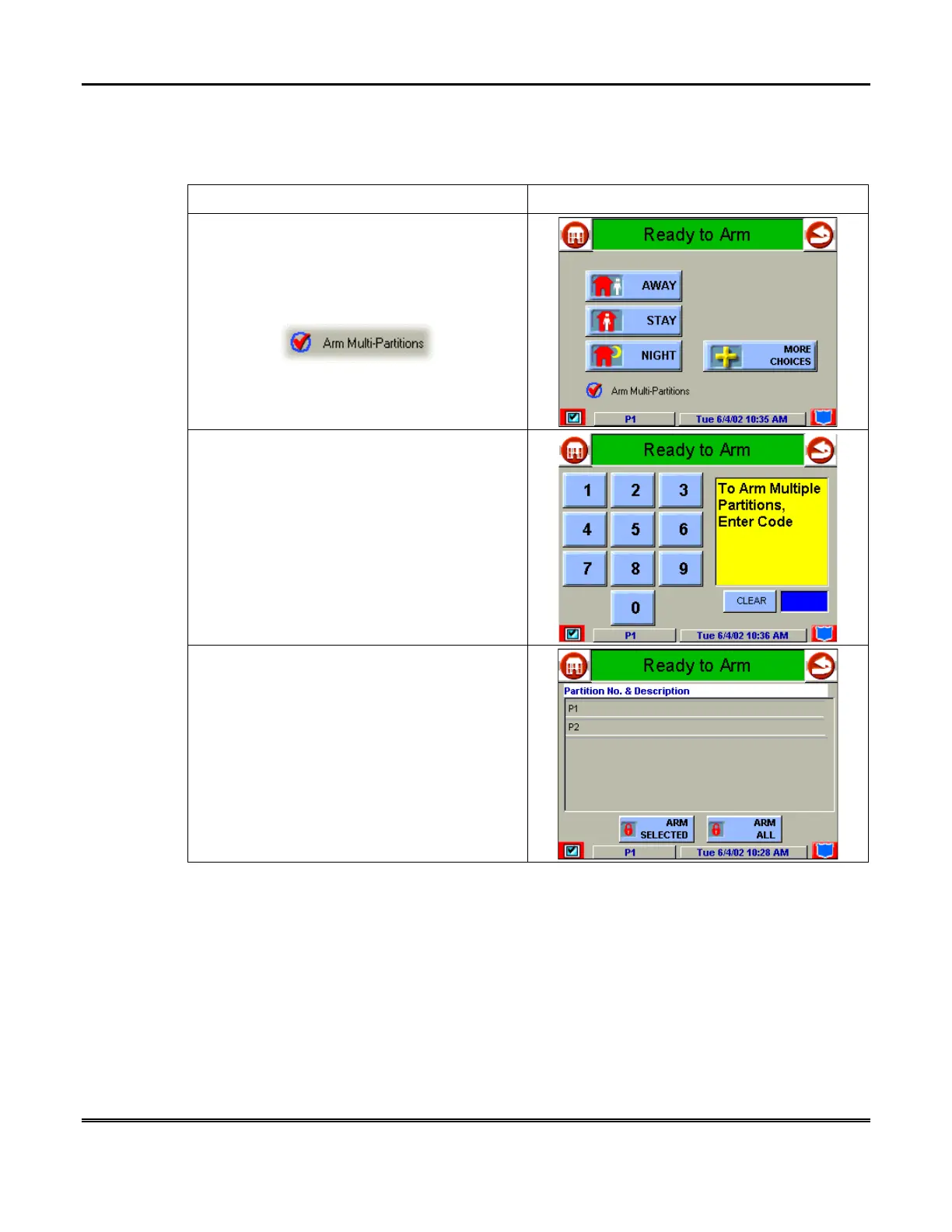
How to Arm Multiple Partitions
To arm multiple partitions:
ACTION SCREEN
1. From the "Home" screen press the
SECURITY
button to display the "Arming"
screen.
NOTE:
Be sure the
Arm Multi-Partitions
button is checked.
2. Press the appropriate arming mode button,
and, when prompted, enter the user code
authorized to access other partition(s).
If the user code is accepted, the system
displays the partitions that the user has access
to.
NOTE
: A user may have access to some (but
not all) of the available partitions!
You have two arming options:
•
To arm one or more partitions, highlight the
partition(s) to be armed by touching it on
the screen, then press
ARM SELECTED
.
•
Press
ARM ALL
to arm all available
partitions.



 To Next Page