Optional Message Center Features (cont'd)
56
Privacy Feature
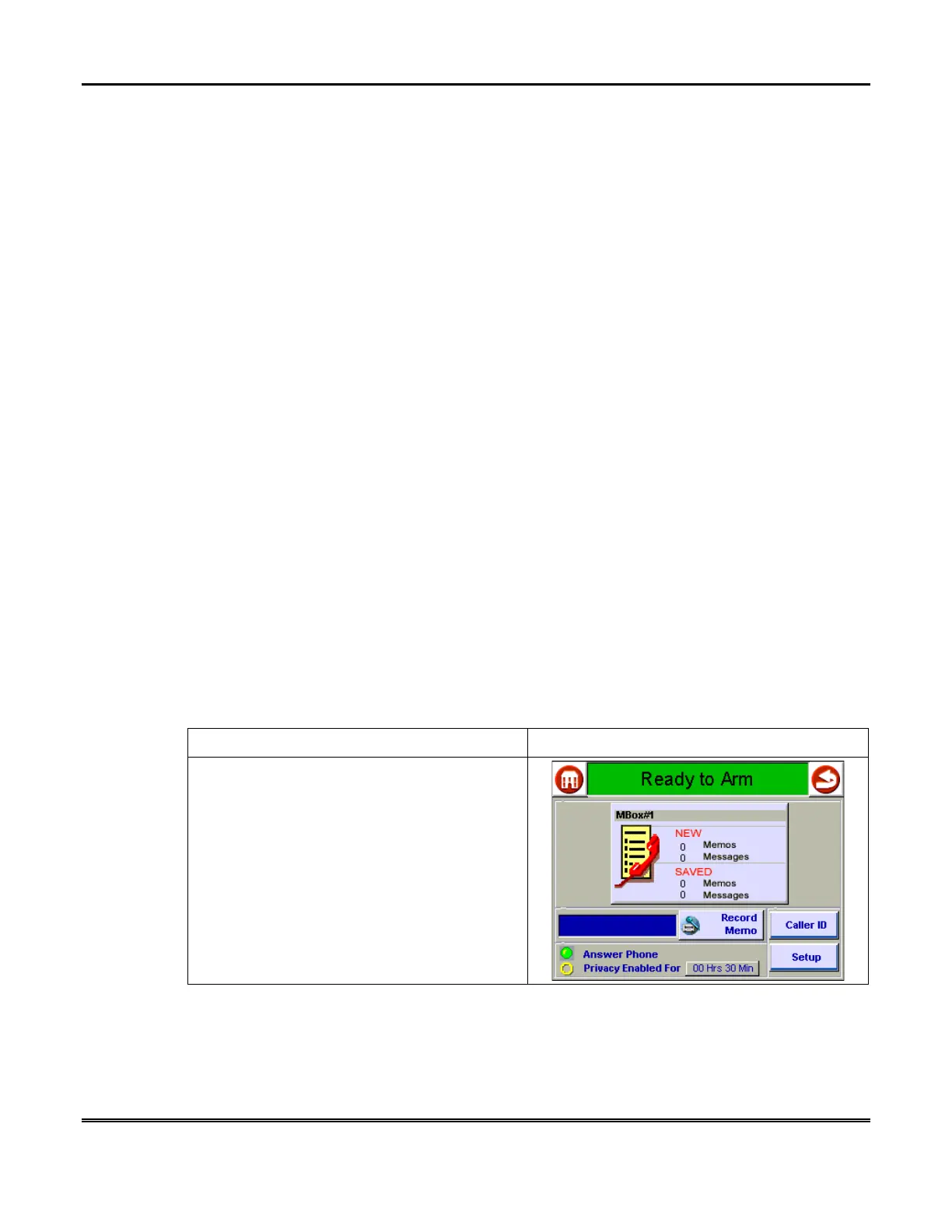
The Privacy feature turns off all telephone ringers and lets Message Center answer
your calls. This can be useful if you do not wish to be disturbed at certain times.
A simple pull-down menu lets you select the Privacy duration (from 30 minutes to 5
hours if enabled at the Symphony). When Privacy is selected (via a check box),
Message Center will take all calls for that duration, or until you turn it off.
Use the Message Menu to check for any messages that may have been left while
Privacy was turned on.
Message Center Operational Structure
Message Center features can be accessed through Symphony, a Message Center
Keypad, and through a telephone. Not all features are accessible through
Symphony and some features are only accessible through a telephone.
Message Center operation is presented first using Symphony, then using a Message
Center Keypad and finally those features that can only be performed through a
telephone provided.
Message Center Operation Using Symphony
How to Record a Memo Using Symphony
A memo is a message you can record for other users of the system to hear. For
example, you might want to let them know you went to the store. These users would
then use the Message Menu to listen to your memo.
To record a new memo:
ACTION SCREEN
1. From the "Home" screen, press the
MESSAGES
button to display the "Message
Center" main screen.



 To Next Page