Security System Operation (cont'd)
22
ACTION SCREEN
NOTE:
Once the system is disarmed,
Symphony will return to the "Home" screen
after the selected “To Home Page After” time
has expired. This time is selected on the
“Setup” screen.
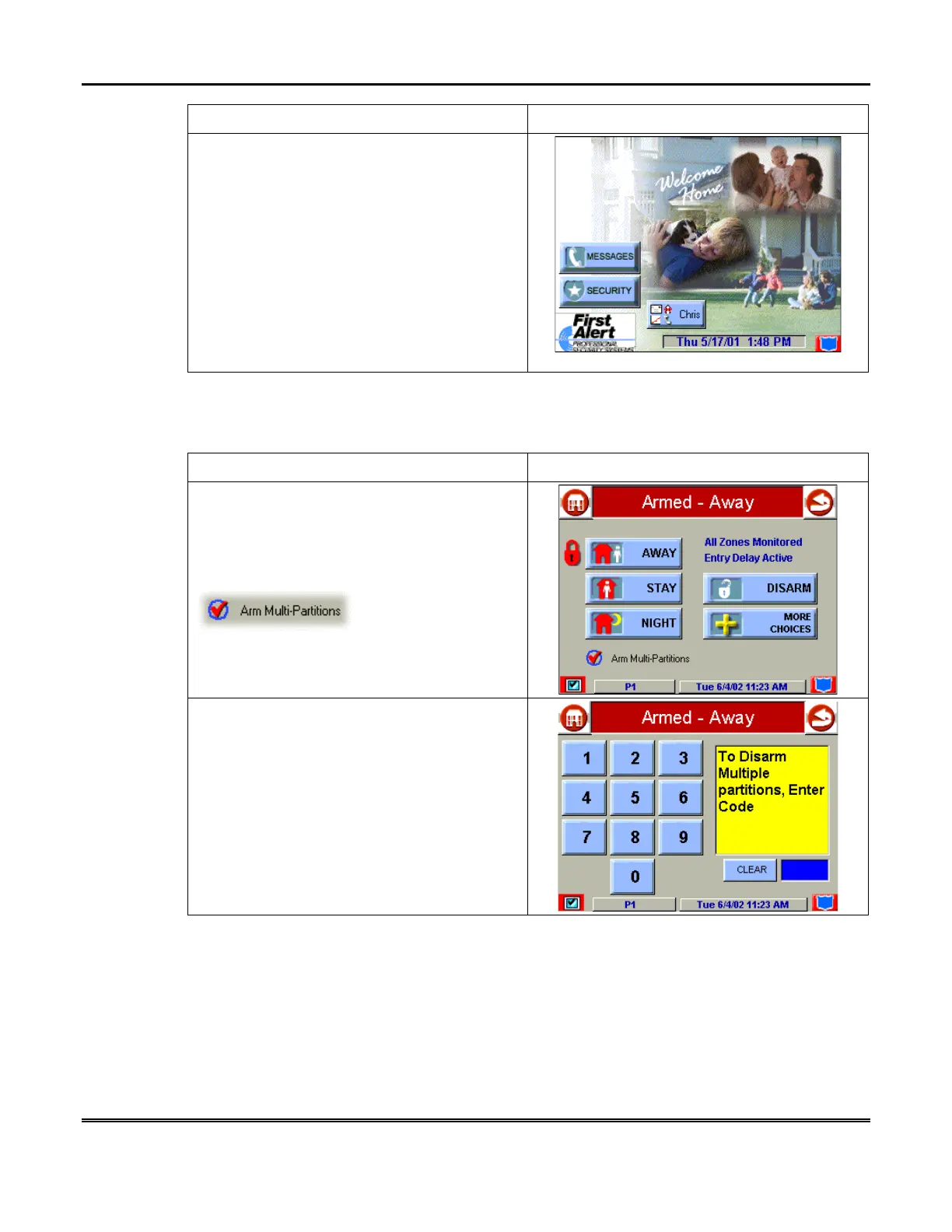
How to Disarm Multiple Partitions
To disarm multiple partitions:
ACTION SCREEN
1. From the "Home" screen press the
SECURITY
button to display the "Arming"
screen.
Be sure the
Arm Multi-Partitions
button is
checked.
2. Press the
DISARM
button on the "
Armed"
screen. The "User Authorization" screen is
displayed with the instructions “
To Disarm,
Enter Code”
.



 To Next Page