Symphony Setup (cont'd)
70
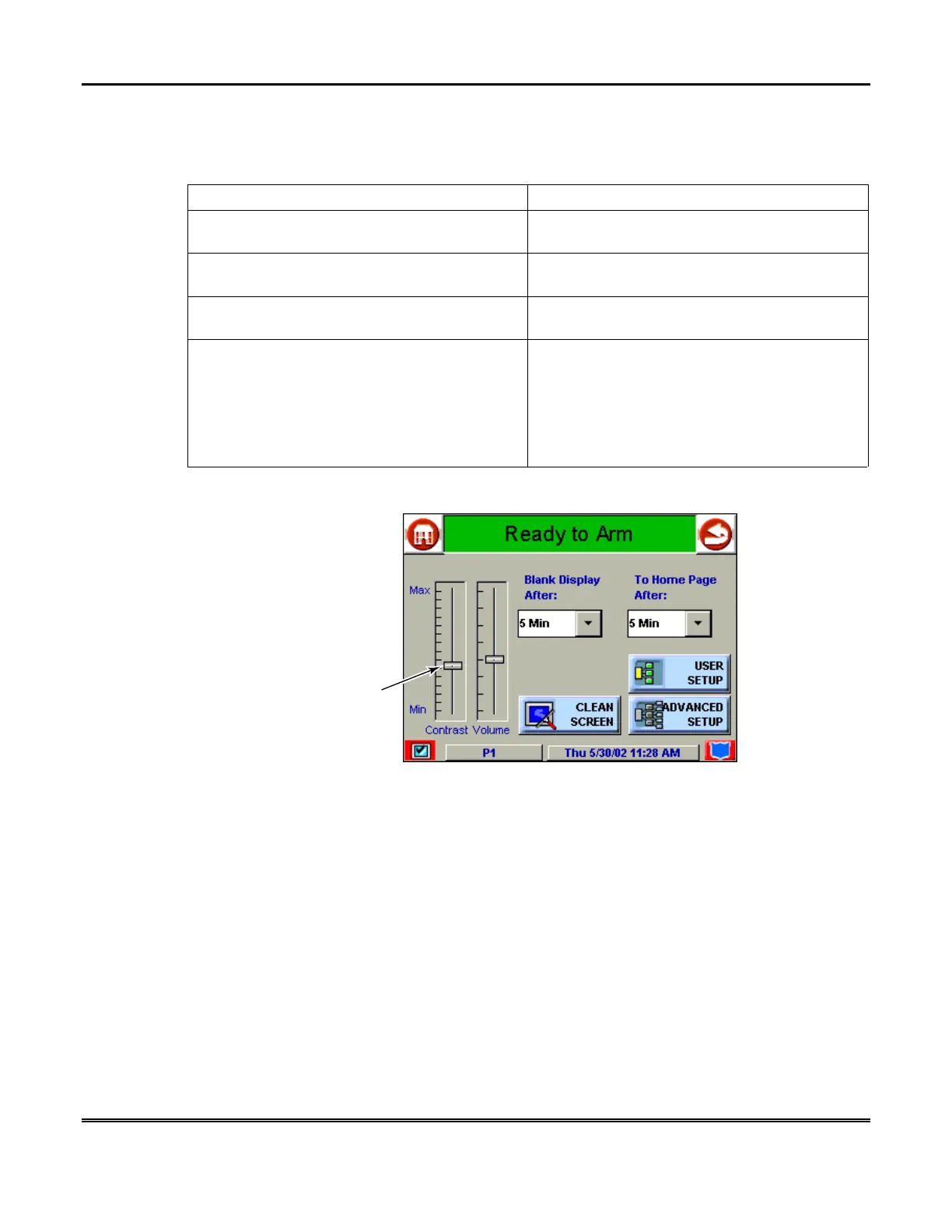
How to Adjust the Touch Screen Contrast
You may adjust the touch screen contrast as follows:
If… Then…
you want to increase contrast press the slide bar above the current contrast
setting.
you want to decrease contrast press the slide bar below the current contrast
setting.
if another adjustment or selection is to be
made
go to the corresponding paragraph in this
section.
If no additional adjustment or selection is to be
made
press the "Back" icon at the upper-right-hand
corner of the "Setup" screen to return to the
previous screen, or
press the "Home" icon in the upper left-hand
corner of the "Setup" screen to return to your
"Home" screen.
AUI-011-V0
CONTRAST
SLIDEBAR
INDICATOR
Touch Screen Contrast Control



 To Next Page