Security System Operation (Cont'd)
25
ACTION SCREEN
3. Enter the code authorized to access other
partition(s).
If the code is accepted, the system displays
the partitions that user has access to.
NOTE:
A code may have access to some (but
not all) of the available partitions.
This screen displays the available partitions (in
this case, Partitions 1 and 2), and their current
status.
The current partition is shown at the top of the
display (in this example, the device is attached
to Partition 1 (
P1
)). To change this
assignment, select the appropriate button (e.g.
press
P2
to switch control to Partition 2).
How to Send Emergency Messages
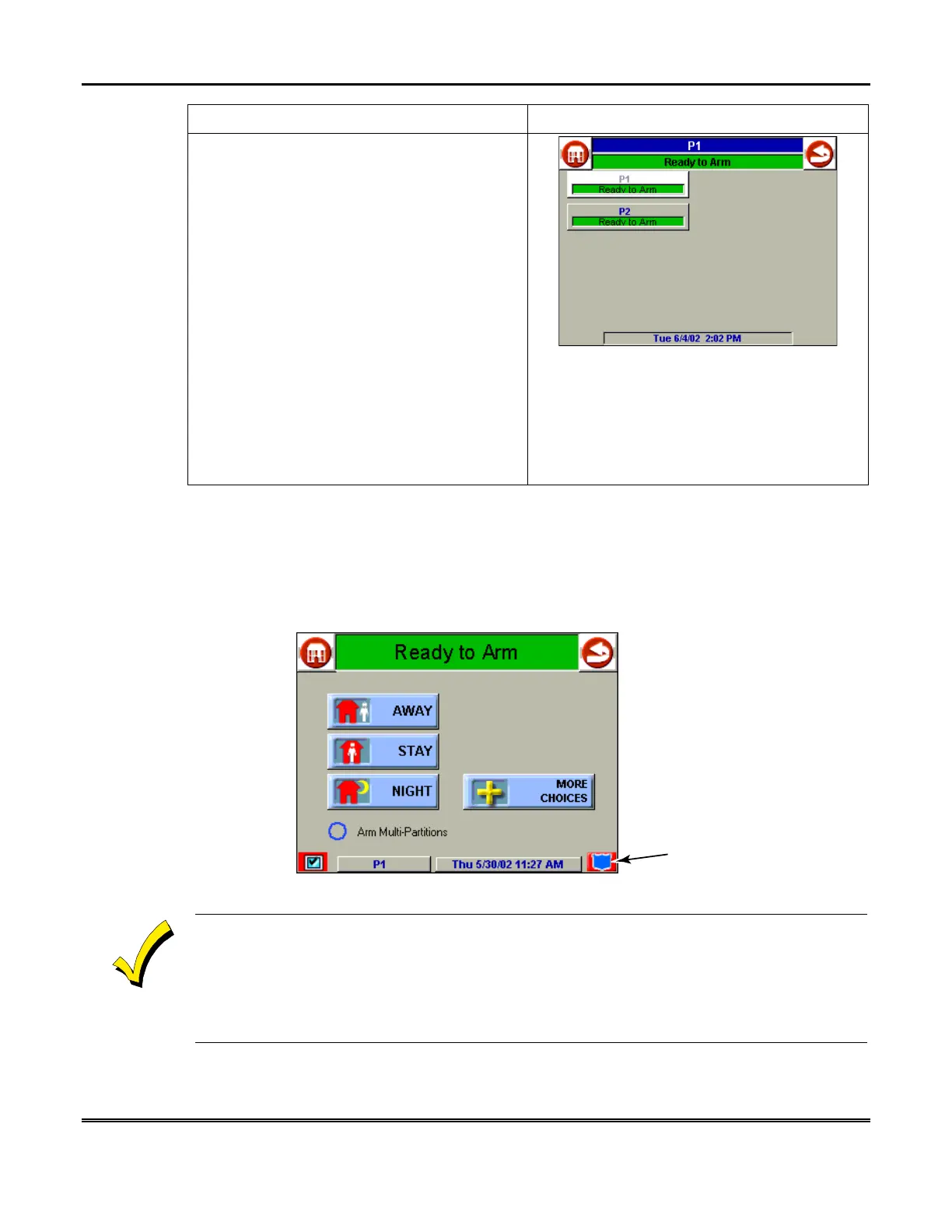
An emergency message for panic or fire can be sent to the central monitoring station
from the
Emergency
screen. The
Emergency
screen can be accessed by activating
the "emergency" icon located in the lower-right hand corner of the displayed screen
(see next page for a typical screen).
AUI-022-V0
"EMERGENCY"
ICON
1. The
Emergency
screen cannot be accessed while running a diagnostic test or the touch
screen calibration. The Emergency screen also cannot be accessed if the user is in an
Internet session or retrieving messages.
2. In some instances a pop-up window may be partially covering the "emergency" icon. If this is
the case, you should first close the pop-up window by pressing either the
DONE
or
CANCEL
button, whichever may be appropriate, on the pop-up screen.



 To Next Page