Symphony Setup (Cont'd)
75
How to Calibrate the Touch Screen
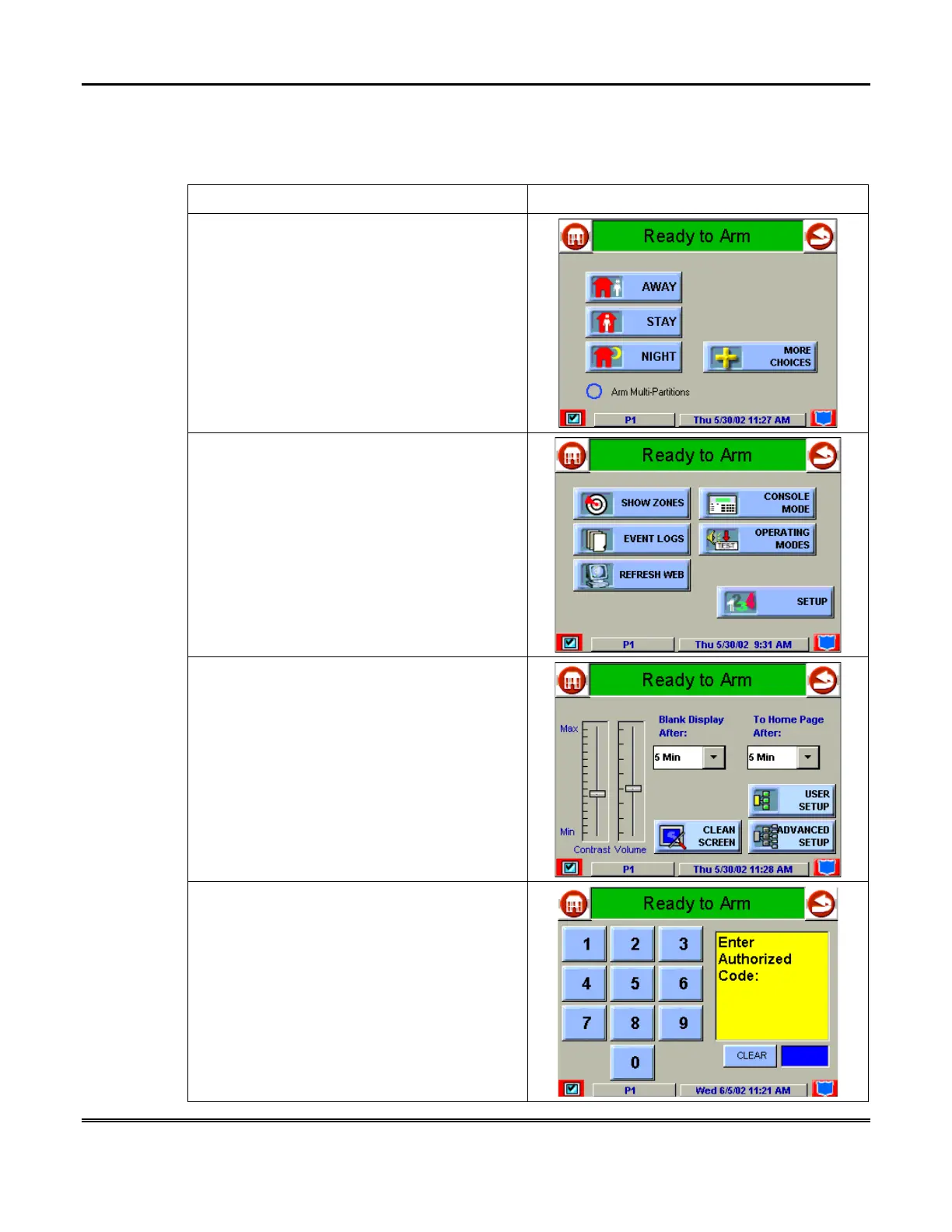
Calibrate the touch screen as follows:
ACTION SCREEN
1. From the "Home" screen, press the
SECURITY
button. The "Arming" screen is
displayed.
2. From the "Arming" screen press the
MORE
CHOICES
button. The "More Choices" screen
is displayed.
3. Press the
SETUP
button on the "More
Choices" screen. The "Setup" screen is
displayed.
4. Press the
ADVANCED SETUP
button on
the "Setup" screen. The "User Authorization"
screen is displayed with the instructions "
Enter
Authorized Code
".



 To Next Page