Symphony Setup (cont'd)
76
ACTION SCREEN
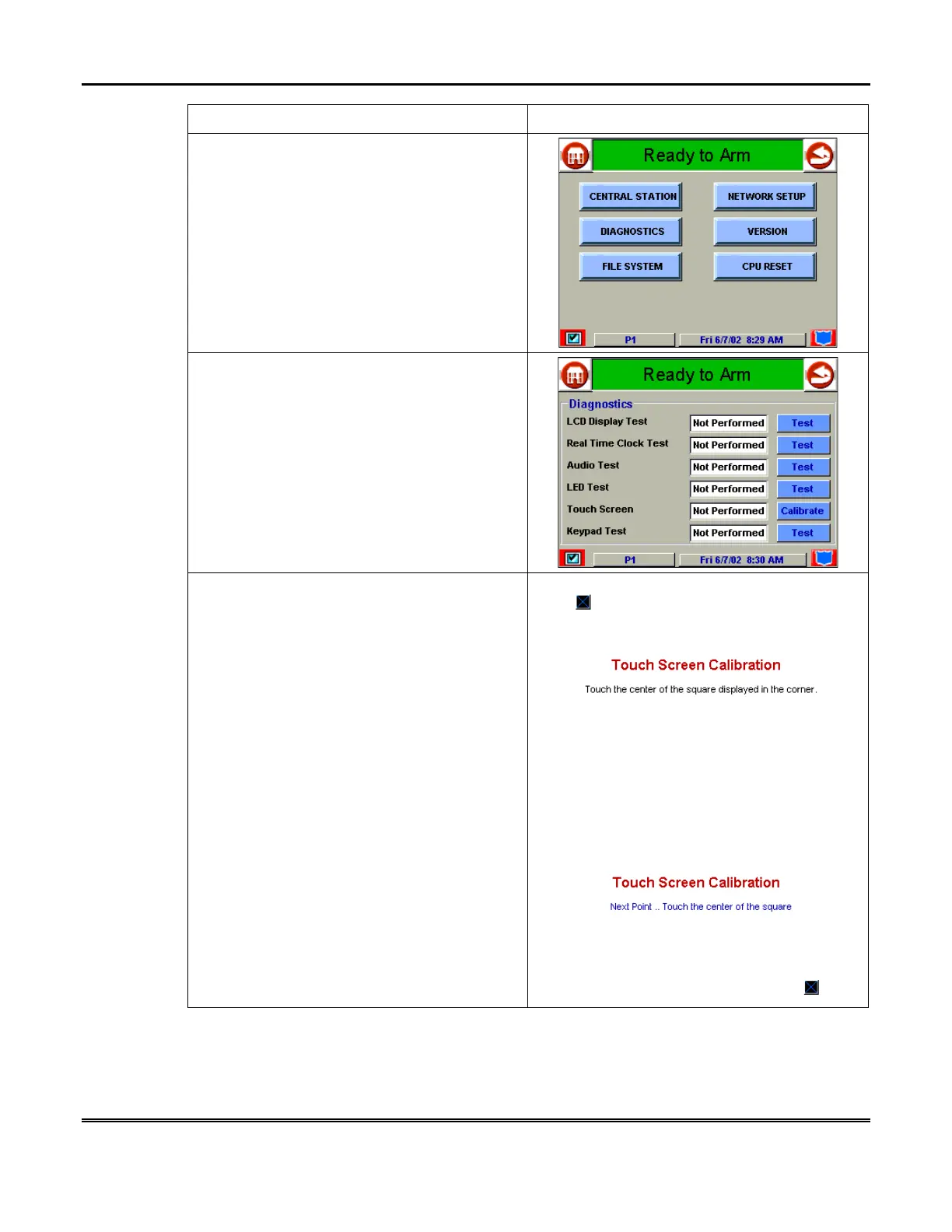
5. Enter your “Master” code. The “Advanced
Setup” screen is displayed.
6. Press the
Diagnostics
button on the
"Advanced Setup" menu screen. The
"Diagnostics" screen is displayed.
7. Begin the Touch Screen calibration from the
"Diagnostics" screen by pressing the
Calibrate
button. When the
Calibrate
button is pressed,
the
Touch Screen Calibration
screen is
displayed.
Within the
Touch Screen Calibration
screen
you are asked to “
Touch the center of the
square displayed in the corner.
” Press the
center of the square.
When this square is touched the
Touch
Screen Calibration
screen displays “
Next
Point.. Touch the center of the square.
”



 To Next Page