User Code Setup (cont'd)
38
How to Delete a User
Delete a User as follows:
ACTION SCREEN
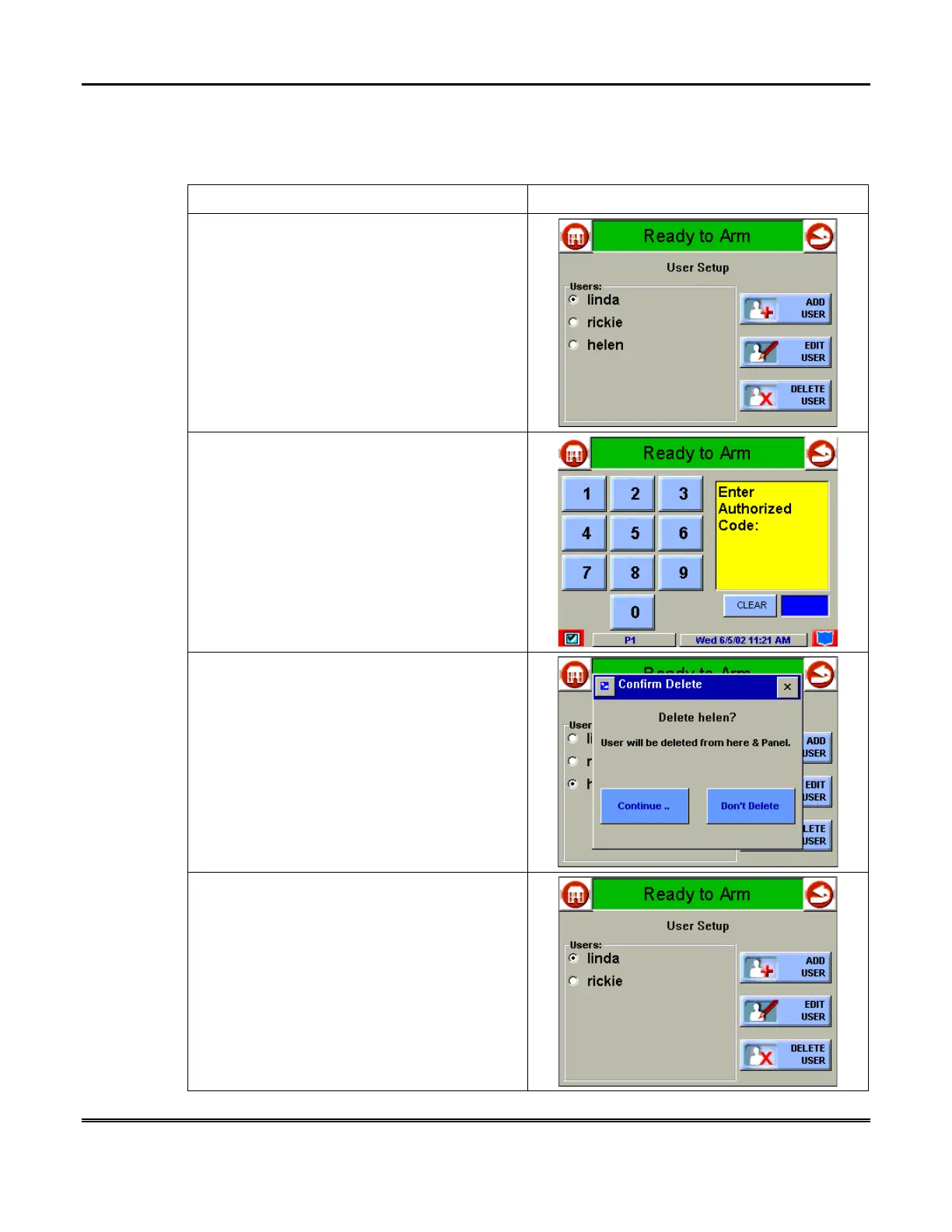
1. Three selections are available From the
User Setup
screen: add a user, edit a user, or
delete a user.
1. To delete a user, touch the circle next to the
user to be deleted and press the
DELETE
USER
button. The "User Authorization" screen
is displayed with the instructions "
Enter
Authorized Code
".
2. Enter your “Master” code. The
Confirm
Delete
screen is displayed.
3. Press the appropriate button. The
User
Setup
screen is displayed.



 To Next Page