69
Symphony Setup
How to Access Symphony Setup Options
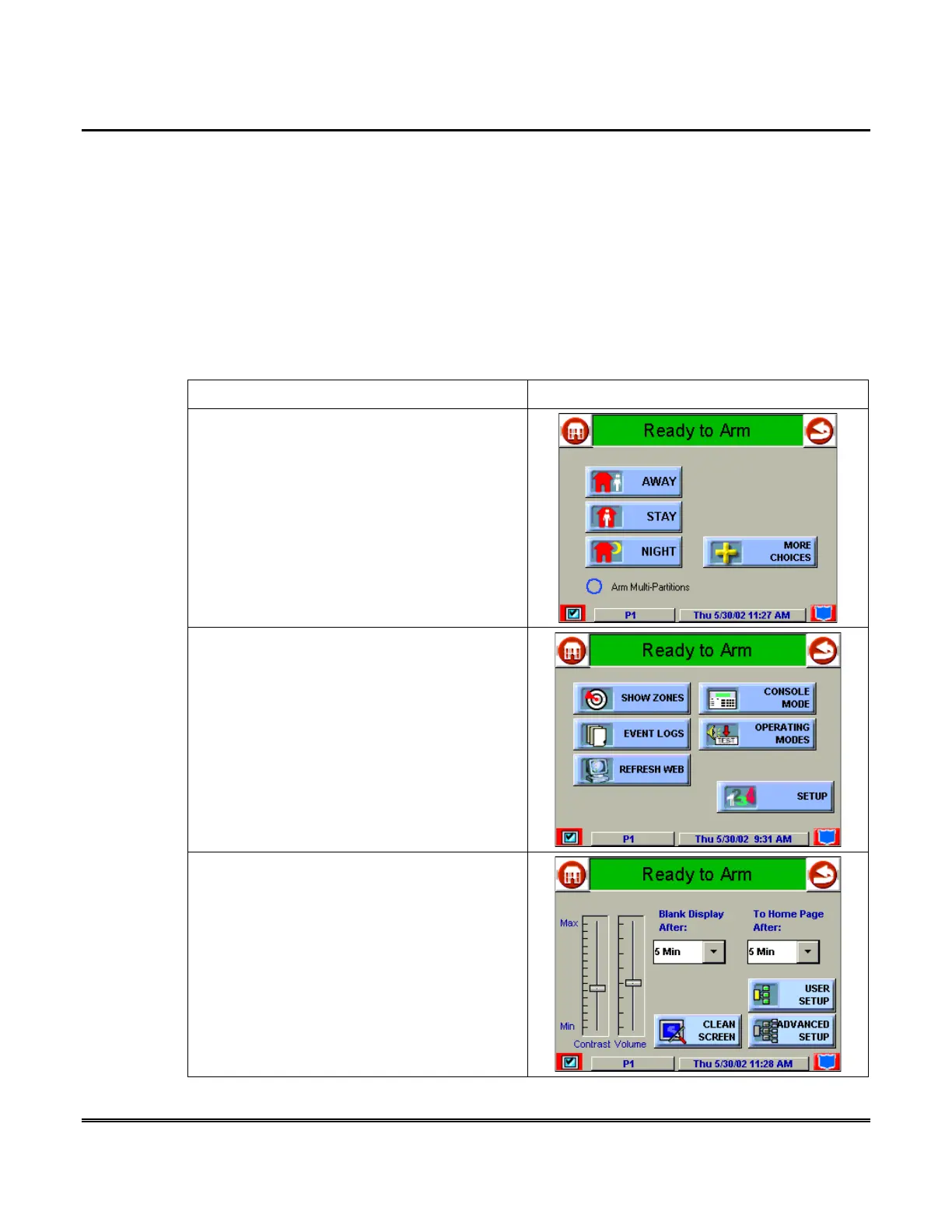
Setup allows you to adjust the touch screen contrast and/or adjust the Symphony
speaker volume. You may also select the time interval that must pass prior to
Symphony going into screen saver mode (screen goes blank). Additionally, you may
enter the
User Setup
screen,
Advanced Setup
screen, or
Clean Screen
(maintenance mode) from the "Setup" screen by pressing the corresponding button.
How to Access Setup
Access the "Setup" features as follows:
ACTION SCREEN
1. From the "Home" screen, press the
SECURITY
button. The "Arming" screen is
displayed.
2. Press the
MORE CHOICES
button. The
"More Choices" screen is displayed.
3. Press the
SETUP
button on the "More
Choices" screen. The "Setup" screen is
displayed.



 To Next Page