Maintaining Your System (cont'd)
80
How to Clean your Symphony
IMPORTANT:
Do not use an abrasive cleaning agent or abrasive cloth when
cleaning your Symphony or damage to the touch screen may occur.
Clean Symphony as follows:
ACTION SCREEN
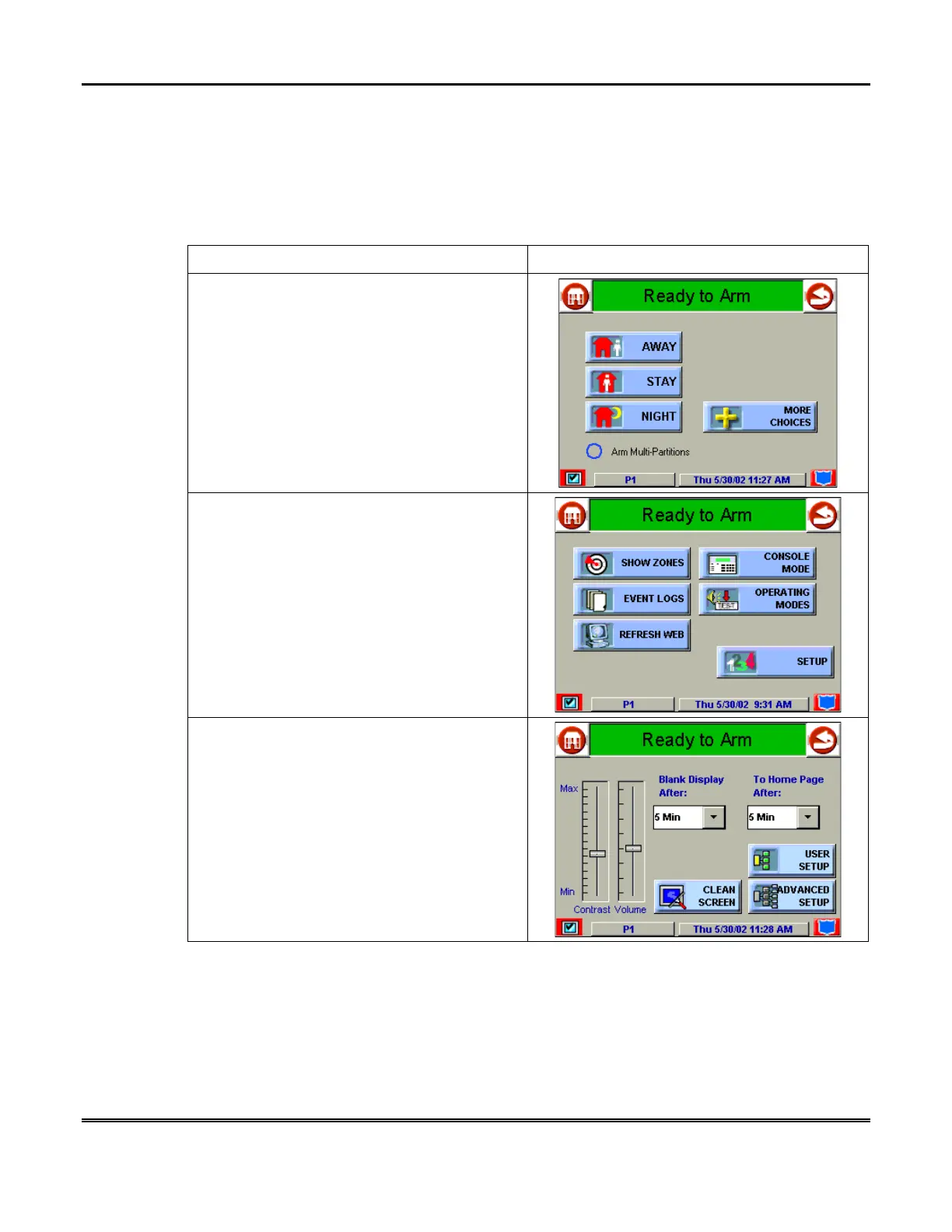
1. From the "Home" screen, press the
SECURITY
button. The "Arming" screen is
displayed.
2. Press the
MORE CHOICES
button. The
"More Choices" screen is displayed.
3. Press the
SETUP
button on the "More
Choices" screen. The "Setup" screen is
displayed.



 To Next Page